Best Gaming Consoles for Kids of 2026

There's a specific Saturday afternoon when a gaming console earns its keep: it's raining, the blanket fort has been built and demolished, and everyone needs something to do that isn't another episode of the same show. The gap between the console a kid begs for in the store and the one they're still playing three weeks later is wider than most parents expect.

I've lost count of the handhelds that came through my house and ended up in a drawer with a dead battery. Six months and 12 consoles later, the pattern is clear: the ones kids return to have a short path from power button to play, a screen that survives a backpack, and a battery that lasts a car ride. We also counted how many preloaded games got opened twice — 200 titles mean nothing if 180 are the same game with a new coat of paint.

The picks below run from pocket-size handhelds to systems the whole family plays together, and none of them need a subscription or an adult's account to be fun on day one.

1

Best Overall

Nex Playground

95 /100
Lab Score Outstanding

Key details

Players
4
Controller
None required
Included Games
5
Recommended Age
5 years and up
View on Amazon

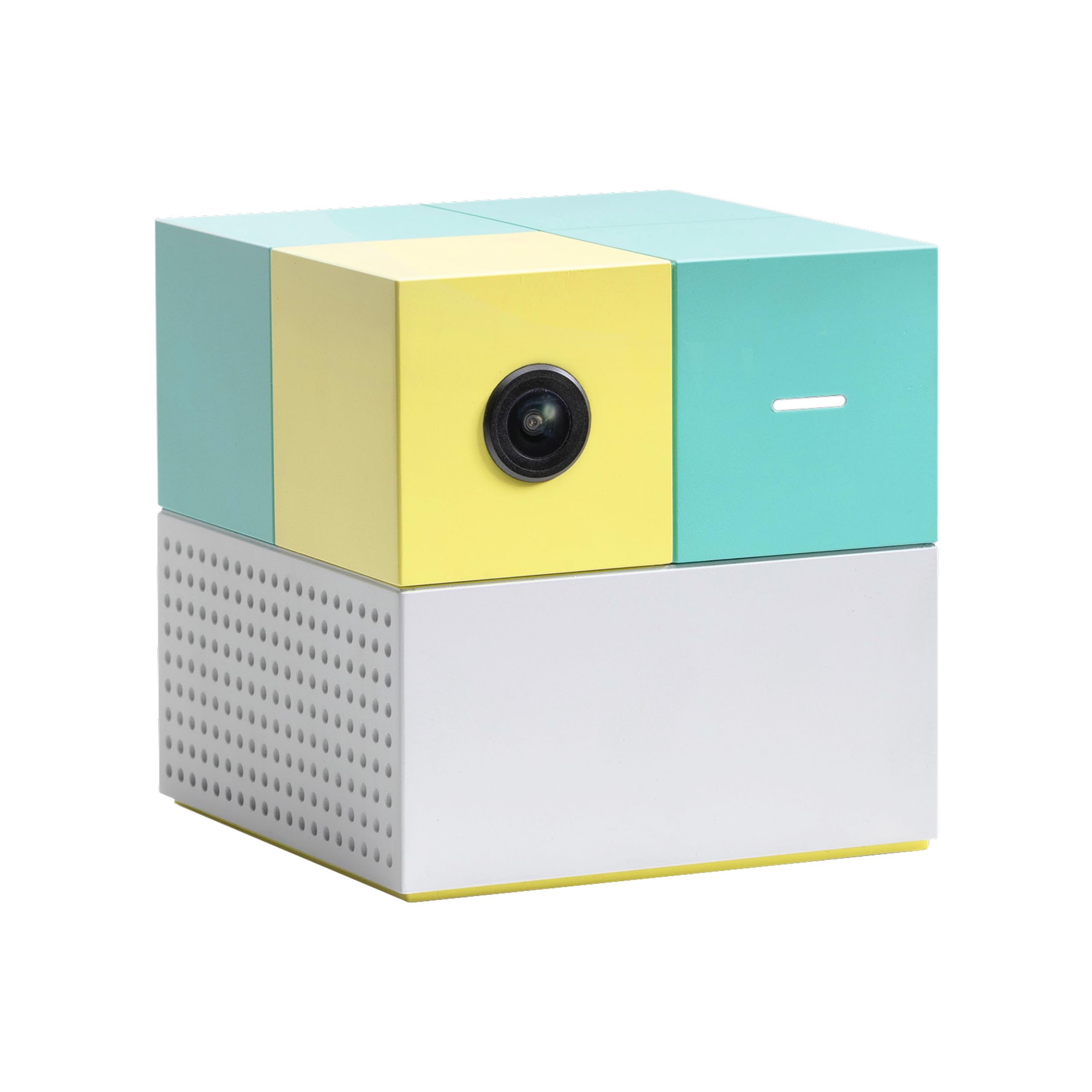
There is no controller to lose, charge or argue over with the Nex Playground, and that single fact is why it takes the top spot here. The box sits by the TV, a wide-angle camera watches the room, and your kid is the input: they swipe at fruit, duck under obstacles and swing at things that are not there. Setup is one HDMI cable, full stop, which matters more than it sounds on a birthday morning when the wrapping paper is already everywhere.

Five games come in the box — Fruit Ninja, Starri, Whac-a-Mole, Go Keeper and Party Fowl — and the rest of the library sits behind a Play Pass subscription sold separately. We think those starter five are a fair trial: if your kids have stopped asking for it after a week, skip the pass. If they are still negotiating whose turn it is, the subscription earns its keep faster than another plastic toy would. Four people can play at once, and the group play is what surprised us most: a parent and two kids on one screen with nothing to pass back and forth.

What we did not expect was how much use the adults get out of it. The motion games ask for real movement, so a round of Go Keeper in the living room sits closer to recess than to screen time, and a grown-up who joins in will feel it in their shoulders. That is the trade you are making. This is not the console for a quiet hour in a restaurant or a long flight; it needs open floor and a room where everyone is willing to look a little silly.

The camera is also the limit. A tight room, a sofa in the way or a player who wanders out of frame breaks the illusion, and a four-year-old who does not grasp staying in view needs a grown-up nearby for the first few sessions. None of that moves it off the top of this list, because the alternative in most homes is a controller-based console the youngest kid cannot use yet.

Pros

  • No controllers to lose, charge or share
  • Four players share one screen at once
  • Setup is a single HDMI connection
  • Games get kids moving indoors

Cons

  • Full library needs a Play Pass subscription
  • Needs open floor and a clear camera view
Our verdict

We recommend the Nex Playground to families with kids around five and up who want the living room to be the game: nobody needs a controller, and everybody can play at once.

Check Latest Price
2

Best for Older Kids

Nintendo Switch

95 /100
Lab Score Outstanding

Key details

Screen
6.2" LCD
Play Modes
TV, tabletop, handheld
Controllers
Detachable Joy-Con
Memory Storage
32 GB
View on Amazon

The console is the cheap part. A Switch plus two Mario titles runs well past the sticker on the box, and that is the number to work out before you wrap one for a birthday. The games are also the entire argument for buying it: this is the home of Mario and friends, and the titles your child's friends are talking about at lunch are here rather than on anything else in this guide.

As hardware it does three jobs well. It docks to the TV, it stands on a table with the Joy-Cons slid off, and it works as a handheld with a 6.2-inch LCD screen. We think that flexibility is the underrated part for families — the same machine is a big-screen game on Saturday and a car ride on Monday, and you are not buying two devices. Thirty-two gigabytes of storage fills faster than you expect once downloads start, so add a microSD card to the first order.

The Joy-Cons are the weak point in kid hands. They detach, they get dropped, they go missing, and a replacement pair is not cheap. A case with a screen cover and a hard rule that the controllers live in the dock are worth more than anything the checkout page will try to sell you. The screen is the other part to protect the moment the console leaves the house in a backpack.

None of that is a knock on the Switch as a console; it is a knock on the Switch as a toy. Buy it when your kid is old enough to be careful with it and old enough to want specific games by name, and it will carry a family through several holidays. Buy it for a five-year-old and you have bought an expensive tablet with extra steps.

Pros

  • Mario and the biggest kid-friendly library here
  • Docks to a TV, stands, or travels handheld
  • Detachable Joy-Cons for two-player sessions
  • Parental controls and store settings on board

Cons

  • Games are bought separately at full price
  • Joy-Cons are easy to lose and break
Our verdict

Families with kids around seven and older should buy the Switch for the games, then budget for them separately — the library is the reason to own one and also the cost.

Check Latest Price
3

Best for Preschoolers

LeapFrog LeapLand Adventures

91 /100
Lab Score Outstanding

Key details

Players
5
Connection
HDMI plug-and-play
Learning Items
150+
Recommended Age
3 years and up
View on Amazon

A preschooler does not need a console library, a store or an account. LeapLand Adventures is a game stick and one wireless controller, aimed squarely at ages three to six, and the whole thing costs less than any other TV option in this guide. You plug the stick into an HDMI port, power it from USB, and hand over the controller. There is no download, no account and no store to stumble into buying something, which matters more than any graphics claim when the player is three.

The content is what you would want: letters, numbers, shapes and colors dressed up as a quest for keys to Clever Castle, with 150-plus learning items and a choice of two characters. Progress saves separately for up to five players, so siblings do not wipe each other's game, and the levels replay instead of ending, which suits a child who wants the exact same thing again tomorrow.

The controller is where we hesitate. It takes two AA batteries that are not in the box, and a three-year-old has to learn a directional pad and a jump button before any of the learning lands. Some kids click with it at three; others need another year. We still think it is the best first console for a household with a preschooler precisely because it is not trying to be anything else — it will not follow them into second grade, and nothing in this guide costs less to find out.

Pros

  • No downloads, accounts or store purchases
  • 150+ learning items on letters, numbers, shapes
  • Saves separate progress for up to five players
  • Least expensive console in this guide

Cons

  • Controller needs two AA batteries, not included
  • Some controllers stop responding
Our verdict

For a three- or four-year-old who wants the TV, we pick LeapLand Adventures: it plugs into an HDMI port, teaches letters and numbers, and costs the least of anything here.

Check Latest Price
4

Best Budget Handheld

Douddy 139-Game Handheld

85 /100
Lab Score Excellent

Key details

Games
139
Screen
3.0" IPS
Battery
5 hours
Charging
USB-C
View on Amazon

Of the two handhelds we kept in this guide, this is the one we hand to a five-year-old first. The 3-inch IPS screen is bright and clear at arm's length, the shell is shaped for small hands, and the buttons are simple enough that most kids work them out without being taught. It charges over USB-C, so one cable in the house covers it and nobody is hunting for a wall adapter at bedtime.

The pitch is 139 preloaded games sorted into categories, plus a game guide in the manual that explains what each one is. That guide is the most underrated thing in the box. Sit with your kid for ten minutes on day one, play a minute of each, and write down the four or five that get a reaction. Suddenly the device is not a menu of 139 unknowns, and your child can jump straight to the good ones.

Five hours is the quoted battery figure, and that is roughly a long drive with something left over for the wait at the other end. It is a single-player machine, so two kids in the back seat mean two devices or a sharing plan. The library is retro and it is uneven — expect simple sports, puzzles and shooters, several of which will get ten seconds of attention. The handful a kid falls for are what you are actually buying.

Pros

  • Bright 3-inch IPS screen sized for kids
  • 139 games with a guide in the manual
  • USB-C charging with about five hours of play

Cons

  • Screen and charging faults can develop
  • Retro games stay simple and repetitive
Our verdict

We give the Douddy handheld to families who want a screen in the car instead of a phone: 139 built-in games, a bright 3-inch display, and a USB-C charge that outlasts the drive.

Check Latest Price
5

Retro Fans

Atari Gamestation Go

86 /100
Lab Score Excellent

Key details

Games
200+
Power
Rechargeable battery
Screen
7" full color
TV Output
HDMI
View on Amazon

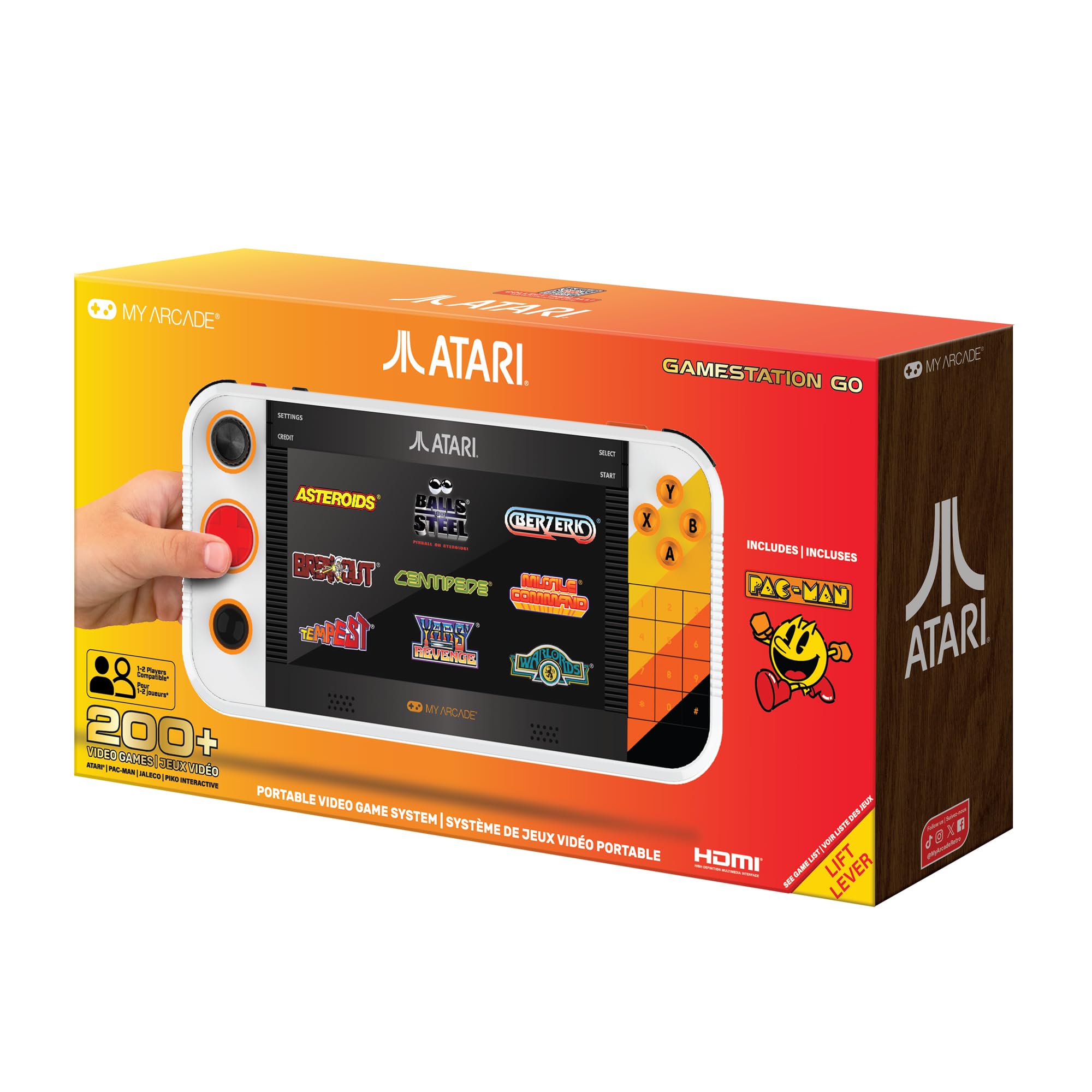
Half the appeal of the Gamestation Go is aimed at you. The 7-inch screen, the trak-ball, the paddle, the numeric keypad — this is a machine built to feel like the arcade cabinet you grew up with, and your kid ends up playing it beside you rather than instead of you.

Two hundred-plus licensed games are built in, among them PAC-MAN, Asteroids, Breakout, Centipede, Missile Command and Warlords, with Jaleco and PIKO titles filling out the list. It runs on a rechargeable battery, connects to a TV over HDMI and updates over Wi-Fi. Best of all, the controls match the games: a trackball for Centipede, a paddle for Breakout, a d-pad for everything that wants one, instead of forcing every title through the same buttons.

For kids, the appeal is that the rules are visible. A seven-year-old can see what Breakout wants in about four seconds, which is not true of most modern games. The trak-ball is the control we steer kids away from at first — it is sensitive and a light thumb works better than a hard spin — so start on the d-pad and let them graduate to it.

It costs less than the two big TV consoles here and more than the plug-in sticks, and what that buys is real hardware with a big screen and no subscription. The library skews old, though, and a ten-year-old raised on Mario may shrug at Asteroids. The kid who gets the most out of it is the one with a parent sitting next to them.

Pros

  • 200+ licensed Atari, Jaleco and PIKO games
  • 7-inch screen plus HDMI output to a TV
  • Trackball, paddle and d-pad for period controls
  • Rechargeable battery with Wi-Fi updates

Cons

  • Trackball is twitchy for small hands
  • Library leans heavily on 1980s titles
Our verdict

The Atari Gamestation Go is the one to buy if you want to play along with your kid: 200-plus licensed games, a 7-inch screen, and nothing to subscribe to.

Check Latest Price
6

Travel Play

SNONBROS 220-Game Handheld

82 /100
Lab Score Excellent

Key details

Games
220
Screen
3.5" IPS
Battery
6 hours
Players
1
View on Amazon

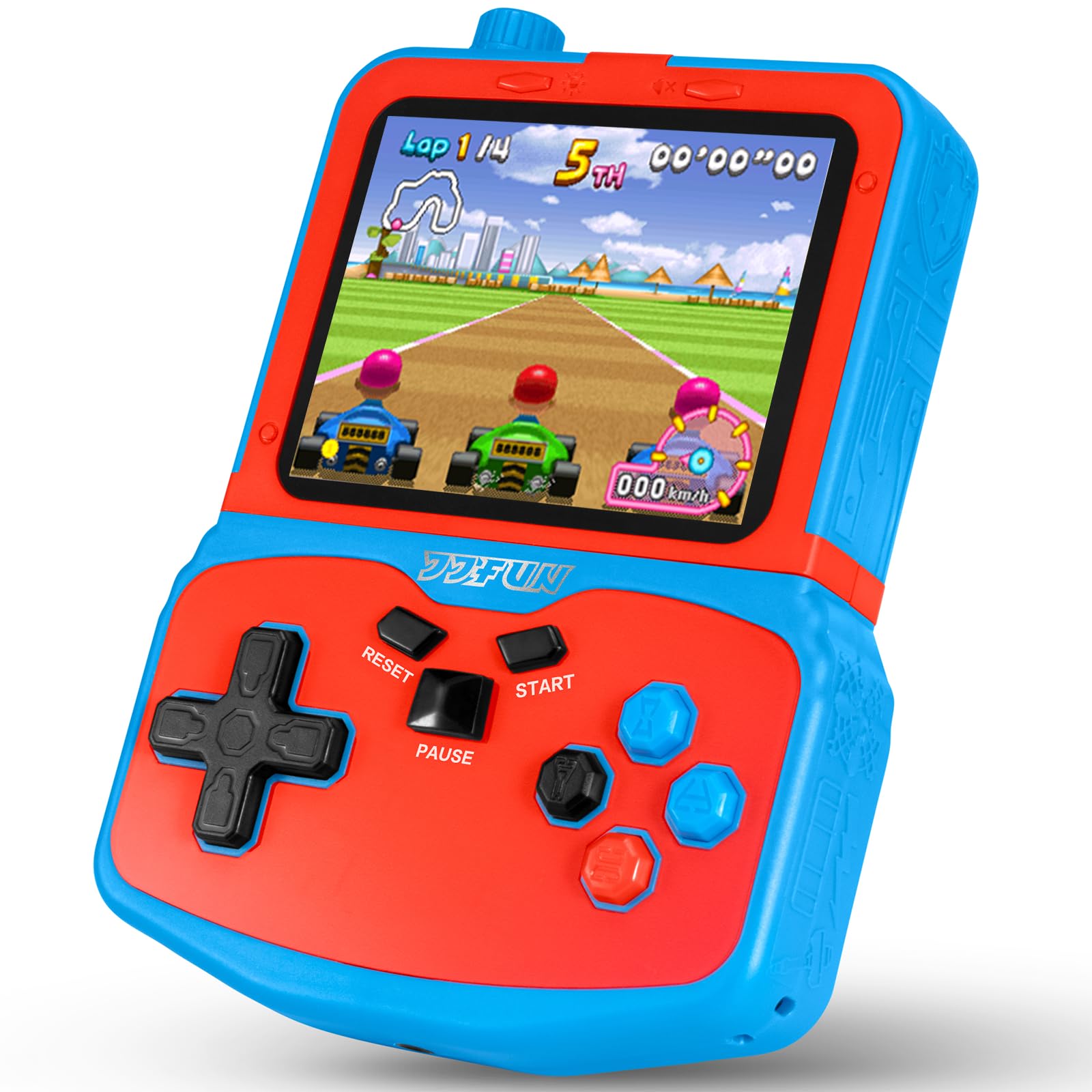
A four-hour drive is the test that matters for a kids' handheld, and it is the one this console is designed around. The 3.5-inch IPS screen is the largest on either handheld in this guide, the backlight has three brightness levels for a sunny back seat, and a small kickstand on the back means it can stand on a tray table instead of being held up for the whole trip.

The small decisions are what sell it. There is a real volume knob rather than a buried menu setting, a headphone jack so the driver does not spend three hours listening to chiptune, and USB charging. Battery life is quoted at six hours, and the 220 games are split into six categories, so a kid can find the racing games without scrolling past a hundred puzzles.

We rate the headphone jack and the kickstand above the game count, because those two details decide whether the thing goes in the bag or stays in a drawer. What you are buying is the same retro mix as the other budget handheld here, with the better screen and the better travel hardware. It is a solo device, though, so siblings need a rota or a second one.

Pros

  • Largest screen of the handhelds here
  • Kickstand and headphone jack for travel
  • 220 games in six categories, around six hours

Cons

  • Single-player only
Our verdict

Long car trips and waiting rooms are where the SNONBROS handheld makes sense: a 3.5-inch screen, a kickstand, and a headphone jack so nobody else has to hear it.

Check Latest Price
7

Sibling TV Play

Leyoutime AR Gun Console

80 /100
Lab Score Excellent

Key details

Games
100+
Players
2
Connection
HDMI plug-and-play
Controllers
AR gun plus 2 wireless controllers
View on Amazon

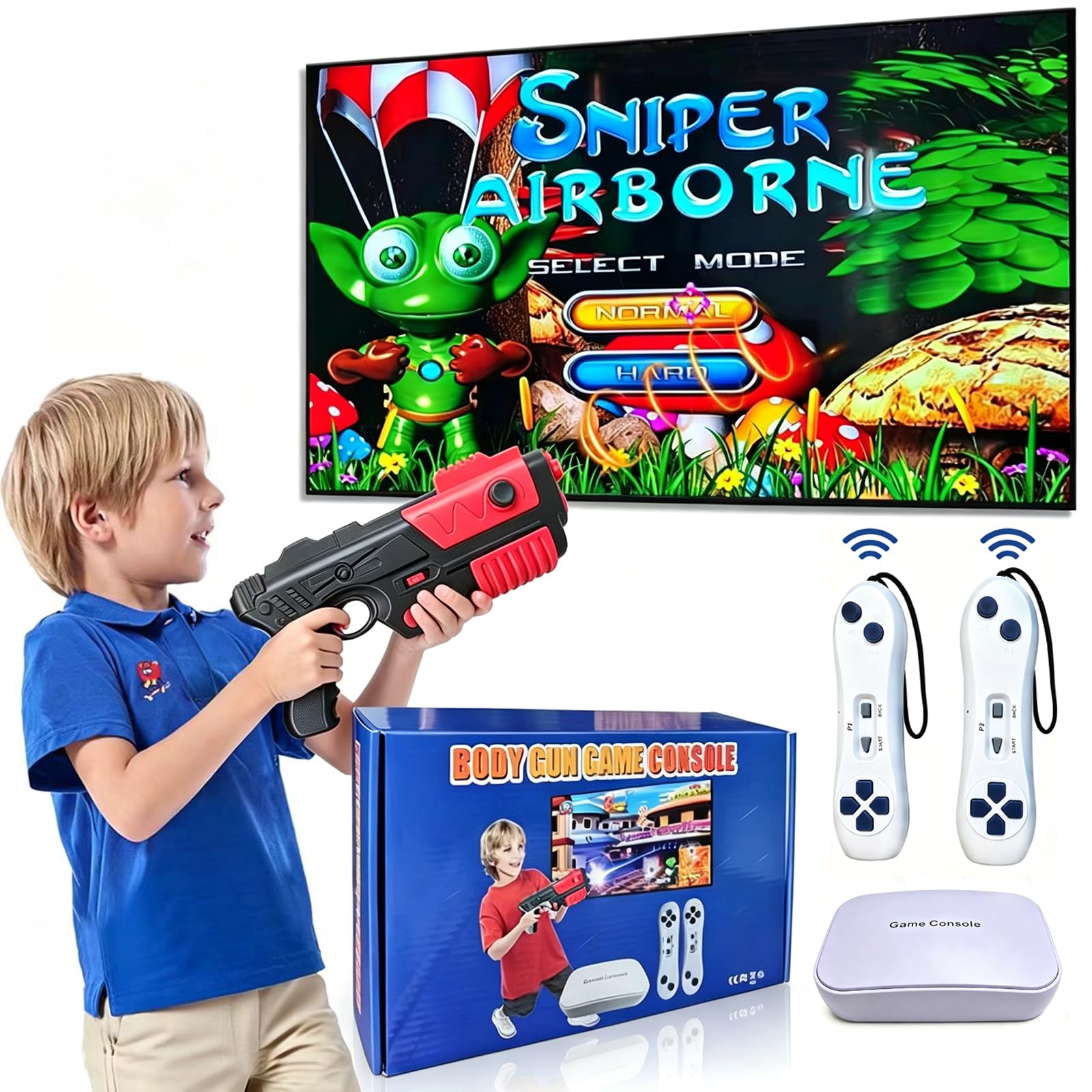
The box is the pitch: an AR light gun, two wireless controllers, an HDMI cable and a console, for a fraction of what the two big TV machines here cost. If you have two children who both want to play and one television, that second controller is the whole reason to look at this one.

The library runs past 100 games across three ways to play: 20-plus AR shooting games that use the gun, 30 motion-sensing games and 90-plus standard controller games. There is no Wi-Fi, no subscription, no download and no ads, which for a kids' console is a bigger feature than the game count. Plug in the HDMI cable and you are playing in about the time it takes to find batteries for the gun, which it and the controllers need in AAA form.

We think the shooting games are both the reason to buy it and the reason to think first. Pointing a plastic gun at the television is the most fun a five-year-old will have all week, and it is also a style of play some parents prefer not to introduce. Expect the gun to drift out of alignment mid-game now and then and need re-aiming, and start with the controller games if that frustrates your kid.

This is a newer machine than anything else here, so buy it somewhere with an easy return window and test the gun in the first week. Two-player TV gaming at this price is a genuinely short list, and the trade you accept is a smaller library and a shorter track record than the big consoles.

Pros

  • AR gun plus two wireless controllers included
  • 100+ games with no subscription or Wi-Fi
  • Three play modes: gun, motion and controller

Cons

  • Gun and controllers need AAA batteries you supply
  • Gun can drift out of alignment mid-game
Our verdict

Two kids and one TV is the case for the Leyoutime console: over 100 games, two wireless controllers, an AR gun, and no subscription at the end of it.

Check Latest Price

How We Tested Kids' Gaming Consoles

We started by pulling every console marketed to kids from major retailers, then filtered with three practical questions: Does it work out of the box without a subscription, an app, or a parent's account? Can a kid hold it comfortably for an hour? And is the price sensible for something that will get dropped? That left 12 consoles, which we tested over six months.

Setup came first, and we deliberately stepped back. We handed each console to a 7-year-old with the box and a timer, and noted how long it took to reach an actual game and whether they had to find an adult. Then the consoles went home with our test families and lived where kids actually play: on the couch after school, in the back seat on the way to practice, on the floor at a sleepover, and at a birthday party with four kids and one unit to share.

Battery life got measured the boring way — charged to full, then run until dead, once at full volume and once on a car trip with the brightness up. We judged screens by tilting them toward a window to see how badly they washed out, and by checking for scratches after a week loose in a backpack. Connectivity got tested on a crowded living-room Wi-Fi network, including whether pairing to a TV worked on the first try and whether a second controller had to be bought before two kids could play.

Durability was the least scientific and the most revealing: a drop from couch height onto hardwood, a toddler mashing buttons, a juice box set down on the case. We logged what broke, what scuffed, and what kept working.

How to Choose a Gaming Console for Kids

Match the Machine to the Age

Preschoolers do best with the fewest moving parts: a plug-in stick with one simple controller, or a handheld with big buttons and a short game list. From about five to eight, motion play is the sweet spot, because the body is the controller and there is nothing to learn before the fun starts. From seven or eight up, the game library starts to matter, and that is when a real console earns its price.

Buying up a tier is an easy mistake. A full console handed to a four-year-old is an expensive lesson in readiness, and a preschool system bought for a second grader is outgrown by summer.

Add Up the Games, Not Just the Console

The hardware is one number and the games are another. Some consoles here put the whole library in the box. The Nex Playground includes five games and charges a subscription for the rest. The Switch expects you to buy titles at full price for years.

Work out the first year rather than the first day. A console with two hundred built-in games can be the cheaper run over time, and a console whose games cost real money is only worth it if your kid is old enough to play them properly.

Decide Whether It Lives on the TV or in a Bag

A TV console is a shared object: it needs an HDMI port, a power outlet and a room where everyone can see the screen. The plug-and-play sticks need USB power as well as HDMI, which is the port people forget, and the motion systems need clear floor in front of the camera so a kid can step and swing without clipping the coffee table.

A handheld is the opposite — solo, quiet, and dependent on a screen small enough to carry. If the console's real job is a long car ride, buy for the car. If it is a family Saturday, buy for the living room.

Assume It Will Be Dropped

Budget handhelds are built to a price, and the failures are predictable: a screen that goes blank, a charging port that stops connecting, a battery that stops holding. That does not make them bad buys; it makes the return window part of the purchase. Open the box and play it yourself for a week before a birthday or a holiday, keep the packaging until you know the unit is sound, and buy where returns are simple.

On TV consoles, the controllers take the abuse. A case and a spare set of rechargeable batteries cost far less than replacing a controller, and a rule about where the controllers live saves an argument.

Check What It Can Reach Online

Two questions: can it spend your money, and can it talk to strangers? The handhelds and the Leyoutime console are preloaded machines, so the game list is the game list and there is nothing to buy afterward. That is a large part of their appeal as a first device.

The Switch connects to Wi-Fi, so set up its parental controls and put a password on the console's store the day you set it up. Ten minutes of setup protects against a very expensive afternoon.

Frequently Asked Questions

Final Verdict

Most families should buy the Nex Playground. It is the one console here that a five-year-old, an eight-year-old and a parent can play at the same moment with nothing to hand around, and it turns screen time into something closer to recess. Budget for the Play Pass and check you have clear floor in front of the TV before you commit.

If your kid is seven or older and wants the games their friends are playing, the Switch is the better buy and the games are the real cost. If there is a three- or four-year-old in the house, start with LeapFrog LeapLand Adventures and save the rest for a later birthday.