Best Monitor Arms for Heavy Monitors of 2026

The first sign is usually a slow droop. You nudge the screen back up, and a week later you're nudging it again, because a 40-pound ultrawide hands a gas spring a lot of leverage. The clamp is the other half of the story: crank a flimsy one onto a hollow-core desk and you'll dent the top before the arm gives out.

I've had a 49-inch panel on my desk for two years, and the spec I care about now isn't the max weight on the box — it's the counterbalance range. An arm rated to 44 pounds still fights you if its spring won't wind down for your actual screen. We spent six months with eight heavy-duty arms on real desks, and the difference showed up in small movements: a tilt that stayed put, a screen that hadn't crept down by Friday.

Assembly separates them too, and it's rarely where shoppers budget their patience. Below you'll find single and stacked setups, screens up to 57 inches, and both clamp and grommet mounting for the desk you actually own.

1

Best Overall

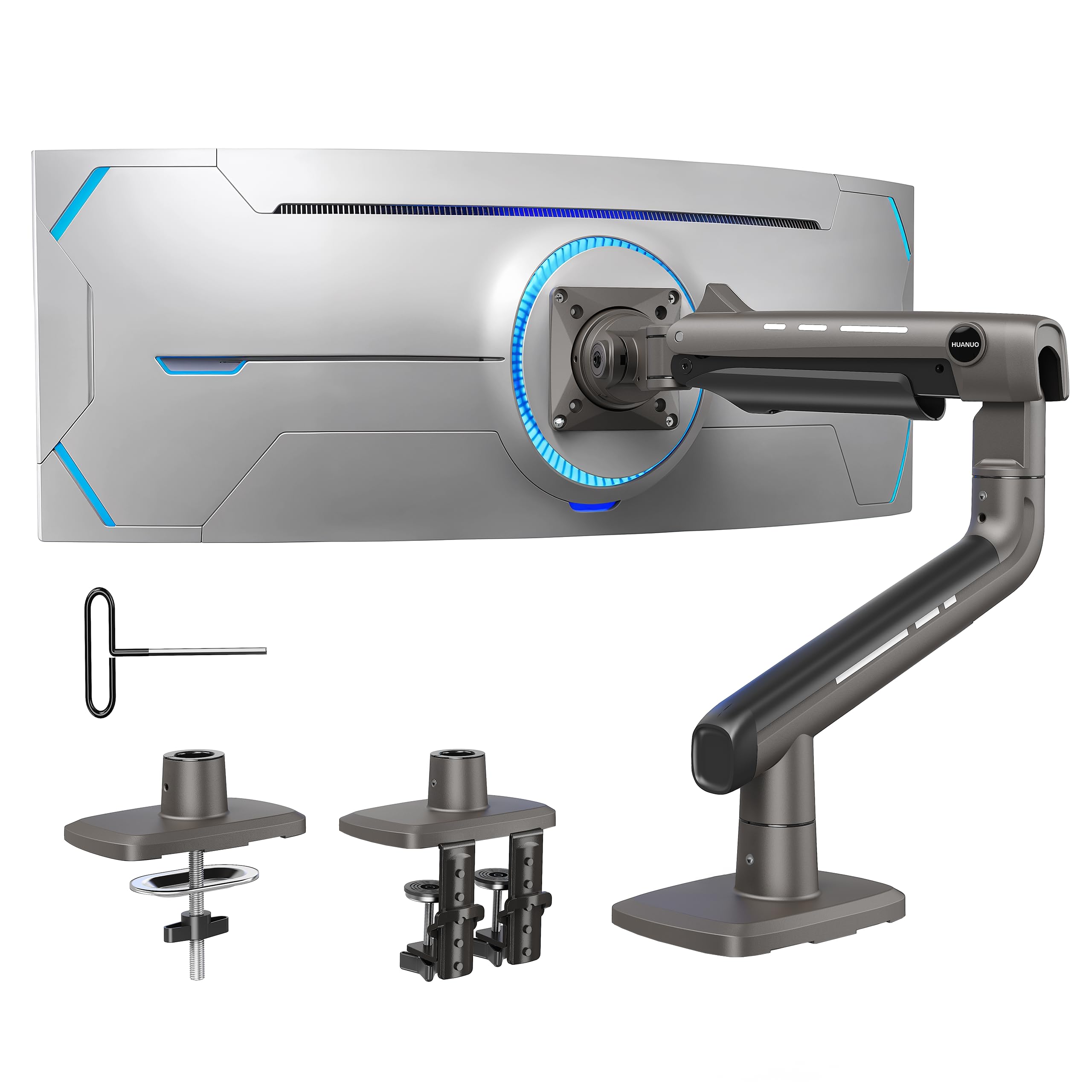
HUANUO TitanLift

90 /100
Lab Score Outstanding

Key details

Warranty
5 years
Screen Size
17 to 49 inches
Weight Capacity
44 lb
Mounting Options
Dual C-clamp
View on Amazon

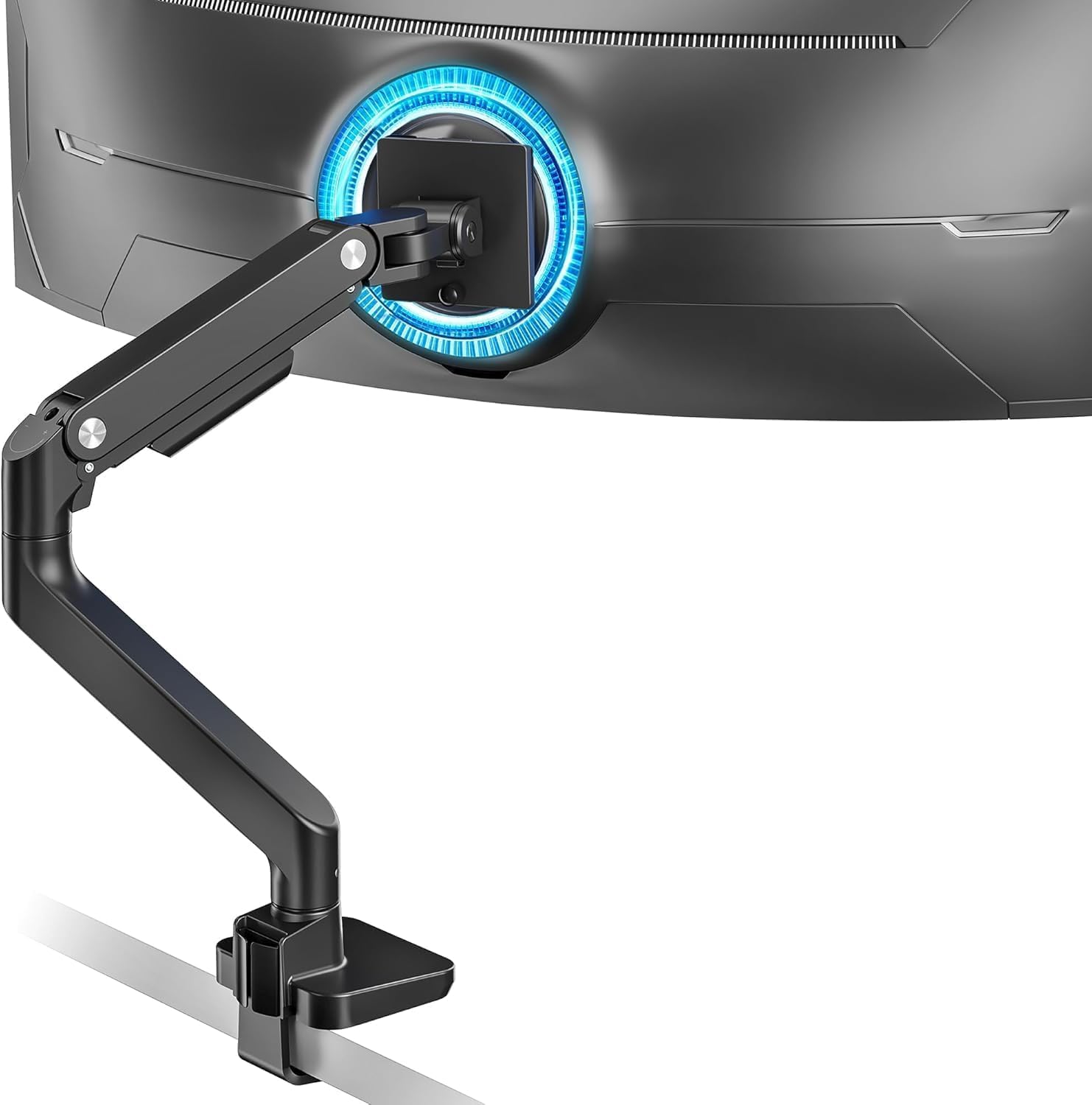
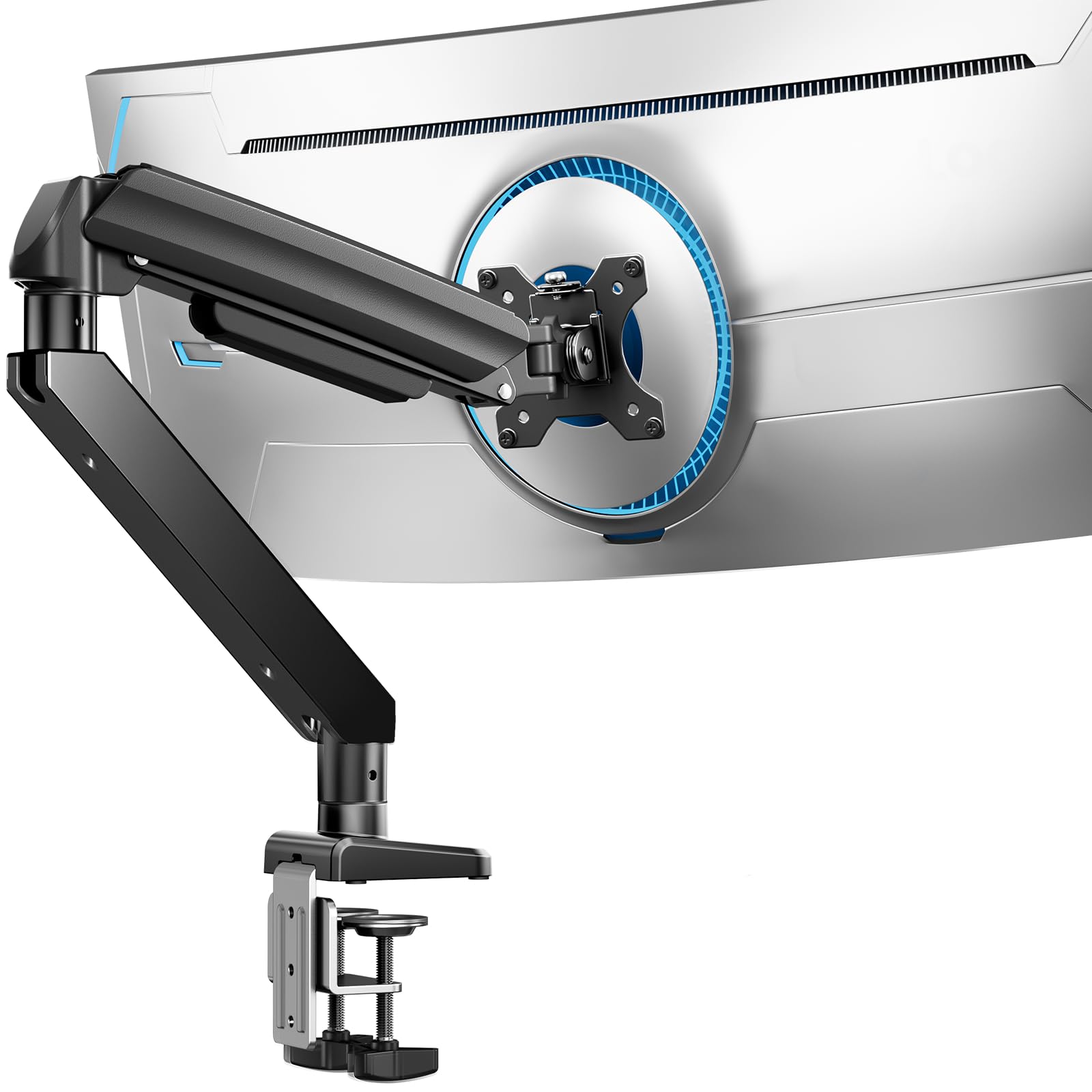
A 44-pound rating is only as good as the clamp that transfers that load into the desk, and the TitanLift's dual C-clamp is the detail that makes the number believable. The arm is aluminum, the VESA head is reinforced, and the base is wider than the budget single-clamp designs we compared it with. HUANUO also gives the tension dial enough room to turn by hand, which matters when a 30-plus-pound panel is hanging off the end.

We recommend it as the default heavy-duty arm because it covers the common 49-inch case without asking you to learn a complicated setup. The 17- to 49-inch range, 44-pound limit, and VESA 75/100 pattern line up with most gaming ultrawides. We like the five-year warranty, too; it is the kind of coverage we want on a mount holding a monitor that costs more than the arm. The one-hand tension adjustment is not a gimmick, either. It lets you fine-tune the arm after the screen is on.

The limit is literal: 44 pounds and 49 inches, so a 57-inch or 66-pound panel belongs on the ARES WING 57. The arm also asks for a solid desk edge. At full extension, a 40-pound panel puts a lever on that clamp, and a hollow-core or thin desktop is the wrong place to test the rating.

Pros

  • 44-pound capacity for common 49-inch ultrawides
  • Dual C-clamp spreads load at the desk edge
  • One-hand tension adjustment simplifies balancing
  • Five-year warranty backs the mount

Cons

  • 44-pound ceiling rules out 57-inch flagships
Our verdict

We recommend the TitanLift as the default heavy-duty arm for most 49-inch ultrawides: its 44-pound rating, dual clamp, and easy tension dial make it the safest all-around buy here.

Check Latest Price
2

Best Premium

Ergotron HX

92 /100
Lab Score Outstanding

Key details

Screen Size
Up to 49 inches
VESA Patterns
75x75 to 200x200 mm
Weight Capacity
20 to 42 lbs
Mounting Options
Desk clamp or grommet
View on Amazon

The HX is the arm we point to when the monitor is the expensive part of the setup and the mount is not. Its cast-metal joints, 17.2-pound body, and matte black finish feel like a piece of office furniture rather than a bracket, and the 20- to 42-pound range is aimed squarely at big, heavy panels.

The specs that matter are the 49-inch maximum, 11.5 inches of lift, and broad VESA support: 75x75, 100x100, 200x100, and 200x200 mm. That last pattern is rare in this group and useful for industrial displays and some 49-inch models. The arm also includes a two-piece desk clamp for edges 0.4 to 2.6 inches thick and a grommet mount.

We trust the HX most for a premium 42-pound-or-under ultrawide because the motion stays deliberate; this is not an arm that encourages constant repositioning. The important catch is the Samsung Odyssey G9: the standard HX needs the separate HX Heavy Duty Tilt Pivot, or you buy the bundled version. Without that part, the tilt joint is not the right match for the G9's curve. Check the part number before ordering, because this is the kind of detail that turns a premium purchase into a frustrating one.

The 42-pound ceiling and 20-pound floor are also real. A very light 27-inch monitor will not balance well on the same spring, and the HX costs more than the rest of the group by a wide margin. What you get is the least fussy long-term mount here, as long as the weight window fits.

Pros

  • Most substantial build in this group
  • Broad VESA support up to 200x200 mm
  • Grommet and wide desk-clamp options
  • 11.5 inches of lift for large screens

Cons

  • G9 needs a separate heavy-duty tilt pivot
  • 20- to 42-pound window limits lighter screens
Our verdict

For a premium 42-pound-or-under ultrawide, the HX is the arm we trust most, provided you add the G9 tilt pivot if your monitor needs it.

Check Latest Price
3

Best for 57-Inch Screens

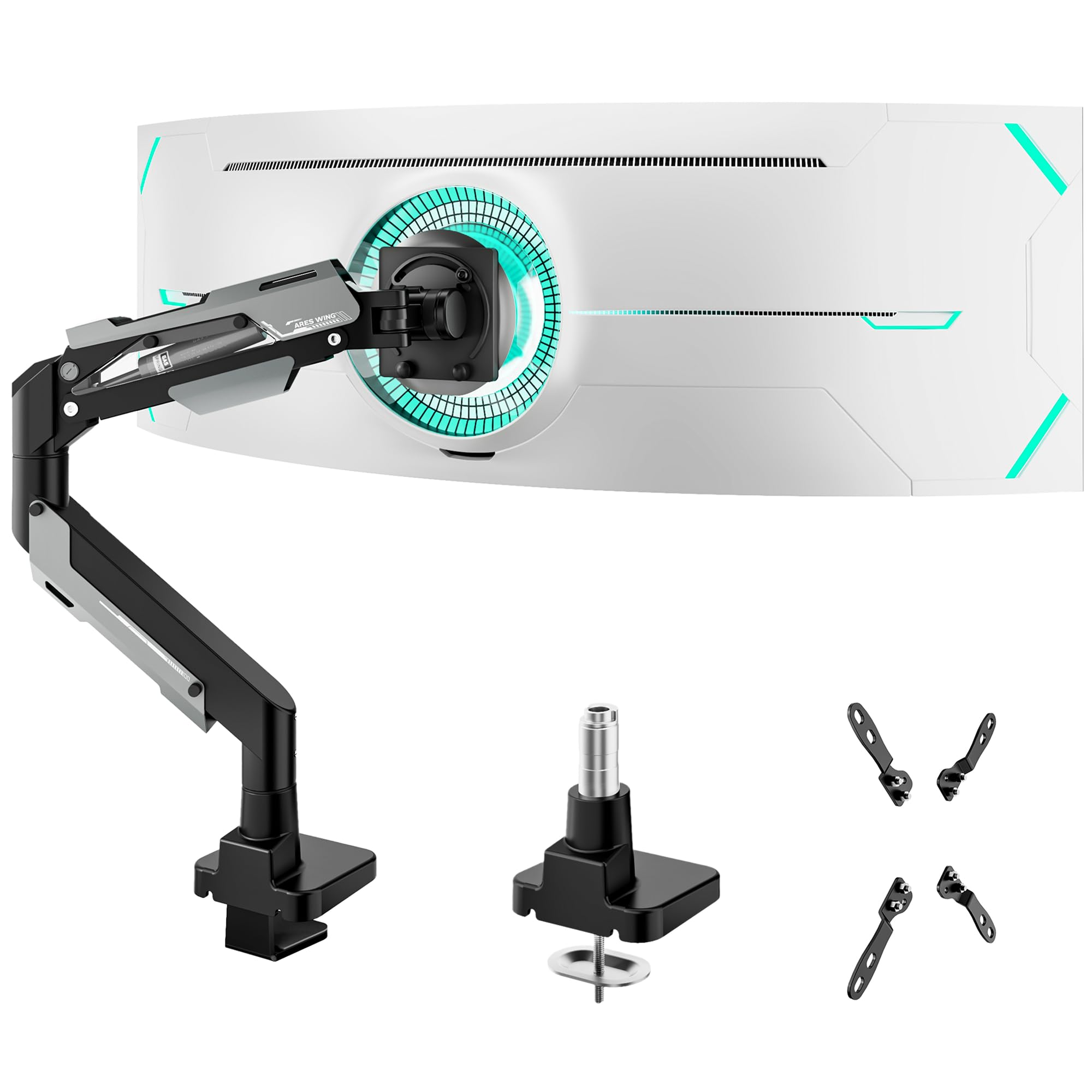
ARES WING 57-Inch

85 /100
Lab Score Excellent

Key details

Screen Size
24 to 57 inches
VESA Patterns
75x75 to 200x200 mm
Weight Capacity
52.8 lbs curved, 66 lbs flat
Mounting Options
C-clamp or grommet
View on Amazon

A 57-inch, 66-pound flat panel is the outer edge of desk mounting, and the ARES WING is one of the few arms here rated for it. The 24- to 57-inch range, 52.8-pound curved limit, and 66-pound flat limit put it above the 49-inch arms, while the included VESA adapter kit covers 75x75, 100x100, 100x200, 200x100, and 200x200 mm. That flexibility is why we recommend it for the biggest screens: it can actually bolt to them.

The gas spring is rated for 20,000 cycles, and the arm offers 22.4 inches of height adjustment, 70 degrees of upward tilt, 45 degrees down, 90 degrees of swivel each way, and 360-degree rotation. Those numbers describe a wide range, but they also mean setup matters. A 66-pound flat panel and a 52.8-pound curved one need different spring preload, and the tension screw has to be set with the monitor mounted. We like the dual clamp and grommet mounting because it gives a second option on a desk that is already crowded.

The compromise is polish. The Y-axis rotation moves in one direction, and the base and monitor pivots do not line up perfectly, so a straight-on screen can take an extra nudge. For a 57-inch display, that is a fair trade for the capacity. For a 49-inch 44-pound screen, it is not: the 49-inch ARES WING does the same job for less.

Pros

  • 66-pound flat-panel capacity
  • VESA support through 200x200 mm
  • C-clamp and grommet mounting included
  • 22.4 inches of height adjustment

Cons

  • Pivot alignment takes extra adjustment
  • Y-axis rotation is one-directional
Our verdict

We recommend the ARES WING 57 for 57-inch or 66-pound flat panels, especially when you need 200x200 VESA; smaller screens can save with the 49-inch version.

Check Latest Price
4

Best Value

ARES WING 49-Inch

85 /100
Lab Score Excellent

Key details

Warranty
3 years
Screen Size
17 to 49 inches
Weight Capacity
4.4 to 44 lbs
Mounting Options
C-clamp or grommet
View on Amazon

At the value end of the heavy-duty group, the 49-inch ARES WING does the same headline job as arms that cost noticeably more: 17- to 49-inch screens, 4.4 to 44 pounds, and VESA 75/100. The steel build and gas spring are not stripped-down parts, and the clamp and grommet options cover desks from 0.5 to 1.8 inches and 0.5 to 2 inches thick.

We recommend it for a 44-pound 49-inch ultrawide when the budget matters. The monitor support is the strongest part of its case; it holds a big screen at the right height without the flex we associate with cheap single-joint arms. The tilt range is 50 degrees up and 20 degrees down, which is enough for a desk setup but not for a high wall-like position. We also like the cable-management covers. They are simple, and they keep the arm from looking like a bundle of wires.

Two things to accept: the three-year warranty is shorter than the five- and ten-year coverage on some rivals, and the tilt joint can need a final tension pass after the first few days, especially near 44 pounds. Neither is a reason to avoid it at the price; both are reasons to set it up carefully rather than hang the monitor and forget it.

Pros

  • 44-pound capacity at a value price
  • 49-inch gas-spring range
  • C-clamp and grommet options
  • Cable covers keep the arm tidy

Cons

  • No 200x200 VESA pattern
Our verdict

We recommend the 49-inch ARES WING as the value choice for a 44-pound screen: it covers the essentials and leaves money for the monitor.

Check Latest Price
5

Best Dual Vertical

PUTORSEN Dual Vertical

87 /100
Lab Score Excellent

Key details

Pole Height
19.69 inches
Screen Size
17 to 49 inches
VESA Patterns
75x75 and 100x100 mm
Weight Capacity
44 lbs per arm
View on Amazon

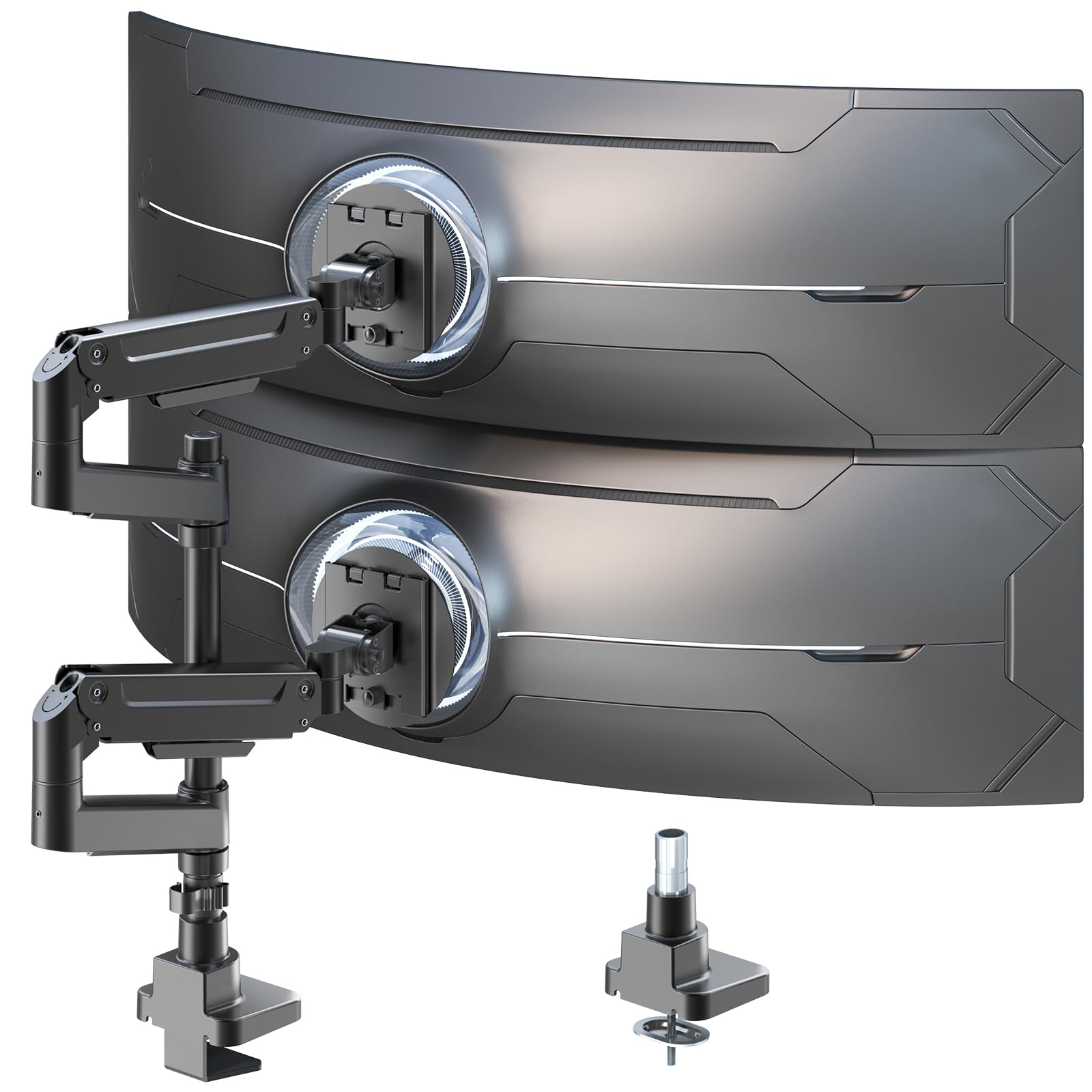
A dual vertical arm has a harder job than two singles: the pole carries both screens, and the top arm has to stay put while you adjust the bottom one. The PUTORSEN is built for that job, with two gas-spring arms rated at 44 pounds each, a 19.69-inch pole, and 17- to 49-inch compatibility.

The two articulating arms move on all three axes, with +50/-20 tilt, plus or minus 90-degree swivel, and 360-degree rotation. We like that each arm has its own tension adjustment; a 34-inch ultrawide and a 49-inch panel can share the pole without sharing the same spring setting. The steel and aluminum construction feels appropriately serious, and the VESA 75/100 plates cover the common heavy-monitor patterns.

We recommend it for a stacked pair of heavy 34- to 49-inch screens where the pole height fits. The 19.69-inch pole is the number to measure before ordering; a pair of tall 32:9 panels can need more vertical clearance than that, and the VESA plate is a little large for some recessed backs. Those are setup constraints, not motion problems. Once the tension is set, the arms stay composed.

Pros

  • Two 44-pound gas-spring arms
  • Independent tension for each screen
  • 19.69-inch pole for vertical stacking
  • VESA 75x75 and 100x100 compatibility

Cons

  • No 200x200 VESA support
Our verdict

For a stacked pair of heavy 34- to 49-inch monitors, the PUTORSEN is the dual arm we choose; measure the 19.69-inch pole before you commit.

Check Latest Price
6

Best Budget

ErGear Heavy Duty

89 /100
Lab Score Excellent

Key details

Warranty
10 years
Screen Size
13 to 49 inches
Weight Capacity
37.4 lb
Mounting Options
C-clamp or grommet
View on Amazon

The ErGear's most important specification is not its 49-inch screen rating but its 37.4-pound weight limit. That is enough for many 34-inch ultrawides and a fair number of 49-inch panels, but it is below the 44-pound class this guide is built around. It is a budget arm for the midweight end of that world, not a cheap way to hang a G9.

What you get for the low price is more than a stripped-down single joint. The arm has a 13- to 49-inch range, VESA 75/100, dual C-clamp or grommet mounting, and a 10-year warranty, the longest coverage here. The pre-assembled design and included hardware make the first installation less of a puzzle than some rivals.

In use, the ErGear is a set-and-leave arm rather than a constantly repositioned one. The tilt range is +30/-40 degrees, swivel is plus or minus 90 degrees, and rotation is 360. That is enough movement for a desk, but it is not the arm for someone who likes to push a screen around all day.

The 10-year warranty is the strongest argument for the ErGear after the price. The 37.4-pound ceiling is the argument against it. If your monitor is under that limit, it is a sensible budget buy; if it is over, the ARES WING 49 is the next step and the extra capacity is the reason.

Pros

  • Low-cost entry to 49-inch mounting
  • Fits 13- to 49-inch screens
  • 10-year warranty leads this group
  • Clamp and grommet mounting included

Cons

  • Tension screw takes firm hand pressure
Our verdict

For a midweight 49-inch or 34-inch ultrawide, the ErGear is the budget arm we recommend; the heaviest 44-pound panels need a stronger mount.

Check Latest Price
7

Frequent Screen Swaps

MSI MAG MT201

84 /100
Lab Score Excellent

Key details

Screen Size
17 to 49 inches
VESA Patterns
75x75 and 100x100 mm
Weight Capacity
44 lb
Mounting Options
Clamp or grommet
View on Amazon

The MAG MT201's quick-release VESA plate is the feature that won us over. A 49-inch monitor is awkward to lift and hold while you line up four screws; with this plate, you mount the plate to the monitor first, then drop it onto the arm. That is the difference between a two-person job and a two-person job with less swearing.

The rest of the package is properly heavy-duty: 17- to 49-inch screens, 44 pounds, VESA 75/100, clamp or grommet mounting, and a three-year warranty. The clamp fits desktops from 10 to 85 mm, and the grommet mount covers 10 to 35 mm. We like the clear instructions and the way the cable covers hide the wiring without needing tools.

Motion is full-range on paper: +50/-20 tilt, plus or minus 90-degree swivel, and 180-degree rotation. The vertical tilt is the joint to watch. At the top of the weight range, it can creep down until the tension is set with the monitor in place. That is a setup issue, not a reason to avoid the arm, but it is the first thing to check after installation.

We recommend the MSI for a 44-pound 49-inch screen that gets moved or removed from the desk regularly. If the monitor stays put, the 49-inch ARES WING offers the same capacity for less and simpler cable routing. The quick-release plate is the reason to pay for the MSI; the rest of the arm is competent, not exceptional.

Pros

  • Quick-release VESA plate simplifies mounting
  • 44-pound capacity for 49-inch screens
  • Clamp and grommet mounting included
  • Clear instructions reduce setup friction

Cons

  • No 200x200 VESA pattern
Our verdict

We recommend the MSI for a 44-pound 49-inch screen that comes off the desk regularly; its quick-release plate is the easiest mounting system here.

Check Latest Price
8

35-Inch USB Setups

Mount-It! MI-4771

89 /100
Lab Score Excellent

Key details

Ports
USB 3.0 and audio
Screen Size
17 to 35 inches
Weight Capacity
33 lb
Mounting Options
C-clamp or grommet
View on Amazon

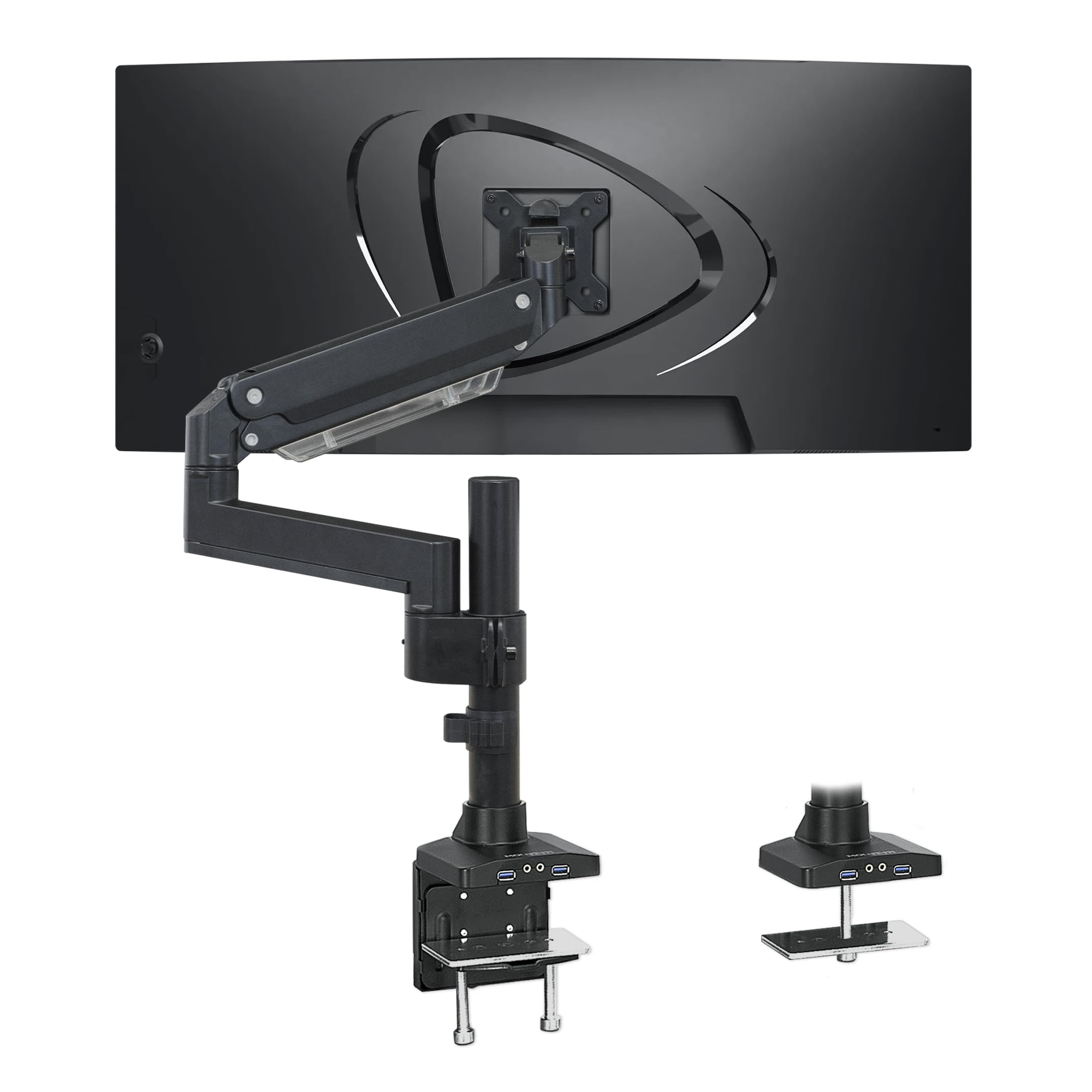
The Mount-It! MI-4771 is the odd one out here: it tops out at 35 inches and 33 pounds, so it is not a 49-inch arm. What it does have is a built-in USB 3.0 and audio hub, a gas-spring arm, and VESA support up to 200x200 mm, features that matter if you run a heavy 35-inch ultrawide or a 32-inch panel and want ports at the desk edge rather than behind the screen. We recommend it for that specific setup, not as a cheaper route to a 49-inch monitor.

The 33-pound capacity is enough for most 35-inch ultrawides and many 32-inch 4K panels, and the gas spring gives smooth height adjustment without a pole. The clamp fits desks up to 3 inches thick, and a grommet mount is included. The USB and audio pass-through are the practical details we appreciate most; they turn the arm into a small dock, which is more useful than another cable channel.

The trade-off is the 35-inch and 33-pound ceiling. If you need 44 pounds or a 49-inch screen, this is the wrong arm; if you need a heavy 35-inch display with reachable ports, it is the right one. The arm also has more parts in the box than a simple single-joint mount, so allow more time for the first setup.

Pros

  • Built-in USB 3.0 and audio ports
  • 33-pound capacity for 35-inch screens
  • VESA support to 200x200 mm
  • Gas-spring height adjustment

Cons

  • 35-inch and 33-pound maximum
  • More parts to assemble than simpler arms
Our verdict

For a heavy 35-inch ultrawide or a 32-inch panel that needs reachable USB ports, the Mount-It! is the arm we recommend; it stops well short of 49-inch duty.

Check Latest Price

How We Tested Heavy-Duty Monitor Arms

We started with a shortlist of every heavy-duty arm we could find rated for at least 33 pounds, then narrowed it by three things: whether the maker published an actual counterbalance range instead of a single max-weight claim, whether a grommet base came in the box alongside the C-clamp, and whether the VESA plate could take 75, 100, and 200mm patterns without a separate adapter. Eight arms made the cut, and each one went onto a real desk.

Assembly came first, timed solo with a stopwatch and the hardware spread out on the floor, and we noted where the instructions went vague and how much clearance each clamp needed under the desk edge. We mounted on three tops — a 1-inch laminate, a thick solid wood slab, and a hollow-core door desk, the kind cheap clamps dent. Then we hung real screens: a 49-inch ultrawide, a heavy 34-inch curved panel, and a lighter 27-inch, dialing spring tension until each floated at eye level.

The arms stayed up for six months on a standing desk that rose and dropped several times a day. We swept each monitor through its full range of motion, feeling for stiff pivots and cables that snagged, and checked weekly whether tilt joints had crept or the assembly had begun to sag under load. Build quality got judged at the joints and clamp plates rather than on the spec sheet, and we compared what each arm asked of you — in effort and in dollars — to get the same smooth motion.

How to Choose a Heavy-Duty Monitor Arm

Weight and screen size are separate limits

A 49-inch rating does not automatically mean the arm can carry a 44-pound 49-inch ultrawide. The ErGear is rated for 49-inch screens but tops out at 37.4 pounds; the ARES WING 57 goes to 66 pounds for flat panels. Check the monitor's weight without its stand, then compare that number with the arm's per-screen capacity.

VESA is the other half of fit. Most heavy monitors use 75x75 or 100x100 mm, but some 49- and 57-inch models use 200x100 or 200x200 mm. If your monitor has the larger pattern, confirm the arm includes that plate rather than assuming an adapter will appear in the box.

The clamp has to carry the leverage

A heavy monitor at the end of a long arm puts far more stress on the desk edge than the same monitor on a stand. A dual C-clamp spreads that load across a wider area, and a grommet mount can be the better choice when the desk has a suitable hole and a solid top. Check the arm's stated desk-thickness range before ordering.

Material matters as much as thickness. Do not clamp a 40-pound monitor to unsupported glass, a thin hollow-core top, or a desk that flexes when you press on it. If the desk is marginal, choose a different desk or a mounting method the desk maker supports; a heavier arm cannot fix a weak surface.

Tension and tilt hold decide daily frustration

The gas spring gets the attention, but the tilt joint is usually where a heavy monitor exposes weakness. A 1000R curved panel puts extra leverage on that joint, and a mount that holds a 27-inch screen can still droop under a 44-pound ultrawide. Look for a tilt mechanism with enough adjustment range and a tension screw you can reach after the monitor is mounted.

Set the tension with the screen in place, then check it again after a few days. For a Samsung Odyssey G9, note that the Ergotron HX requires the separate HX Heavy Duty Tilt Pivot or the bundled version; the standard pivot is not the right match. That extra part is the difference between a premium arm that works and one that fights the curve.

VESA, clearance, and cable routing

Measure more than the monitor's width. The arm needs clearance behind the desk and enough reach to bring the screen forward; a tall dual setup needs a pole long enough for both displays. Recessed VESA holes can also require spacers, and a VESA plate that is too large for the back of the monitor can block the mounting area.

Cable routing is not cosmetic on a heavy arm. Thick display cables need a channel with room to bend, and a cover that pops off under strain is worse than no cover. Leave enough slack for the arm's full range of motion, especially on a standing desk, so the cables are not carrying the monitor's weight.

Frequently Asked Questions

Final Verdict

For most people with a 49-inch ultrawide in the 30- to 44-pound range, the HUANUO TitanLift is the arm to buy. It has the capacity, a dual clamp that spreads the load, and a tension dial you can reach while the monitor is mounted.

If you have a 57-inch or 66-pound flat panel, choose the ARES WING 57. If you want the most refined long-term mount and your screen is 42 pounds or less, the Ergotron HX is worth the premium. The ErGear is the budget answer only under 37.4 pounds.