Best Golf Launch Monitors of 2026

A launch monitor has one job: tell you what actually happened when you swung. Radar units track the clubhead and ball as they leave, camera-based units photograph the moment of impact, and either way you walk away with numbers instead of a feeling. That's the appeal, and it's also the worry — a device that flatters your slice is worse than no device at all.

I've spent the past eight months hitting balls into a backyard net and grinding through buckets at the range with 12 of these monitors, checking their readings against the commercial radar rig at a local fitting bay and against my own two eyes. What surprised me wasn't the accuracy gap between price points. It was how much of the useful data sits behind a monthly subscription, and how many units still lose their phone connection somewhere around shot 40.

None of these will fix your swing for you. What a good one does is make practice honest: you see the carry number, you see the curve, you stop guessing. Some picks below are built for a garage bay, some for a bucket of balls at dusk, and one is essentially a swing-speed coach — figure out where you'll actually use it and this list narrows fast.

1

Best Overall

Rapsodo MLM2PRO

79 /100
Lab Score Very Good

Key details

Weight
16 oz
Metrics
15 key metrics
Tracking
Doppler radar and dual camera
Simulator Courses
30,000+ with Premium
View on Amazon

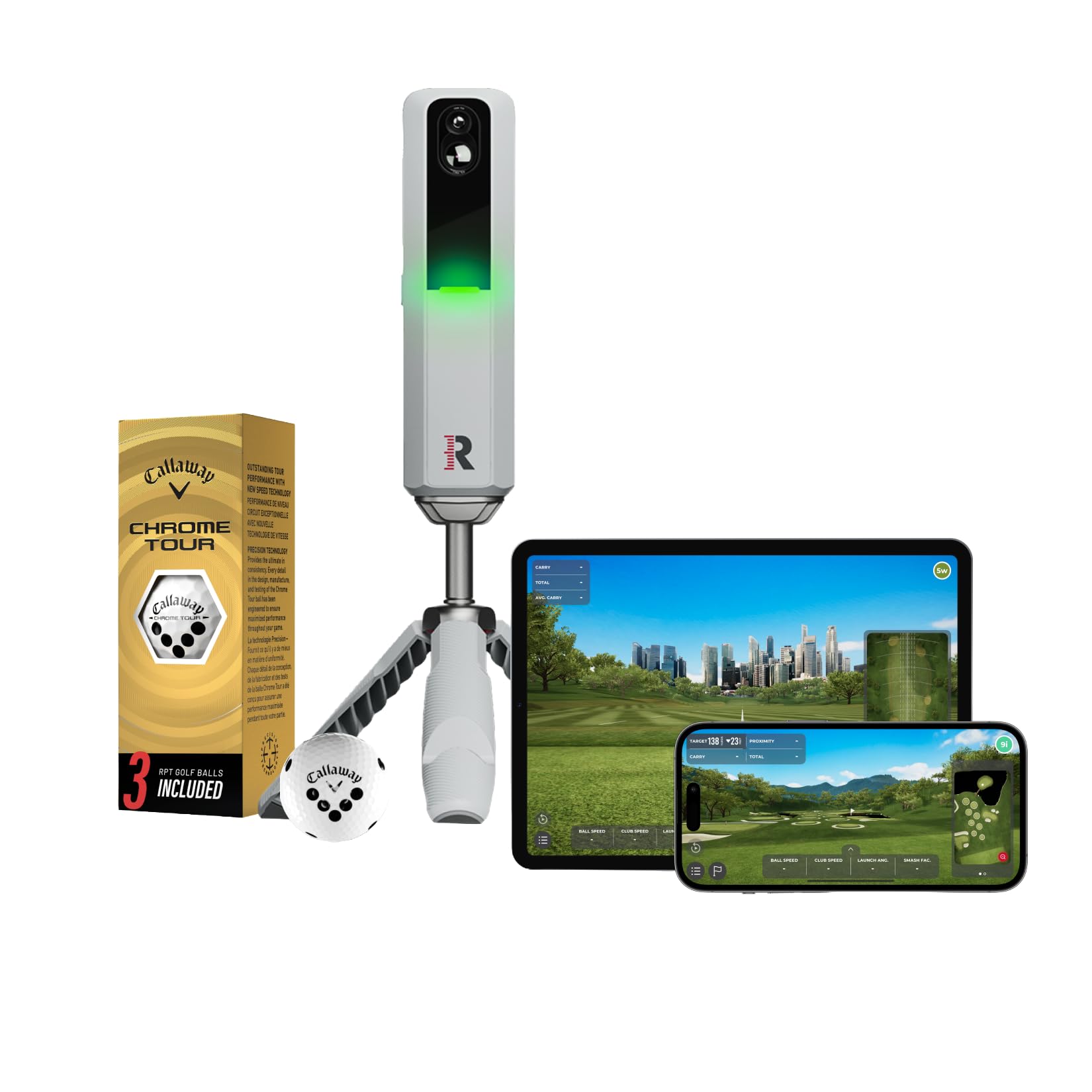
The MLM2PRO is the one in this set that tries to do the whole job: Doppler radar for ball flight, dual cameras for club and impact views, and a simulator library rather than a bare range screen. That combination is why it earns the top spot for most golfers. The unit itself is small enough to live in a golf bag at 16 ounces, and the app handles the session review and simulator play.

The 15 metrics are the useful part. Spin rate, spin axis, carry distance, club speed, club path, and launch angle tell you why the ball did what it did, not just how far it went. We especially like that the dual camera can capture the swing from any angle and show club and ball contact in slow motion. That makes a practice session more diagnostic than a number-only radar, and it is the difference we keep coming back to.

The catch is the subscription. The 21-day Premium trial opens the simulated courses, third-party app integration, target range, impact vision, and speed training; after that, the fullest simulator experience sits behind the paid tier. If you only want range numbers, a simpler unit costs less. If you want one portable device for practice and winter rounds, this is the most complete balance here.

Pros

  • Dual radar and camera tracking
  • 15 metrics including spin and club path
  • 30,000+ simulator courses with Premium
  • Lightweight 16-ounce body

Cons

  • Premium subscription for full simulator access
Our verdict

For most golfers, the MLM2PRO is the most complete portable package here, pairing radar and camera data with a serious simulator library.

Check Latest Price
2

Best All-In-One

Garmin Approach R50

80 /100
Lab Score Excellent

Key details

Cameras
3-camera system
Courses
43,000+ with membership
Display
10-inch color touchscreen
Battery Life
4 hours
View on Amazon

The R50 is the only monitor here that feels like a finished appliance rather than a phone accessory. Its 10-inch color touchscreen shows data, courses, and impact video without pairing a phone, and the three-camera system handles the tracking. That self-contained design is the reason to pay the premium.

We appreciate the impact footage and the course library: more than 43,000 courses through Home Tee Hero, including putting for up to four players with an active Garmin Golf membership. The 9-pound body and 4-hour battery make it more of a home-bay or range unit than a backpack monitor. Setup is simpler than the hardware suggests because the screen walks you through the session.

Accuracy is the question mark. The R50 can read short on distance, and the virtual rounds require a membership. Those are real caveats at this level. But for a golfer who wants one box, no phone, and a built-in screen, it is the best all-in-one in this set.

Pros

  • Built-in 10-inch touchscreen
  • Three-camera tracking and impact video
  • 43,000+ courses with membership
  • No phone needed for play

Cons

  • 9 pounds and 4-hour battery
  • Membership required for virtual rounds
Our verdict

Choose the R50 if you want a self-contained simulator with a big screen and no phone tethering; it is the premium all-in-one here.

Check Latest Price
3

Best for Virtual Rounds on the Go

Garmin Approach R10

82 /100
Lab Score Excellent

Key details

Weight
12 oz
Courses
42,000+ with subscription
Battery Life
10 hours
Water Resistance
IPX7
View on Amazon

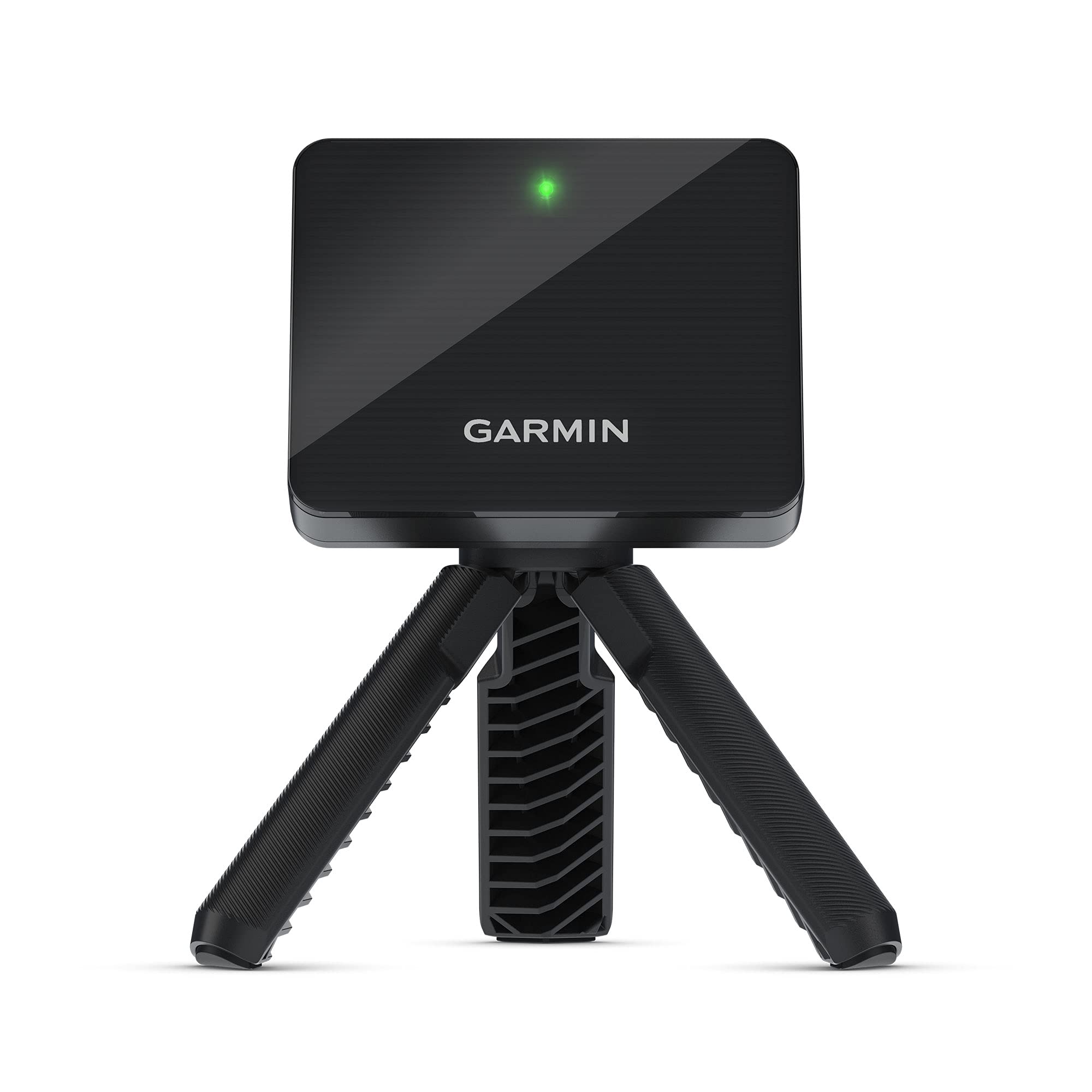
The R10 makes the most sense if you want to turn a net or a range bay into a virtual course without buying a screen. It runs up to 10 hours on a charge, pairs with the Garmin Golf app, and opens more than 42,000 courses with a subscription. At 340 grams and IPX7, it is the portable unit we reach for when the session might run long.

The data set is broad for the size: club head speed, ball speed, swing tempo, and a training mode that tracks stats for each club and shows a shot dispersion chart based on estimated ball flight. Automatic video clips include the metrics from that swing, which helps connect a number to the motion that produced it. We like that combination for club gapping and range work.

The accuracy is the thing to watch. The R10 can read carry distance short, especially with mid-irons, and the app connection can be slow. We still recommend it for Garmin app users who value a long battery and virtual courses, provided they treat carry distance as a guide rather than a final answer. If carry precision is the priority, the MLM2PRO is the stronger choice here.

Pros

  • Up to 10 hours of battery
  • 42,000+ courses with subscription
  • Training mode and automatic video
  • IPX7 water resistance

Cons

  • Carry distance can read short
  • Virtual rounds require a subscription
Our verdict

The R10 earns its place for Garmin app users who want long battery life and virtual courses, provided they treat carry distance as a guide.

Check Latest Price
4

Best Budget for iPhone Users

Rapsodo MLM

83 /100
Lab Score Excellent

Key details

Video
1080p with shot tracer
Weight
14.1 oz
Key Metrics
Ball speed, club speed, launch angle, carry
Compatibility
iPhone and iPad only
View on Amazon

The original MLM is the least expensive way into video feedback and shot tracing in this set, but it makes one demand up front: you need an iPhone or iPad. The free Rapsodo app is the display, the video replay is the payoff, and the 0.4 kg body clips into a bag without a second thought.

We like the shot tracer more than the raw numbers. Seeing the ball flight drawn over your swing makes a fault easier to spot than a carry number alone. The MLM tracks ball speed, club speed, launch angle, carry, and shot shape, and it records 1080p video. That is a lot of feedback for a budget unit. The catch is consistency: the unit can miss shots, and the accuracy is not always as tight as the more expensive monitors here.

The app is also where the MLM shows its age. You are dependent on the phone's screen and battery, and the iOS-only requirement rules out Android households. Keep a battery pack in your bag and treat the session as a video-first practice tool; that is where it makes the most sense.

Pros

  • Video replay with shot tracer
  • Core ball and club metrics
  • Lightweight 0.4 kg body
  • Lowest-cost option in this set

Cons

  • iPhone and iPad only
  • Can miss shots
Our verdict

iPhone owners shopping on a budget should start with the MLM: it delivers video feedback and shot tracing for the least money here.

Check Latest Price
5

Best for Speed Training

PRGR HS 130-A

84 /100
Lab Score Excellent

Key details

Memory
500 swings
Battery
AAA batteries
Water Resistance
IP54
Club Speed Without Ball
Yes
View on Amazon

The PRGR is the monitor we point to when the goal is speed, not a full simulator. It measures club head speed on every swing, with or without a ball, then calculates ball speed and smash factor. That makes it useful for speed training in a garage or net, where a radar unit that needs ball flight is the wrong tool.

The appeal is the simplicity. No Wi-Fi, Bluetooth, or app; it runs on AAA batteries, keeps 500 swings in memory, and has an IP54 rating. It is small and light enough to live in a bag. The trade-off is that it does not give shot direction or a simulator experience, and the readings can be inconsistent. We treat it as a dedicated speed and carry trainer, not a replacement for a camera-based monitor.

That narrow job is worth paying for if you already have a net and a speed program. The PRGR gives you a number on every swing without waiting for a ball to land, and the 500-swing memory means you can review a session later. For a golfer who wants a full data suite, the MLM2PRO or R10 covers more ground; for a speed block in the garage, the PRGR is the cleaner tool.

Pros

  • Measures club speed without a ball
  • No app or pairing required
  • 500-swing memory
  • Compact and IP54 rated

Cons

  • No shot direction or simulator
  • Readings can be inconsistent
Our verdict

The PRGR is our pick for simple, phone-free speed training, since it reads club speed with or without a ball.

Check Latest Price
6

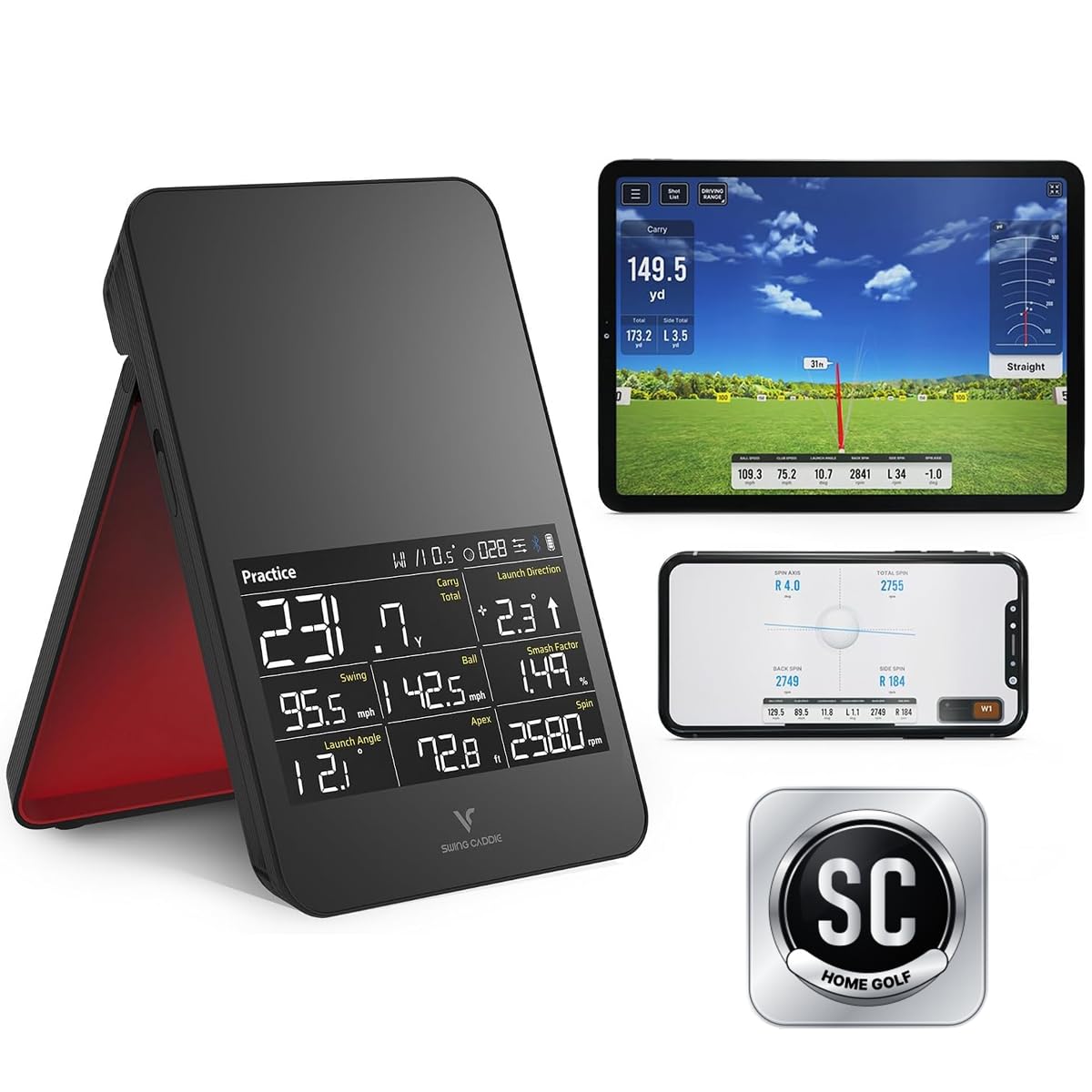
Best No-Subscription Simulator

Voice Caddie SC4 Pro

77 /100
Lab Score Very Good

Key details

Weight
1.3 lb
Display
Built-in screen
Subscription
No monthly subscription
Included Courses
5 E6 courses
View on Amazon

The SC4 Pro is the value alternative for a built-in-screen simulator: a 3D driving range plus five E6 courses are included, and the listing promises no monthly subscription. That is a different pitch from the subscription-heavy units here, and it is why the SC4 Pro stays on the list.

The built-in screen and remote make it easy to use without a phone, and the 590 g body is still portable. We like the idea of a self-contained range session: set it down, turn it on, and hit. The remote is a small thing that matters in practice because you can change settings without walking back to the unit. The 3D range and E6 courses give practice a game-like shape, which helps on days when a bucket of balls feels like homework.

The caveats are real. Accuracy and reliability are mixed, and the app and Bluetooth setup can be fussy. If you want a no-subscription simulator and accept that the data may not match a premium unit, this is a smart middle path. The SC4 Pro is best for a golfer who wants a screen and a few courses without another monthly bill, not for someone chasing the last few yards of carry accuracy. If accuracy is the priority, spend more or step up to the top pick.

Pros

  • Built-in screen and remote
  • Five E6 courses included
  • No monthly subscription
  • Portable 590 g body

Cons

  • Mixed accuracy and reliability
  • Bluetooth setup can be fussy
Our verdict

A built-in screen and included E6 courses make the SC4 Pro the no-subscription simulator to consider first.

Check Latest Price
7

Simple Range Use

Voice Caddie SC200Plus

83 /100
Lab Score Excellent

Key details

Weight
8 oz
Display
LCD with voice output
Battery Life
Up to 20 hours
Loft Settings
Adjustable
View on Amazon

The SC200Plus is for the golfer who wants numbers at the range without a phone. It has an LCD, voice output, and a remote, so you can change clubs and lofts without digging your phone out of the bag. That simple loop is the whole appeal.

It measures with Doppler radar, has a swing speed mode, and stores shot data and club statistics. The 20-hour battery life is the standout: it will outlast most range sessions, and it fits easily in a bag. The adjustable loft angles are a nice touch for wedges and partial shots. The remote is a genuine convenience when you are working through clubs.

The accuracy is the limit. Readings can be off past 250 yards, and the unit is best for shorter clubs and basic carry numbers. It does not give the video or simulation depth of the top picks. Treat the long-yardage numbers as directional rather than precise, and use it for the clubs you hit most often.

Still, for a beginner or a range regular who wants instant feedback and no app, the SC200Plus is hard to beat on simplicity. We reach for it when the goal is a quick club-gapping session, not a data deep dive.

Pros

  • Up to 20 hours of battery
  • LCD and voice output
  • Remote control included
  • Stores club statistics

Cons

  • Accuracy falls off at long range
  • No video or simulator
Our verdict

Beginners and range regulars who want instant numbers without an app will find the SC200Plus easy to live with.

Check Latest Price
8

Stack Speed Training

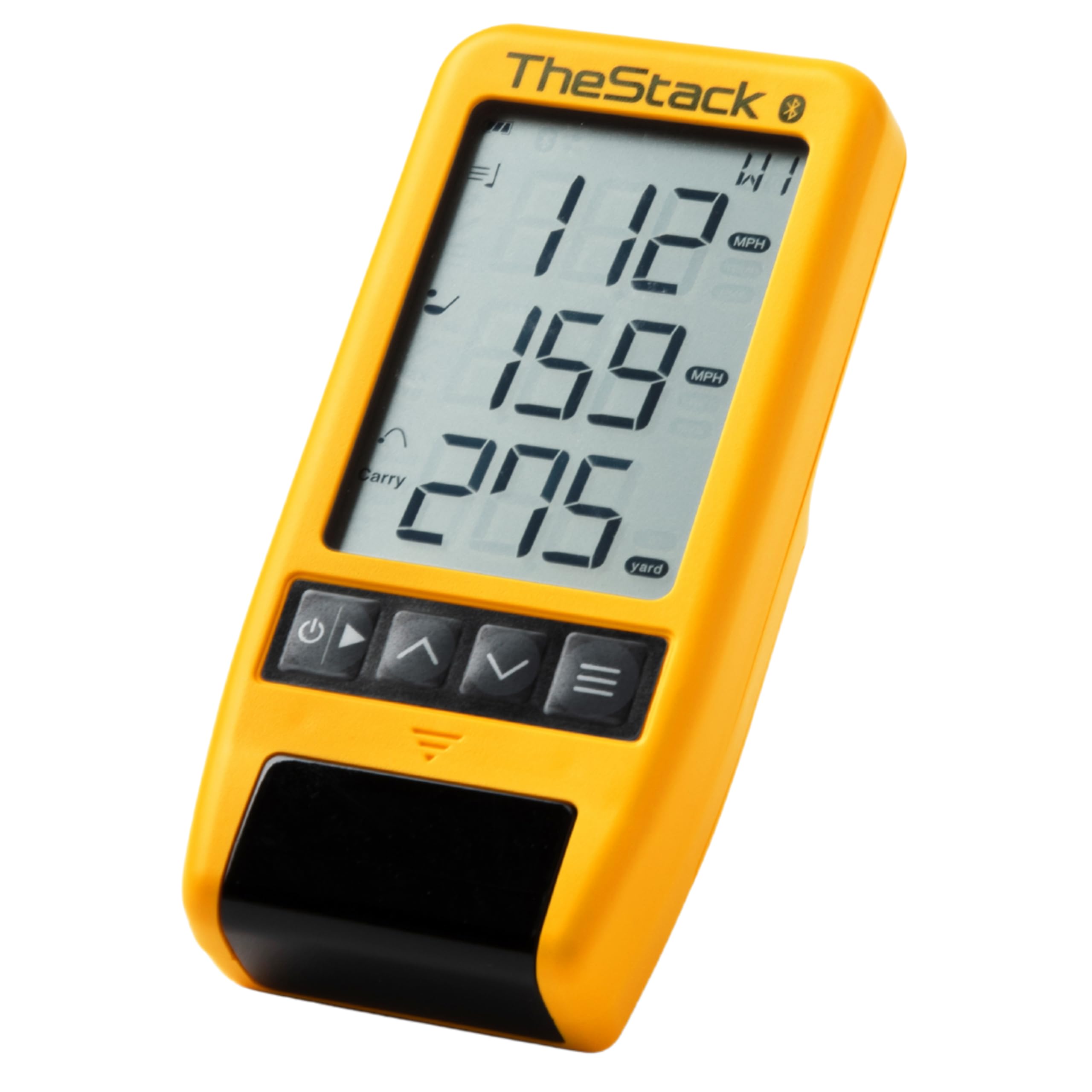
TheStack Radar

87 /100
Lab Score Excellent

Key details

App
TheStack via Bluetooth
Weight
4.23 oz
Measures
Swing speed, ball speed, estimated carry, smash factor
Included Training
Stack Wedging and Putting
View on Amazon

The Stack Radar is the smallest unit here, a 0.12 kg puck that pairs with TheStack app over Bluetooth. It is built for speed training and wedge practice, not for playing a virtual round. That narrow focus is the point.

It measures swing speed and ball speed, calculates estimated carry and smash factor, and connects to TheStack app. The bundled Stack Wedging and Stack Putting apps add guided practice, so the radar is part of a training system rather than a standalone range toy. That is a more specific appeal than a general-purpose launch monitor, and it is why the package makes sense for the right golfer.

The small body is easy to carry, and the app integration is what makes it more than a speed gun. But the radar can struggle on driver pop-ups and sometimes reads only ball speed. It also depends on the app, so it is not the pick for someone who wants a screen-free session. The 0.12 kg weight means you can keep it in the bag, but the value is tied to the Stack program.

For a golfer already using TheStack speed program, this is the natural add-on. For everyone else, the PRGR gives more standalone speed data for less. We like the Stack Radar as a specialized tool, not as a first launch monitor.

Pros

  • Tiny 0.12 kg body
  • Measures swing and ball speed
  • Stack Wedging and Putting apps
  • Bluetooth app integration

Cons

  • Driver pop-ups can misread club speed
  • Requires TheStack app
Our verdict

Golfers already following TheStack program will get the most from this tiny radar and its guided wedge and putting apps.

Check Latest Price

How We Tested 12 Golf Launch Monitors

We started with a list of more than 30 monitors and cut it to 12 before anyone swung a club. The filters were practical ones: whether it works indoors and outdoors, whether it needs a subscription to unlock the numbers it advertises, whether it requires a specific phone or tablet, and whether it reads the club as well as the ball. Marketing language about tour-level accuracy didn't factor in at all.

Each unit stayed with us for eight months and came to the places people really use them — a backyard net on weekday evenings, an outdoor range on weekend mornings, and a low-ceiling garage bay where long irons fly into a screen. I hit at least 200 balls with every monitor, mixing 7-iron, driver, and deliberate slices and hooks so there was something wrong to catch. Setup ran on a timer from opening the case to the first reading, alignment included.

Then we compared notes. Carry and total distance went head to head with the fitting bay's radar and with where the balls actually landed on the range. Swing speed had to hold steady across units on the same swings. To judge visual accuracy, we watched whether the on-screen flight curved the way the real ball did. We logged every dropped connection, every shot missed or double-counted, and how each unit survived being packed and unpacked into its case twice a week. Finally, we added up what a year of subscription fees would do to the sticker price, and asked the blunt question after each session: did this tell me anything I can use on the next swing?

How to Choose a Golf Launch Monitor

Match the Monitor to Your Practice Space

Radar and camera units struggle in different conditions. Radar needs a clear ball flight and a consistent unit-to-ball position; camera-based systems need enough light and a clean view of the swing. If your garage is dim, test the unit there before you commit. A portable radar like the R10 suits a range bag, while a self-contained screen like the R50 is happier in a permanent home bay. Measure your net-to-hitting distance and check the maker's placement guidance before ordering.

Decide Which Data Earns Its Keep

Carry distance is the headline, but it is not the whole purchase. If you want to fix a curve, spin axis and club path matter more than another yardage number; if you mainly want club gapping, ball speed and carry are enough. Video is the feature we miss most on number-only units because it shows the swing that produced the ball flight. The MLM2PRO's 15 metrics and dual camera are overkill for a beginner who only wants carry, and that is fine. Buy for the decision you actually make at the range.

Price the App and Phone Into the Purchase

The hardware is only part of the cost. Simulator courses, third-party app integration, and some training modes sit behind subscriptions on the Garmin and Rapsodo units, while the SC4 Pro includes five E6 courses with no monthly subscription. Phone compatibility is the other trap: the original MLM is iPhone and iPad only, and the MLM2PRO lists Android support. Check your phone's operating system and add the subscription to your first-year budget before you choose.

Choose the Display and Portability You Will Live With

A built-in screen makes home practice feel more like a finished appliance and keeps your phone free; a phone-based unit is lighter and, in this set, less expensive, but it depends on an app and a charged battery. For range sessions, battery life and weight matter more than screen size: the R10 runs up to 10 hours, the SC200Plus up to 20. For a permanent garage bay, the 10-inch R50 screen is a convenience worth paying for; for a bag that goes to the range, a phone-based unit makes more sense.

Frequently Asked Questions

Final Verdict

The Rapsodo MLM2PRO is the launch monitor we recommend first for most golfers. It covers the widest range of practice in this set: radar data, camera-based swing and impact views, and a simulator library in a 16-ounce package. If you want a self-contained screen and a permanent home bay, the Garmin R50 is the better fit. If your goal is speed training without a ball, the PRGR is the simpler answer.