Best Gaming Desks for Kids of 2026

A kid's gaming desk takes more punishment in a week than most office desks see in a year — elbows planted on the front edge mid-match, a headset slung at the hook, a cup set down an inch from the keyboard. You want a surface that doesn't shudder when the action gets close, sized to a bedroom corner so there's still floor to stand on. That's what these desks fix, and the good ones also clear the cable tangle behind the monitor with built-in outlets and a strip of light.

The lesson that took me a few desks to learn: footprint matters more than the spec sheet. An L-shaped desk can save a small bedroom or swallow it depending on which way the return swings, which is why reversible layouts are worth the extra assembly time. We spent six months with eight of these in real kids' rooms — sitting at them, building them with a kid "helping," and checking what stayed tight. The picks below are the ones still square at month six.

1

Best Overall

Bestier 42-Inch L-Shaped Gaming Desk

92 /100
Lab Score Outstanding

Key details

Power
2 AC, USB, USB-C
Height
35.91 inches
Shelves
4
Desktop Width
41.93 inches
View on Amazon

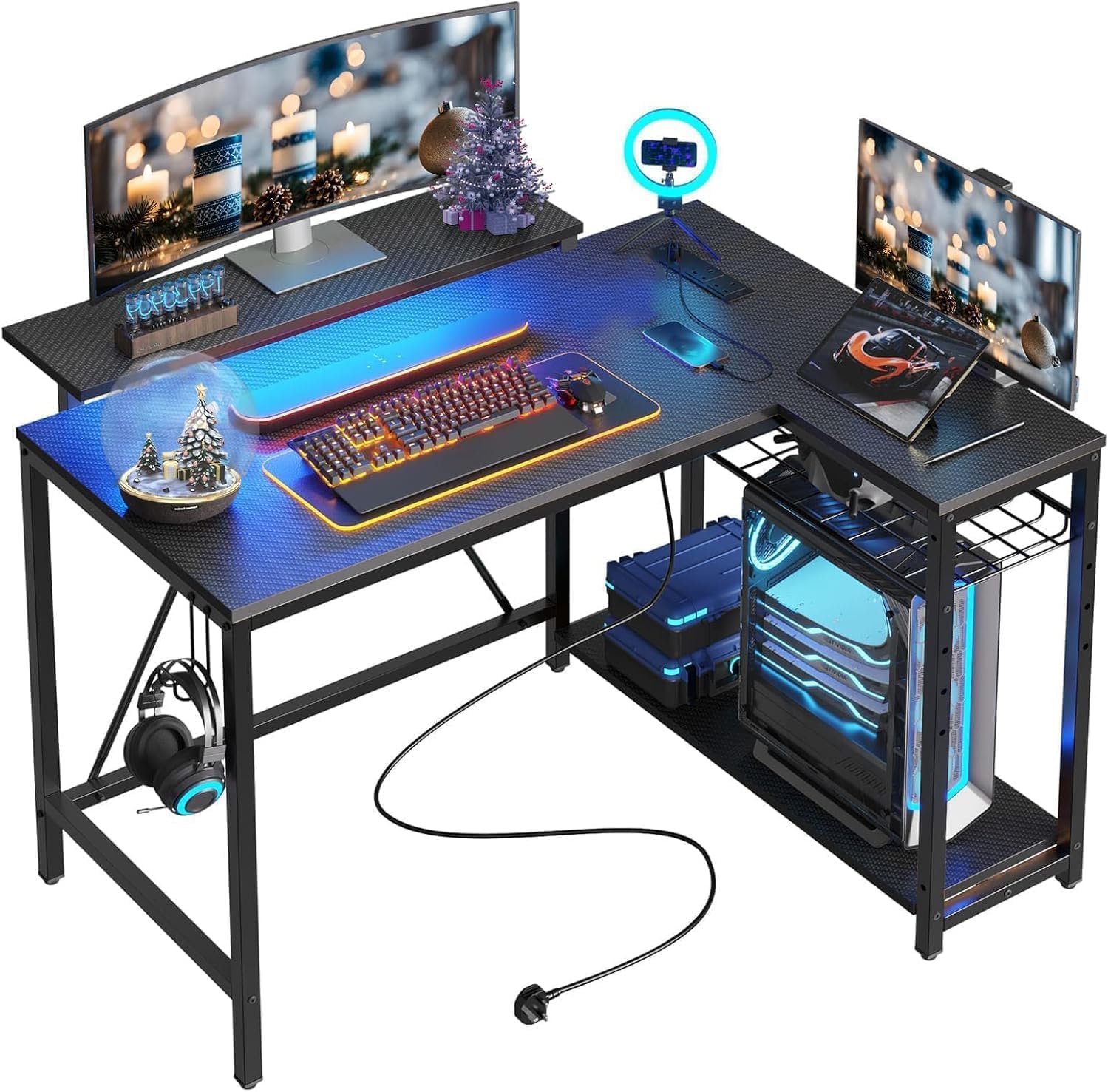
A 42-inch corner desk is the right size for most kids' rooms, and the Bestier makes that footprint work harder than the others here. We recommend it first because the reversible L-shaped top, built-in power strip, and under-shelf LED light cover the everyday setup without turning the desk into a piece of playground equipment. The carbon-fiber finish also looks more grown-up than the usual black rectangle, which matters if the desk is going to sit in a bedroom for years.

The power strip is the detail we kept coming back to: two AC outlets, one USB, and one USB-C port sit within reach, so a monitor, console, and phone can share one spot. The upper shelf works as a monitor stand or a display perch, and the side shelves can be mounted left or right depending on the corner. If your kid moves from a laptop to a desktop, that flexibility buys time.

The desk is not a heavyweight. At 32.6 pounds it is manageable to move after assembly, but the upper shelf is the part to treat gently; a heavy monitor belongs on the main top, not the riser. The 41.93-inch width leaves room for a keyboard and a notebook, and the 32.28-inch depth keeps the chair from feeling pinched.

This is the balance we prefer: compact, powered, and lit without being loud about it. It leaves enough floor space for a chair and a backpack, which is more than some 53-inch desks can say.

Pros

  • Built-in AC, USB, and USB-C
  • Reversible shelves fit either corner
  • LED light under the shelf
  • Compact 42-inch footprint

Cons

  • Two people recommended for assembly
Our verdict

We recommend the Bestier 42-inch for most kids because it fits a bedroom corner, includes outlets and USB-C, and adds LED lighting without turning the desk into a toy.
Check Latest Price
2

Best RGB on a Budget

HLDIRECT 47-Inch RGB Gaming Desk

91 /100
Lab Score Outstanding

Key details

Height
29 inches
Lighting
RGB strips, app control
Desktop Size
47 x 23.6 inches
Weight Capacity
200 lb
View on Amazon

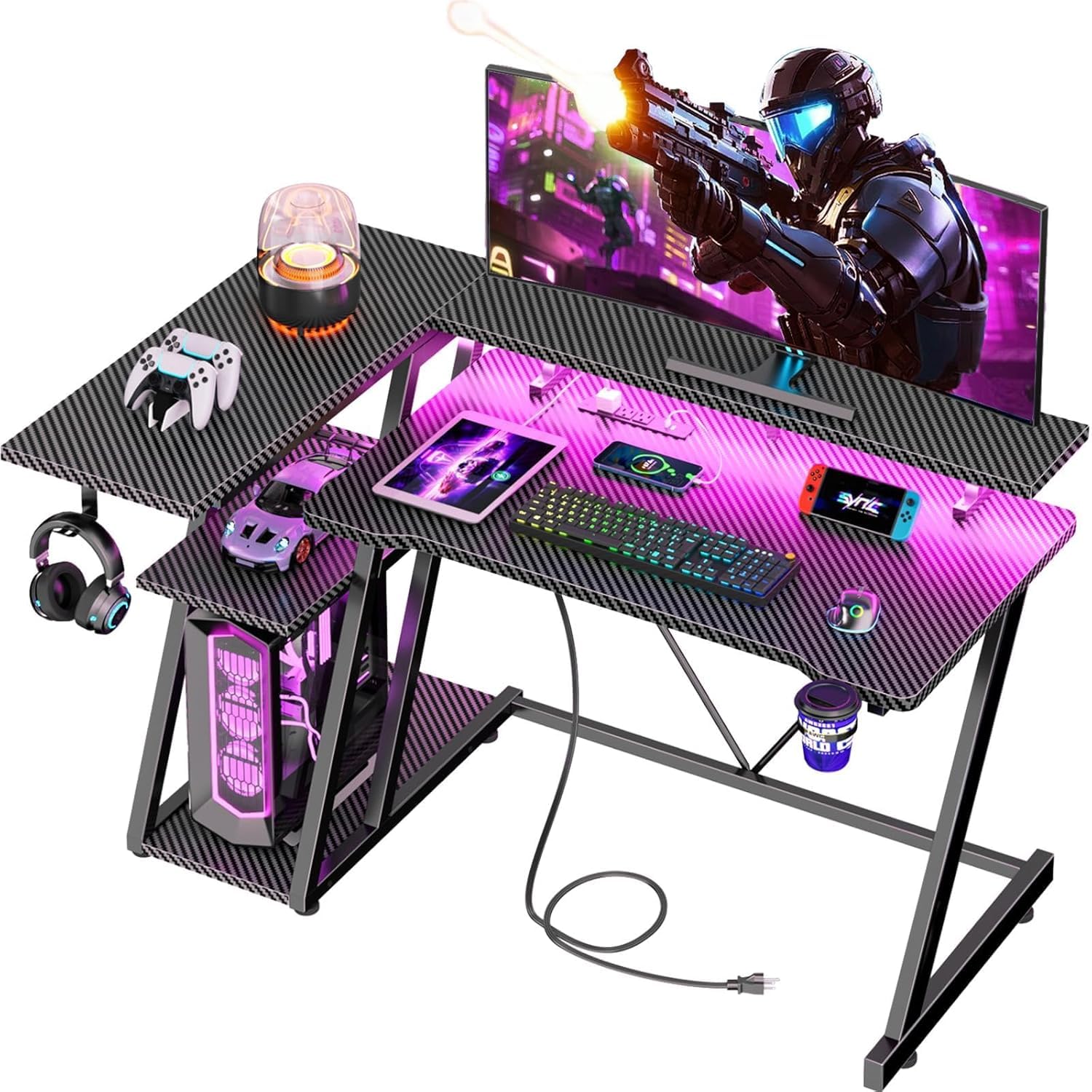
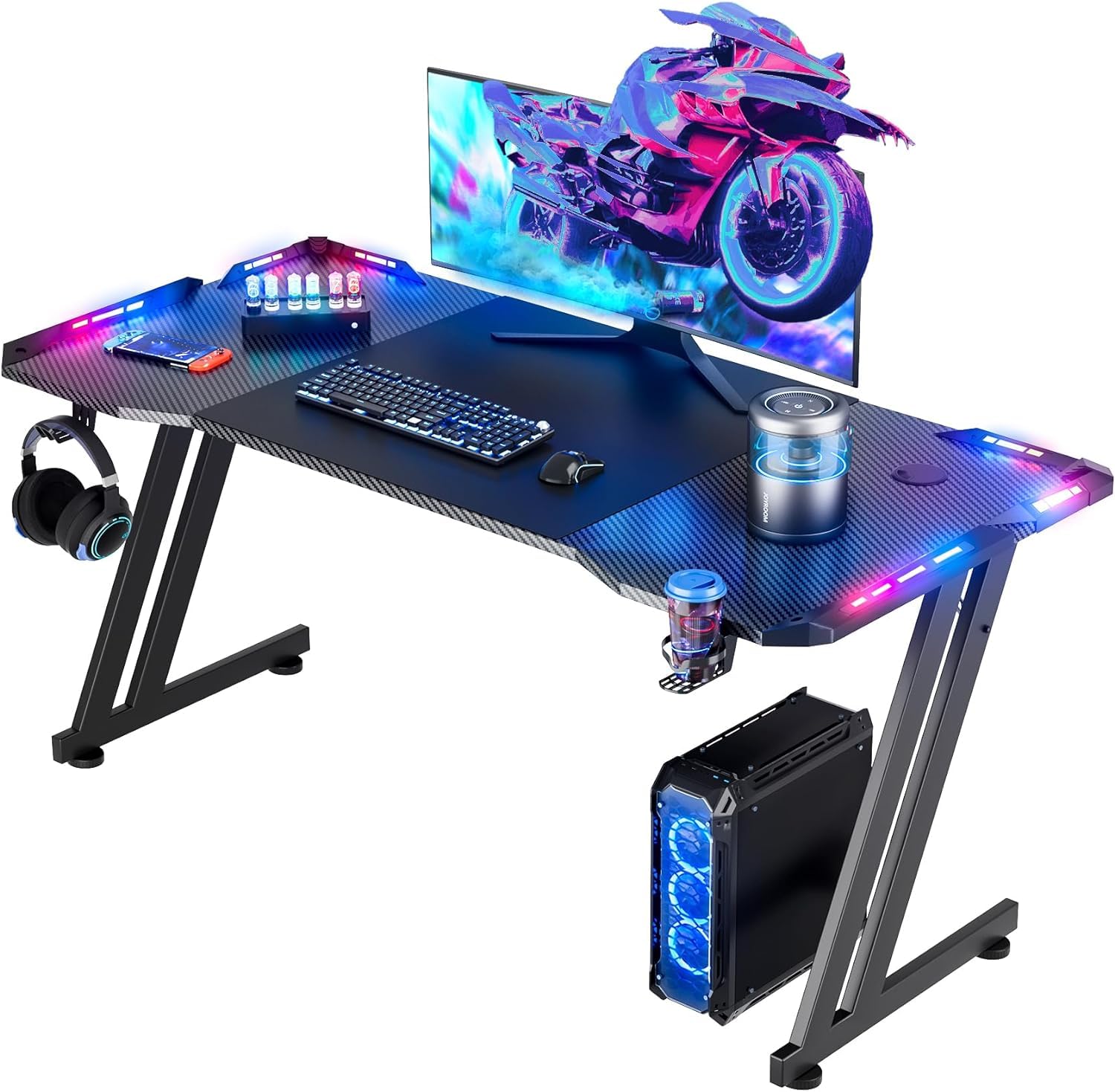
The first thing a kid notices on the HLDIRECT is the light: four groups of RGB strips wrap the desktop and run through an app, and the desk also arrives with a full-size mouse pad, a cup holder, and a headphone hook. That is the pitch: a light-up gaming station with the accessories already in the box.

We pick it for a younger gamer who wants that light show without spending like a pro. The 47-inch top holds two monitors, and the Z-shaped steel frame is rated for 200 pounds, so it is not just a light-up sheet of board. The included mouse pad is big enough to cover the main play area, which saves another purchase.

The weak spot is the lighting. The frame and top feel more consistent than the electronics, so plug the strips in and test every color before the return window closes; a dead section is the risk with this desk. The 23.6-inch depth leaves room for a keyboard and a headset, and the cable management keeps the back from turning into a nest.

If your kid is rough on furniture, the Z-frame is the reassuring part; if they are rough on electronics, the LED strip is the gamble. We still like this desk for the price of entry, especially in a room where the lights are the main event.

Pros

  • RGB strips with app control
  • Large mouse pad included
  • Sturdy 200-pound Z-frame
  • Cup holder and headset hook

Cons

  • Assembly instructions are thin
Our verdict

We like this one for a younger gamer who wants the light show: the 47-inch top, included mouse pad, and Z-frame deliver the fun at the lowest cost here.

Check Latest Price
3

Best Mid-Size Corner Desk

ODK 48-Inch L-Shaped Gaming Desk

92 /100
Lab Score Outstanding

Key details

Power
3 AC, 2 USB
Height
30 inches
Shelves
2
Desktop Size
48 x 19.7 inches
View on Amazon

A 48-inch L desk is the middle ground in this group: wider than the 42-inch Bestier, easier to place than a 53-inch model, and still compact enough for a corner. The ODK adds three outlets, two USB ports, an adjustable monitor stand, two open shelves, a side bag, and a PC tower stand, so the package is built around a full gaming setup rather than just a flat surface.

The reversible layout is the practical part. The shelves and tower stand can sit on either side, which lets the desk follow the corner instead of forcing the room to rearrange around it. The monitor stand raises a screen off the desktop, and the side bag is a small but useful place for a controller or headset.

We point to this one when a kid needs more room than the 42-inch top provides but the room cannot take a 53-inch desk. The power strip and monitor stand make it feel more complete than a plain table, and the carbon-fiber surface wipes down easily. The caveat is fit: the top and frame can arrive slightly out of alignment, so dry-fit the main pieces before tightening everything.

This is the size we reach for after the top pick. It does not have the hutch storage of the biggest ODK, but it also does not take over the room.

Pros

  • Three outlets plus two USB ports
  • Reversible corner layout
  • Adjustable monitor stand
  • Open shelves and side bag

Cons

  • ⚠️ Sharp edges may need filing
Our verdict

We point to the ODK 48-inch when a kid needs more desk than the 42-inch top, with three outlets, two USB ports, and a reversible corner layout that still fits a small room.

Check Latest Price
4

Best for Two Monitors

AODK 53-Inch L-Shaped Gaming Desk

92 /100
Lab Score Outstanding

Key details

Power
3 AC, 2 USB
Height
29.8 inches
Shelves
2
Desktop Size
53.15 x 18.9 inches
View on Amazon

For a teen who runs two monitors or a TV, the AODK 53-inch is the desk we choose first. The reversible L-shaped top gives each screen its own zone, and the built-in power strip keeps the console, monitor, and phone from fighting over one wall outlet.

The details are aimed at a full setup: two shelves, a CPU stand, a headphone hook, and a hanging storage bag. The LED strip has 10 static colors, eight brightness levels, and 10 dynamic modes, which is more control than most kids need but fun to dial in. The top is 18.9 inches deep, so a keyboard and monitor fit comfortably without pushing the chair too far into the room.

The two shelves and CPU stand do the quiet work: the shelves keep controllers and speakers off the desktop, and the CPU stand gives the tower a dedicated spot. The rest of the storage is useful without crowding the work surface.

This is the pick when a starter desk is no longer enough but the setup still needs to disappear into one corner. It is not the smallest desk here, and that is the point: the extra width buys room for a second screen and a homework notebook.

Pros

  • Wide 53-inch two-screen top
  • Three outlets and two USB ports
  • Reversible L-shaped layout
  • LED strip with many modes

Cons

  • Lower PC shelf fits compact towers only
Our verdict

We choose the AODK 53-inch for a teen running two monitors or a TV, because the wide reversible top and built-in power make a full setup fit in one corner.

Check Latest Price
5

Best for Tiny Rooms

Korfile 40-Inch L-Shaped Gaming Desk

91 /100
Lab Score Outstanding

Key details

Power
3 AC, 2 USB
Height
29.5 inches
Desktop Size
39.4 x 25.6 inches
Weight Capacity
220 lb
View on Amazon

At 39.4 inches wide, the Korfile is the smallest L-shaped desk in this group, and that is the whole reason to consider it. The corner design leaves more floor space than a straight 40-inch desk, and the three side shelves give a kid somewhere to put a headset, a controller, and a few books without covering the desktop.

We recommend it for the tightest bedroom corners, where a full-size gaming desk crowds the bed or the closet door. The built-in power strip has three AC sockets and two USB ports, and the monitor stand is long enough for two 24-inch monitors or one large display. The reversible layout lets the shelves sit on whichever side keeps the room workable.

The LED strip is a nice extra, but the desk earns its place on the footprint and the shelves, not on the light show. Two of these can be combined into a U-shaped table for a shared room, which is a clever bit of flexibility for siblings who game side by side.

The carbon-fiber texture is easy to wipe down and hides fingerprints better than a glossy white top, which is a small win in a room where snacks happen at the desk. For a small room, that mix of footprint and storage is the real selling point.

Pros

  • Smallest L-shaped footprint
  • Three side shelves
  • Three AC outlets and two USB
  • Reversible or U-shaped layout

Cons

  • Short top leaves little homework room
Our verdict

We recommend the Korfile 40-inch for the tightest bedroom corners, where its small L-shaped top, three shelves, and built-in power do more than a full-size desk could.

Check Latest Price
6

Best for Homework and Gaming

Furologee 51-Inch Gaming Desk

91 /100
Lab Score Outstanding

Key details

Power
3 AC, 2 USB
Height
34.5 inches
Storage
Fabric file cabinet
Desktop Size
51.2 x 18.9 inches
View on Amazon

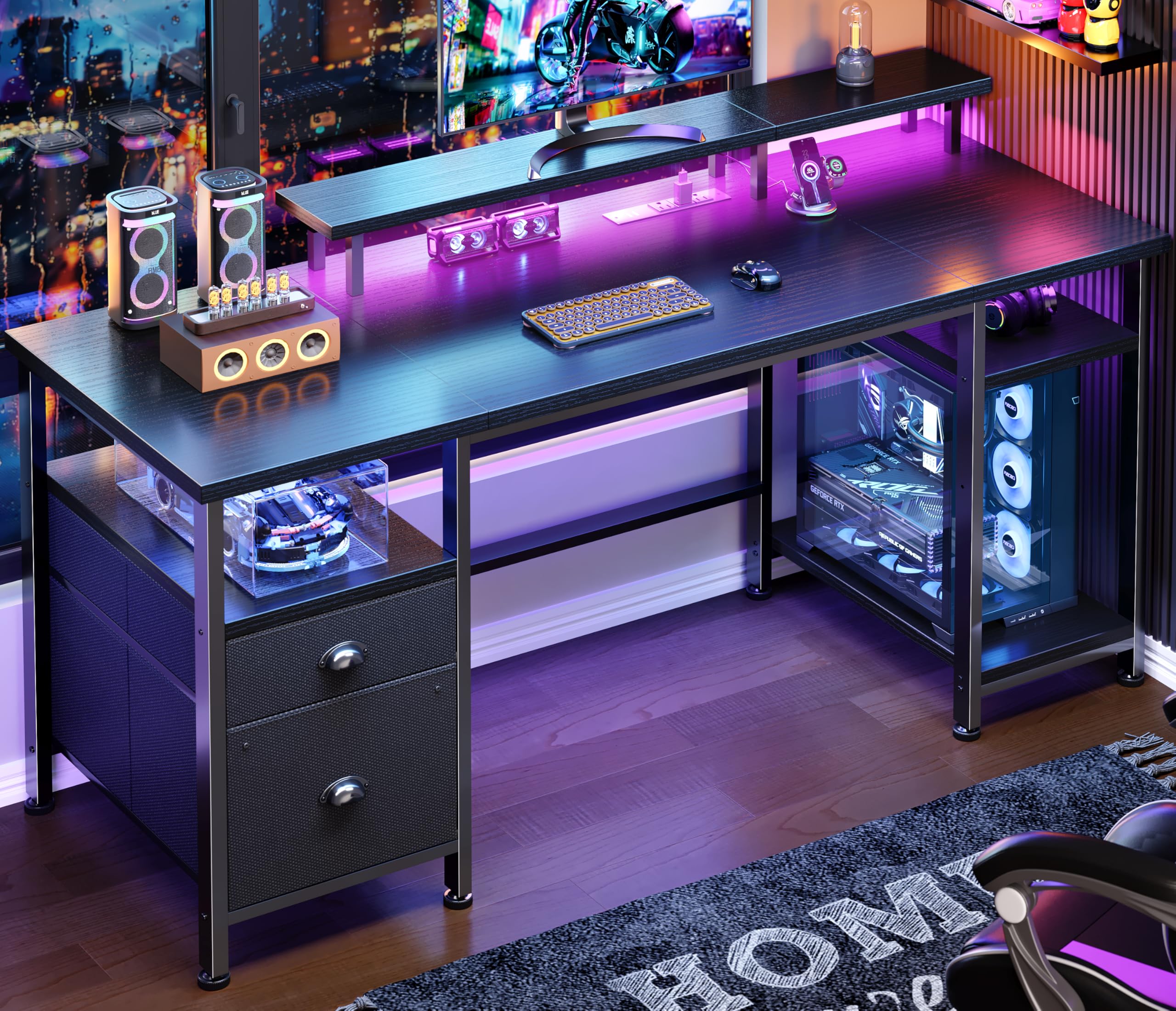
The Furologee looks like a gaming desk, but the reason to buy it is the schoolwork side: a 51-inch straight top, a file cabinet, two adjustable shelves, and a raised monitor stand. For a kid who needs one place for homework and games, that combination is more useful than another L-shaped corner.

The power strip has three outlets and two USB ports, and the LED strip adds 20 colors and 22 modes. We like that the light is adjustable rather than fixed, because a younger kid can use a calm color for homework and switch to something louder for gaming. The monitor stand raises the screen to eye level, which is the ergonomic detail that matters most in a bedroom setup. The 51.2-inch width gives a monitor and a notebook room to coexist, and the 18.9-inch depth keeps the screen at a comfortable distance.

We recommend this one when storage and a straight desk matter more than squeezing into a corner. The file cabinet holds folders and papers, the shelves can move up or down, and the desk is reversible, so it can sit against a wall without wasting the back side.

If your kid's room has a long wall and a growing pile of school supplies, this is the desk that makes the most sense. It is not the smallest or the flashiest pick here, but it is the one that treats homework as part of the setup.

Pros

  • File cabinet for school papers
  • Three outlets and two USB ports
  • Adjustable LED colors and modes
  • Monitor shelf at eye level

Cons

  • Fabric drawers, not wood
Our verdict

We like the Furologee for a kid who needs a homework station as much as a gaming desk, with a file cabinet, outlets, and a monitor shelf in one straight footprint.

Check Latest Price
7

First Compact Setup

TIQLAB 40-Inch L-Shaped Gaming Desk

91 /100
Lab Score Outstanding

Key details

Power
2 AC, USB, USB-C
Height
29.5 inches
Shelves
2
Desktop Size
40 x 27.6 inches
View on Amazon

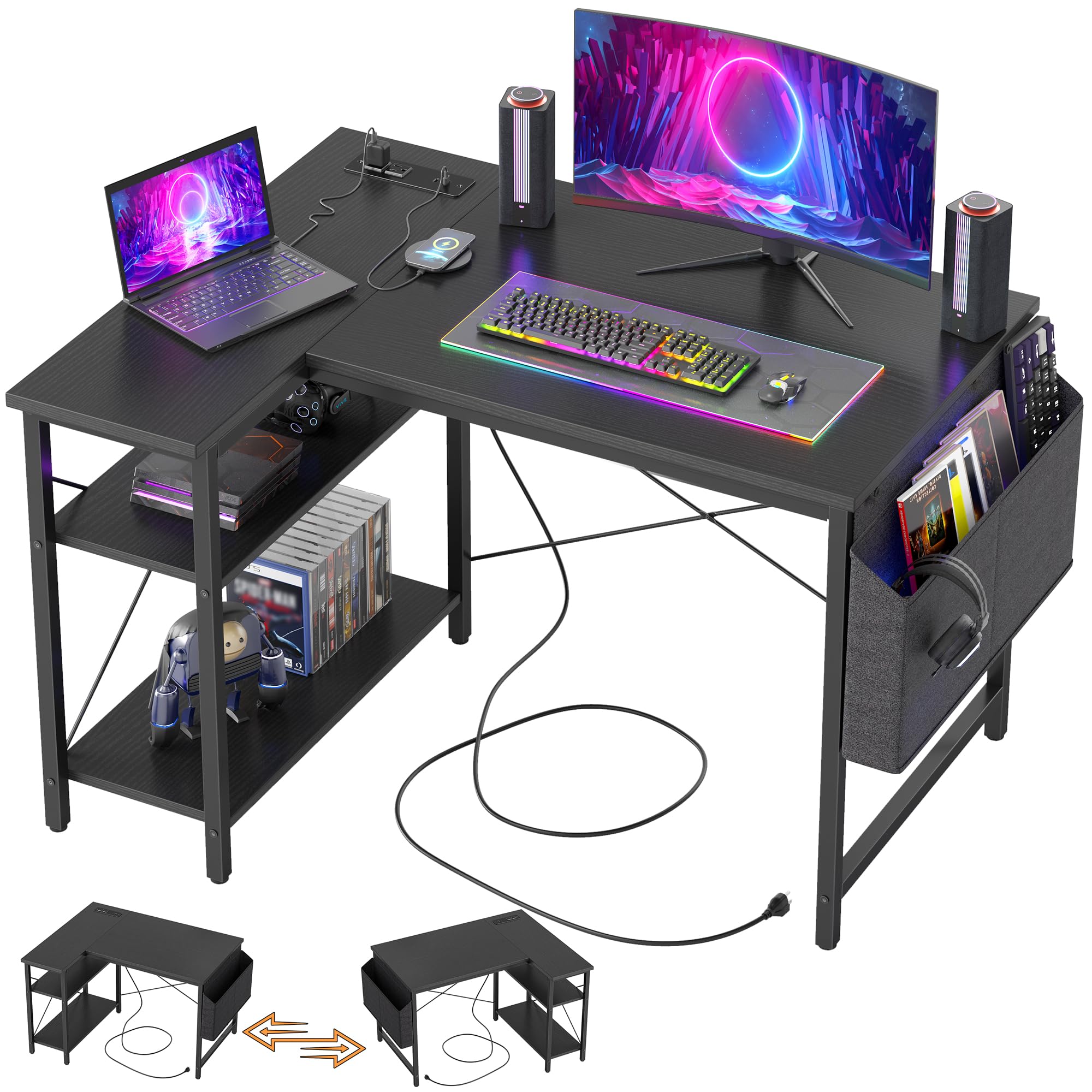
The TIQLAB is the quietest desk in this group: a 40-inch reversible L, two open shelves, and a small power strip with two AC outlets, one USB port, and one USB-C port. It does not lead with lights or a hutch, and that is fine for a first setup.

The L shape is the useful part. It tucks into a corner, the shelves hold books and a headset, and the short side can face the wall so the desk does not stick out into the room. The frame is steel with an X-brace, and the top is FSC-certified wood, which is a sensible combination for a desk that a kid will lean on.

The two open shelves are the storage plan: one for books, one for a console or headset, with the power strip close enough to keep cables short. The 27.6-inch depth gives a monitor a little breathing room, which is more than the narrowest desks here.

We see this as the straightforward small-space choice: it covers the basics, adds USB-C, and leaves more of the budget for a chair or a monitor. If you want the desk to be the centerpiece of the room, the Bestier or HLDIRECT is more fun; if you want a simple corner workstation, this is the one.

Pros

  • USB-C charging built in
  • Reversible L-shaped design
  • Two open storage shelves
  • Compact 40-inch footprint

Cons

  • 40-inch top is tight for two monitors
Our verdict

We see the TIQLAB 40-inch as the straightforward small-space choice: L-shaped, reversible, and equipped with USB-C and two open shelves at a lower cost.

Check Latest Price
8

Simple Corner Starter

Homall 50.5-Inch L-Shaped Gaming Desk

93 /100
Lab Score Outstanding

Key details

Shape
L-shaped
Width
50.4 inches
Finish
Carbon fiber
Monitor Stand
Detachable
View on Amazon

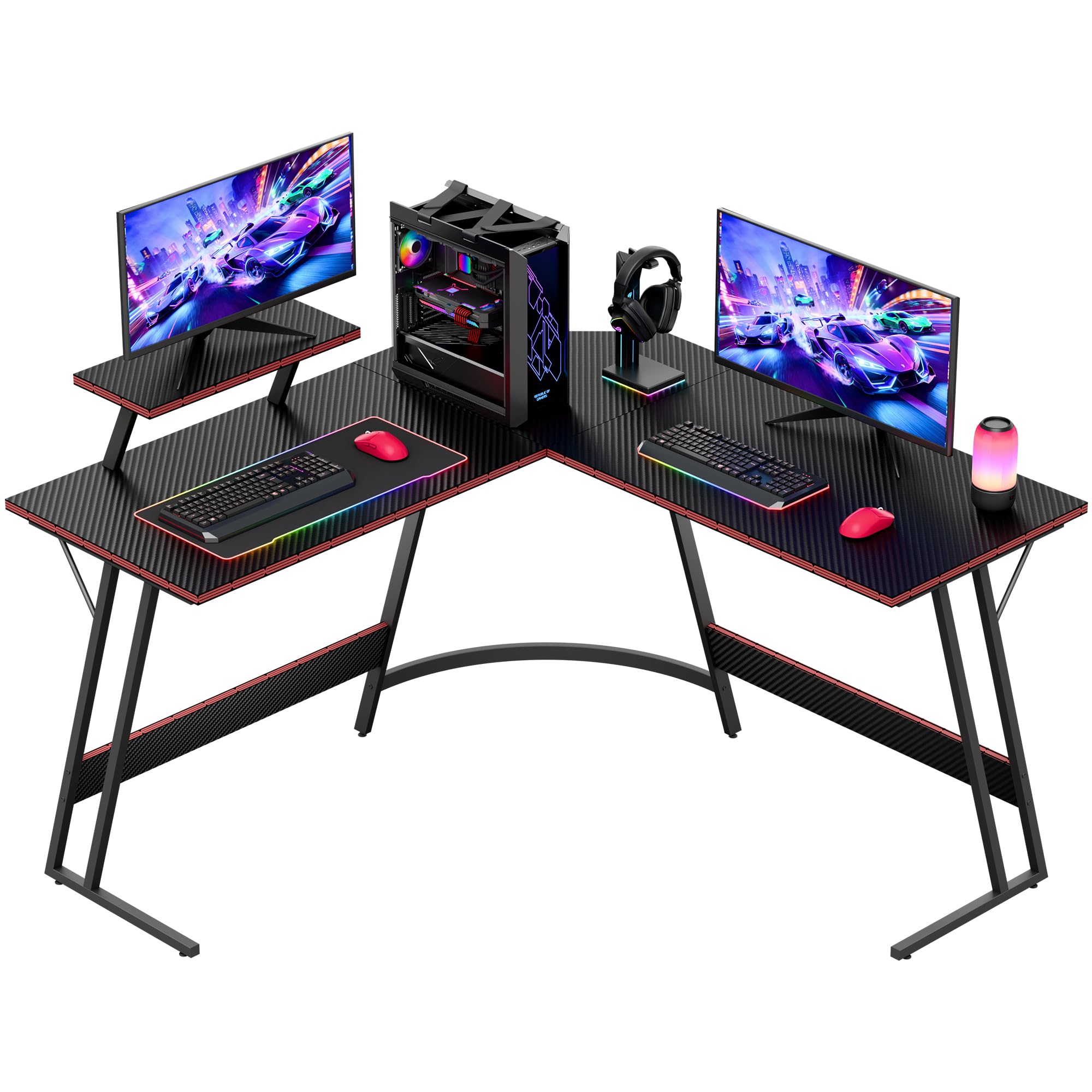
The Homall's best trick is the detachable monitor stand. It clips onto any table edge, including the corner, so a kid can raise a screen without adding a separate riser or a hutch. The rest of the desk is a 50.4-inch L-shaped surface with a carbon-fiber finish and a black-on-black look that matches the rest of a gaming setup.

The L shape is useful in a bedroom because the short leg can run along a wall while the long leg holds the monitor and keyboard. The carbon-fiber texture is the visual selling point; it looks more serious than a plain laminate desk. The 50.4-inch width gives the monitor and keyboard separate zones, and the corner leg keeps the footprint from running along the whole wall.

The monitor stand is the one feature that changes the setup, and it is easy to move if your kid rearranges the room. The desk itself keeps the focus on the surface, so it suits a room where the console, chair, and lights are already sorted.

We recommend the Homall when the room already has the electronics sorted and the desk just needs to hold a raised screen in the corner. It is the least complicated pick here, and for some kids that is exactly the right amount of desk.

Pros

  • Detachable monitor riser
  • 50.4-inch L-shaped top
  • Carbon-fiber finish
  • Simple corner setup

Cons

No notable drawbacks to flag.

Our verdict

We like the Homall for a kid who wants a raised screen without a hutch; the detachable monitor stand and carbon-fiber finish keep the desk simple.

Check Latest Price

How We Tested Kids' Gaming Desks: Assembly, Wobble, and Wiring

We built the shortlist by sorting through desk listings and dropping anything too deep for a shared bedroom, anything missing built-in power or real storage, and anything whose assembly reviews read like a warning label. That left eight desks, from 40 to 53 inches wide, straight and L-shaped, which we assembled and lived with for six months.

Assembly was timed, solo, on a bedroom floor with the hardware spread out on a towel; we noted missing or mislabeled pieces, whether the picture-only instructions ran in a sensible order, and how much of it a kid could genuinely help with. Size got measured twice — once on the box, once with a desk chair pushed in and a bed two feet away — because an L-shaped return that swings the wrong way eats the whole room. Every desk got a month-in re-tightening to see what had worked loose.

For sturdiness, we leaned on the front edge while typing, dropped a headset onto the monitor stand, and nudged the desk mid-game to watch how much the monitor shook, then checked the wobble again in month four. Functionality meant plugging in a monitor, a laptop, a phone, and a light bar at once to see whether the outlets and USB ports kept up and whether the cable channel actually hid the mess.

We pressed on every LED strip and mouse pad to test adhesion, then checked whether the tape was still flat after a few weeks in a warm room with a kid picking at the corner. Shelves and drawers got loaded with notebooks and controllers, and we watched whether the drawer bottoms bowed under the weight. Appearance held up to fingerprints and juice rings, and value came down to whether the thing still felt tight in month six.

How to Choose a Gaming Desk for a Kid

Measure the Corner Before the Screen

Start with the floor space, not the monitor. A 40-inch L-shaped desk such as the Korfile can tuck into a tight corner, while a 53-inch model like the AODK needs a longer wall and more chair room. Measure the width, the depth, and the space the chair needs to pull out. If the room has a closet door or a bed on the same wall, an L-shaped desk often fits better than a straight one because the short leg uses space that is otherwise dead.

Match the Desktop Height to the Chair

Most gaming chairs are built around a desktop height near 29 to 30 inches, and the AODK, ODK, Korfile, and TIQLAB all list desktops in that range. A raised monitor shelf changes the screen height, not the desk height, so check the main work surface if your child uses a standard chair. The Bestier lists 35.91 inches overall because of its upper shelf; if seated fit is the priority, look at the main top rather than the overall height.

Decide How Much Power and Light You Need

Built-in outlets and USB ports are the features that make a gaming desk easier to live with: one cord to the wall, then the monitor, console, and phone charge at the desk. USB-C is worth having if your kid uses a newer tablet or handheld. LED strips are fun, but they are the first thing to fail on a budget desk, so buy the lighting because you want it, not because it makes the desk sturdier.

Plan Storage Around the Gear

Storage is where these desks separate: a monitor stand, a CPU shelf, side shelves, a headset hook, a storage bag, or a file cabinet. Measure the PC tower before you count on a lower shelf; compact cases fit, full-size builds often do not. For schoolwork, a file cabinet or a deep drawer is more useful than another RGB strip. Keep the monitor on the main top and use the riser for a light screen or a display, not a heavy older monitor.

Check the Frame, Edges, and Weight Rating

A steel frame and a stated weight limit tell you more about daily life than the shape of the legs. Look for a crossbar or a braced back, check the edge finish if a younger child will use the desk, and tighten every bolt after the first week. A desk that wobbles when a kid types is worse than a plain one that stays put. The carbon-fiber finishes here are easy to wipe, but the frame and hardware decide how long the desk lasts.

Frequently Asked Questions

Final Verdict

Our default for most kids is the Bestier 42-inch because it solves the small-room problem without leaving the gaming setup behind: a compact corner top, real charging, and an LED light that is fun without being the whole desk.

For a younger gamer who wants the light show and a lower entry point, the HLDIRECT is the better fit. If a teen needs two screens, move up to the AODK 53-inch.