Best Gaming Desks for Dual Monitors

The second monitor is where a lot of desks quietly give up. One screen, a keyboard, and a mug fit anywhere; add a second panel and the tower moves to the floor, the speakers perch on a book, and you sit at an angle because everything got shoved a foot to the left. A desk built for two screens gives you width you can actually use, a surface that doesn't fight your mouse, and somewhere to put the cables before they turn into a nest behind the tower.

I ran two 27-inch panels on a hand-me-down table for years and assumed the wobble came with the territory. It doesn't. We spent six months building and living with a dozen gaming desks, and the good ones separated themselves in ways the product photos never show.

Depth does as much work as width when you're pushing two screens back, and a desk that shakes while you type shakes harder once you clamp monitor arms onto it. Lighting and headset hooks are nice extras; a frame that stays put is the thing you notice every day, and it's what decided who made this list.

1

Best Overall

EUREKA ERGONOMIC Gaming Desk 60 Inch

94 /100
Lab Score Outstanding

Key details

Mouse Pad
Full-surface fitted pad
Dimensions
27.56"D x 60"W x 30.12"H
Weight Capacity
500 lb
Cable Management
Under-desk tray
View on Amazon

Twenty-seven and a half inches of depth is the number that settles a dual-monitor desk. On the 19.7-inch tops several desks here use, two monitors on their own stands eat the space in front of you and the keyboard ends up hanging off the edge. The GIP measures 60 by 27.56 inches, so both screens sit behind the keyboard line with room to spare, and the fitted pad runs edge to edge so there's no lip between keyboard and mouse.

That depth is what earns it the top spot. Add the cable management and the case builds itself: a tray under the desktop holds the power strip and both monitor cables, which is the difference between a setup you can dust in one pass and a nest behind the tower. The small hardware earns its space too — a controller rack, a cup holder, and dual headset hooks mean fewer things sitting on the surface you just paid for.

Underneath it is steel rated to 500 pounds with adjustable feet for a floor that isn't level, and there's a one-year limited warranty behind it. Assembly wants two people because of the panel length, and the tools come in the box. What you give up is storage: no drawers, no shelves, so the tower lives on the floor and the headset either hooks up or clutters.

Pros

  • Deep 27.56-inch top keeps monitors behind the keyboard
  • Full-surface mouse pad with no seams
  • Under-desk tray hides the power strip and cables
  • 500-pound-rated steel frame with adjustable feet

Cons

  • No drawers or shelves for storage
Our verdict

The best dual-monitor desk in this group: 27.56 inches of depth, a full-surface pad, and a cable tray that clears the floor. Buy it when the surface is the whole point.
Check Latest Price
2

Best L-Shaped

ODK 53-Inch L-Shaped Gaming Desk

92 /100
Lab Score Outstanding

Key details

Outlets
3 AC + 2 USB
Shelves
2
Dimensions
29.8"H x 53"W x 18.9"D
Weight Capacity
300 lb
View on Amazon

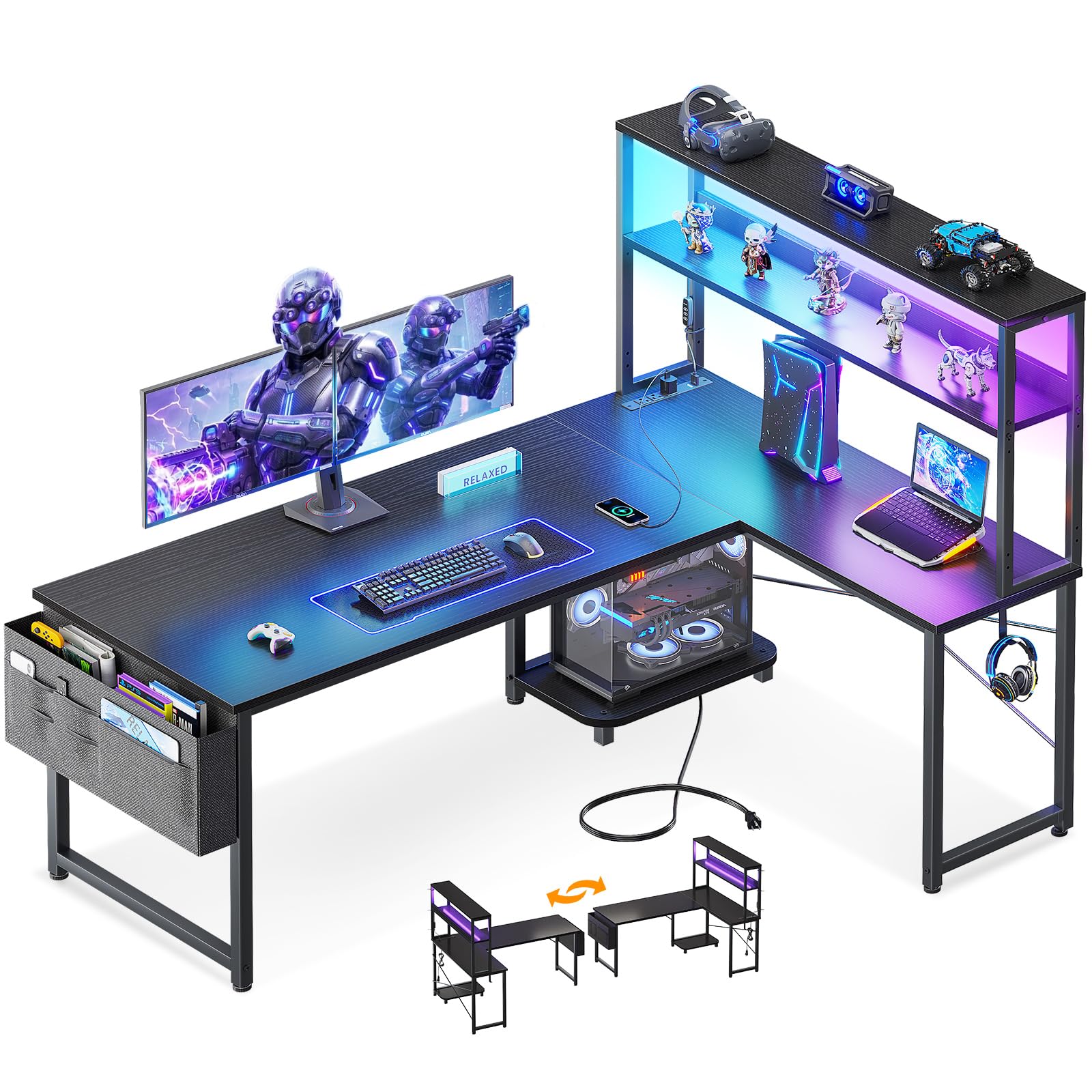
Corners are wasted floor space until you put an L-shaped desk in one. ODK's 53-inch model turns the corner into a second workstation: a 53-by-18.9-inch main run along one wall and a side module you can hang on the left or the right, so the long edge lands wherever your room allows.

The details are aimed at a gaming setup rather than a homework station. Three AC outlets and two USB ports sit at desktop height, so monitor bricks, a phone cable, and a controller charger stop fighting over one wall socket. The LED strip runs ten colors, eight brightness levels, and ten modes with a memory function, which means it comes back on at the setting you left rather than defaulting to bright white at midnight.

Depth is where this one asks something of you. At 18.9 inches on the main run it's the shallowest desk here, and a 27-inch monitor on its own stand will sit close to the front edge. The return is what makes the layout work, and it's the shape we recommend for a bedroom or a shared room where the second screen can sit at an angle rather than dead ahead. Shelves, a CPU stand, and a hook keep the top clear.

Pros

  • Corner return carries the second monitor
  • Three AC outlets and two USB at desk level
  • Side module mounts left or right
  • LED strip remembers the last setting

Cons

  • Assembly instructions are vague in places
Our verdict

For a room with a corner, this is the shape we recommend: the return holds the second screen and the outlets keep the floor clear of cords.

Check Latest Price
3

Best for Two Setups

SEDETA 94.5-Inch Two-Person Gaming Desk

93 /100
Lab Score Outstanding

Key details

Outlets
2 AC + 2 USB
Included
Keyboard tray, monitor stand
Dimensions
19.7"D x 94.5"W x 30"H
Weight Capacity
325 lb
View on Amazon

Ninety-four and a half inches is a strange number until you put two people in front of it. This is the desk for two gamers sharing a room, or a couple where both work and play against the same wall: each side gets its own run of surface, its own reach to power, and enough room that nobody's mouse arm invades anybody else's territory. We like it for that, and for how little of the setup ends up on the floor.

The middle third does the dividing work: a two-shelf tower plus a monitor stand splits the desk visually and gives consoles, books, or a printer somewhere to live. The keyboard tray is sized for a full 108-key board, which matters more than it sounds on a shared desk. Power comes as two AC outlets and two USB ports, and the LED strip runs from a remote or an app with enough colors and modes that both people find one they like.

One caution: this is the longest build here. The frame is heavy and the bolt holes only line up when every bolt is started loose and the last one is tightened at the end. Two people and an afternoon will do it; one person will do it and complain.

Pros

  • 94.5 inches of surface for two setups
  • Two AC outlets and two USB ports built in
  • Keyboard tray fits a full-size board
  • Center shelf tower splits the space

Cons

  • 19.7-inch depth pinches big monitor stands
Our verdict

The right buy when two setups share one wall: 94.5 inches of surface, power built in, and a storage tower between them.

Check Latest Price
4

Best for Small Rooms

HLDIRECT 47-Inch Gaming Desk

91 /100
Lab Score Outstanding

Key details

Lighting
4 RGB strip groups, app control
Dimensions
23.6"D x 47"W x 29"H
Weight Capacity
200 lb
View on Amazon

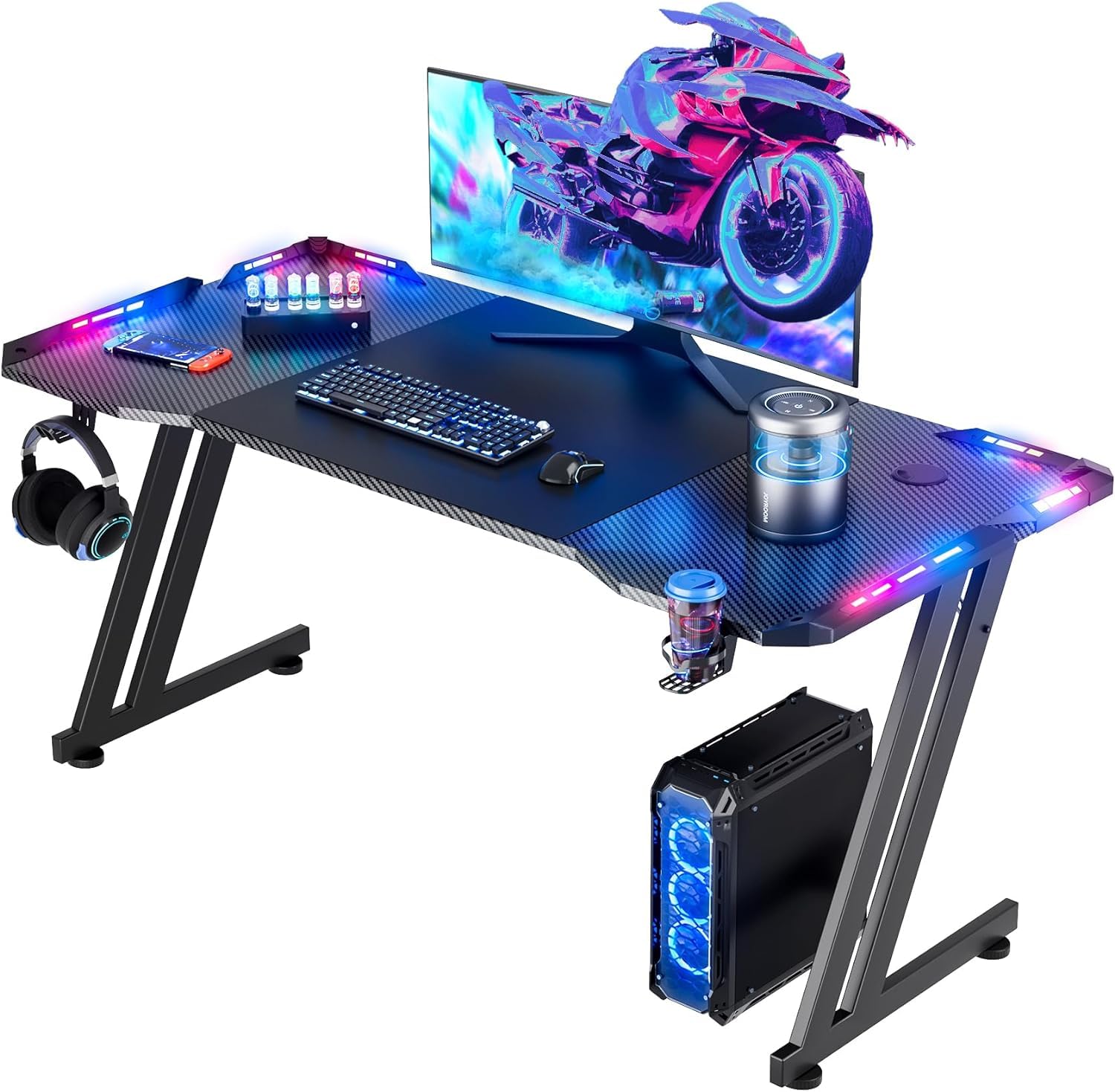
Forty-seven inches is the narrowest desk here that still takes two screens, and HLDIRECT gets away with it by going deep: 23.6 inches front to back, more than the 55-inch budget desks give you. Two 24-inch monitors sit side by side with a couple of inches between them and still leave a mouse lane. Two 27-inch panels will overhang the ends.

What surprised us is the frame. It's a Z-shaped steel structure rated to 200 pounds, split into two triangular side assemblies, and it holds still when you move fast — which is the thing that decides whether a desk feels cheap once the honeymoon is over.

Four groups of RGB strips are set into the desktop edges and run from an app, and the box includes an oversized mouse pad, a cup holder, and a headphone hook, all of which usually gets cut at this end of the market. Test the lights before you thread the cables: a dead strip is the flaw to watch for, and it's simpler to sort out before assembly than after.

Pros

  • 47-inch width with a deep 23.6-inch top
  • 200-pound Z-frame stays steady during play
  • RGB strips with app control
  • Cup holder and headphone hook included

Cons

  • Two 27-inch panels won't fit side by side
  • Assembly instructions are thin
Our verdict

The small-room pick: 47 inches wide with 23.6 inches of depth, a steady Z-frame, and RGB. Two 27-inch monitors are too much for it.

Check Latest Price
5

Best Budget

VASAGLE 55.1-Inch Computer Desk

93 /100
Lab Score Outstanding

Key details

Frame
Steel with adjustable feet
Dimensions
19.7"D x 55.1"W x 29.9"H
Weight Capacity
110 lb
View on Amazon

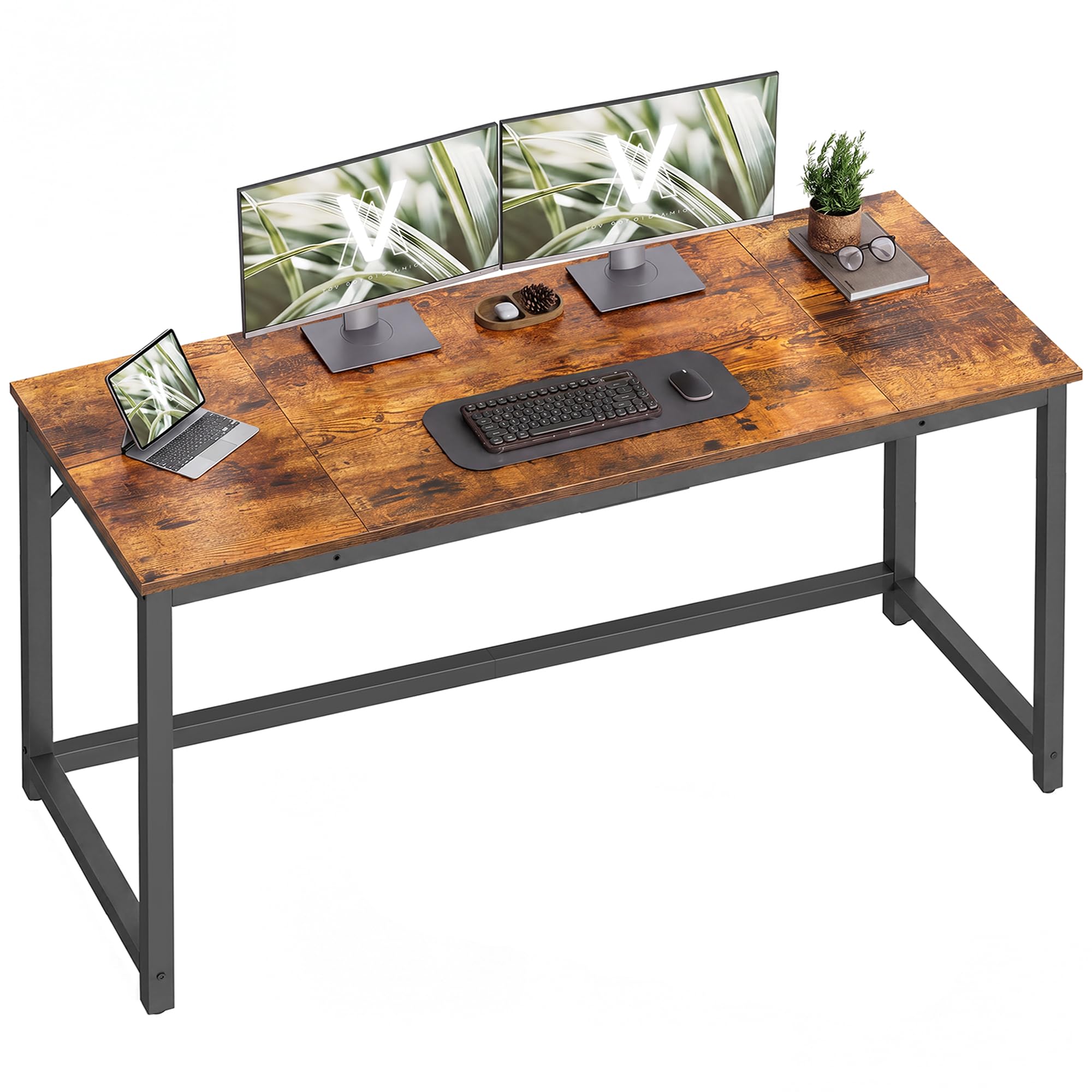
This is the desk we point to when the number on the listing matters more than the badge on the frame. Fifty-five point one inches of width is enough for two monitors and a keyboard, the steel frame holds it level, and the rustic-brown top reads as furniture rather than as a folding table. As a first desk, a dorm desk, or the second desk in a spare room, it does the job without an argument.

The 19.7-inch depth is the compromise, and it's the one to plan around: monitor stands take most of it, so arms or slim-footed screens keep the keyboard where it belongs. Everything else is refreshingly plain — adjustable feet for an uneven floor, labeled parts, and an assembly that runs about half an hour with a screwdriver.

At 24 pounds it's light enough to move alone and light enough to shove if you catch the edge, which is the fair trade for a desk you'll reposition. There's nothing on it to break: no wiring, no shelves, no drawer slides. If you want a wide, honest surface and the difference goes toward monitors instead, this is that desk.

Pros

  • 55.1 inches of width at the lowest price here
  • Steel frame with adjustable leveling feet
  • Labeled parts go together in about half an hour
  • Two-tone rustic brown and black finish

Cons

  • 110-pound capacity limits what sits on top
  • Particleboard top can arrive split or cracked
Our verdict

The budget answer: 55.1 inches of width, a steel frame, and a finish that doesn't look cheap. Buy it when the desk just has to be wide and flat.

Check Latest Price
6

Teen Bedrooms

Bestier 42-Inch L-Shaped Gaming Desk

92 /100
Lab Score Outstanding

Key details

Outlets
2 AC + USB + USB-C
Shelves
4, reversible
Dimensions
32.28"D x 41.93"W x 35.91"H
View on Amazon

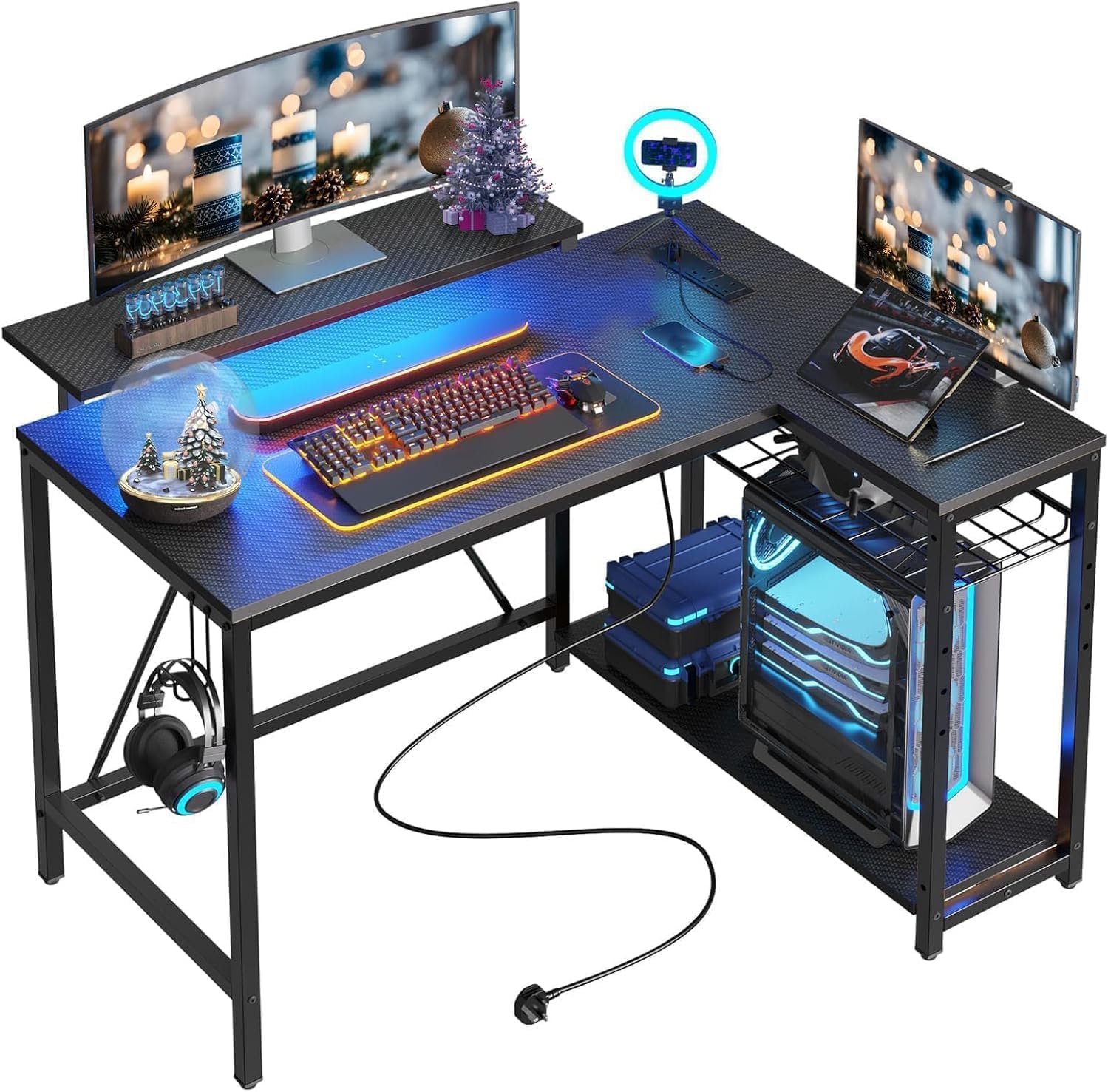
Forty-two inches is where this desk starts asking questions. On the main run, two 24-inch monitors fit but leave nowhere for a mouse; two 27-inch panels don't fit at all. The L is the answer: one screen on the long run, the other on the return angled in toward you, and the whole thing tucks into a corner instead of running along a wall.

For a small room it's unusually well equipped. Two AC outlets plus USB and USB-C sit on the desktop, the LED strip is tucked under the upper shelf so the light lands on the work rather than in your eyes, and the shelves mount on either side so the desk fits whichever corner you have. That upper shelf doubles as a monitor stand, which gets a screen up to eye level without an arm clamped to a three-quarter-inch top.

Our read: this is a teen's room, a dorm, or an apartment corner where the second screen is a 24-inch one. Above that size the fix isn't more accessories, it's a wider L — the ODK 53-inch model costs about the same money and carries two full-size monitors on its return.

Pros

  • L-shape puts the second screen on the return
  • Two AC outlets plus USB and USB-C
  • LED strip under the shelf lights the work
  • Shelves mount on either side

Cons

  • 42-inch run fits only smaller monitors
  • Upper monitor shelf works loose over time
Our verdict

A good small-room L for a teen or a dorm: charging, LED, and shelving built in. Two large monitors are more than it can hold.

Check Latest Price

How We Tested Dual-Monitor Gaming Desks

We started by pulling every gaming desk we could find whose spec sheet could plausibly hold two monitors plus a keyboard, then cut anything with a frame buyers described as flimsy or a top thin enough to flex. That left 12 desks — compact L-shapes, wide flat-top models, and one long two-person rig — which we bought at retail, assembled ourselves, and kept in daily use for six months.

Assembly came first. We built each desk alone, with a timer running and only the instructions in the box, noting where the diagrams went vague, which steps really needed a second person, and whether the hardware arrived labeled. Then we loaded every desk the same way: two monitors, a tower, speakers, a keyboard, and a week's worth of clutter.

The desks lived the way gaming desks actually live — full workdays, evening sessions with the lighting on, and a weekend move to another room to see how the frame handled being lifted and re-leveled. We leaned on the front edge, typed hard, and checked monthly for wobble, shelf sag, and finish wear where wrists rest.

Cable management got a real test: a monitor, tower, lamp, headset, and charger routed through each desk's channels, then a look at what stayed visible from the chair. We left the lighting running for weeks to see whether the app or remote was worth the trouble, hung bags and headsets on the hooks, and charged phones from the built-in outlets and USB ports to see how they held up. Appearance counted from the doorway, not just the chair, and we weighed each price against what the desk actually did well.

How to Choose a Gaming Desk for Dual Monitors

Width And Depth, Measured Against Your Monitors

A 27-inch panel runs roughly 24 inches wide, so two of them side by side need about 48 inches plus a gap for the bezels. That makes 47 inches the floor for a dual setup and 55 or more genuinely comfortable. Depth is the figure shoppers skip: monitor stands eat the first 8 to 10 inches of the desktop and a keyboard wants another 6 to 8, so around 24 inches is where two screens stop crowding your wrists.

The 19.7-inch depth that dominates the budget end works, but only with monitor arms or slim-footed screens. If you like to keep a full-size keyboard well back from the edge, pay for depth before you pay for lighting.

Straight, L-Shaped, Or Shared

A straight desk gives you one continuous run, which is what you want if you use a wide mouse pad or spread reference material out beside you. An L-shaped desk trades some of that width for a corner return, and the return is the easiest place to angle a second monitor — useful in a bedroom where the desk can't run along a long wall.

A 94.5-inch two-person desk is a different purchase entirely: buy it when two setups share a room, not as extra elbow room for one person. Two people at one long desk still share one set of shelf space, so the middle divider matters more than the extra inches.

Weight Capacity And Frame Stability

Two monitors, speakers, a mic arm, and a tower add up faster than people expect. A 110-pound desk handles two monitors and a laptop and not a tower plus a printer on top; 200 to 500 pounds buys margin and, just as importantly, a frame with a crossbar or triangular bracing that doesn't shiver when you flick the mouse.

Adjustable feet are worth checking for. Very few rooms have a level floor, and a desk that rocks under your wrists is worse than one that's an inch too high.

Power And Cable Management

Two monitors mean two power bricks, two display cables, and usually a hub — all of which live on the floor unless the desk gives them somewhere to go. Outlets built into the desktop are the feature worth paying for, because they put the bricks within reach of the monitors instead of under your chair.

A tray or channel underneath is the close second: it holds the power strip off the carpet and keeps cables out of the footwell. The RGB is decorative; the outlets are not.

Surfaces, Edges, And What To Inspect

Almost everything in this price range is engineered wood over a steel frame, and engineered wood is what chips at the edges and occasionally arrives split at a screw hole. Open the boxes and look at the top before you build, and keep the packaging until you have — a damaged panel is a return, not a repair.

Judge the edges too. A wrapped laminate with a sealed band holds up to a chair arm knocking it; a raw edge will swell the first time a drink goes over.

Frequently Asked Questions

Final Verdict

Buy the EUREKA ERGONOMIC 60-inch if you want the dual-monitor problem solved once. Its 27.56 inches of depth are what put both screens behind the keyboard instead of over it, and the fitted pad plus under-desk cable tray mean the setup looks finished without extra shopping.

If your room has a corner, the ODK 53-inch L is the smarter shape: the return carries the second screen and the outlets are already at desk height. If the budget decides, the VASAGLE gets two monitors onto 55 inches of width for less than anything else here — just accept the shallow top and the lighter frame.