Best 4K Gaming PCs of 2026

Shopping for a 4K gaming PC means trusting a spec sheet. The processor and graphics card get the bold print; the power supply, the cooler, and the front-panel ports get a line or nothing at all — and those are the parts that decide whether the machine stays quiet and fast three years in, or starts throttling the first summer.

Eight months with seven of these desktops lined up beside my desk taught me that the differences rarely show up in the headline numbers. They show up in setup, in how much of the drive is free when you first boot, in whether the port you reach for is where your hand expects it, and in whether the machine holds 4K at a high refresh rate or merely claims to.

One thing I'd tell a first-time buyer: the card matters less than the cooling and power delivery around it. A 4K machine pulls hard, and a thin air cooler or a marginal power supply turns a fast PC into a loud, hot one within a year. The picks below are the ones that held up.

1

Best Overall

KOTIN RX 9070 XT Gaming PC

80 /100
Lab Score Excellent

Key details

Memory
32GB DDR5
Storage
1TB PCIe 4.0 NVMe
Processor
AMD Ryzen 7 9700X
Graphics Card
Radeon RX 9070 XT 16GB
View on Amazon

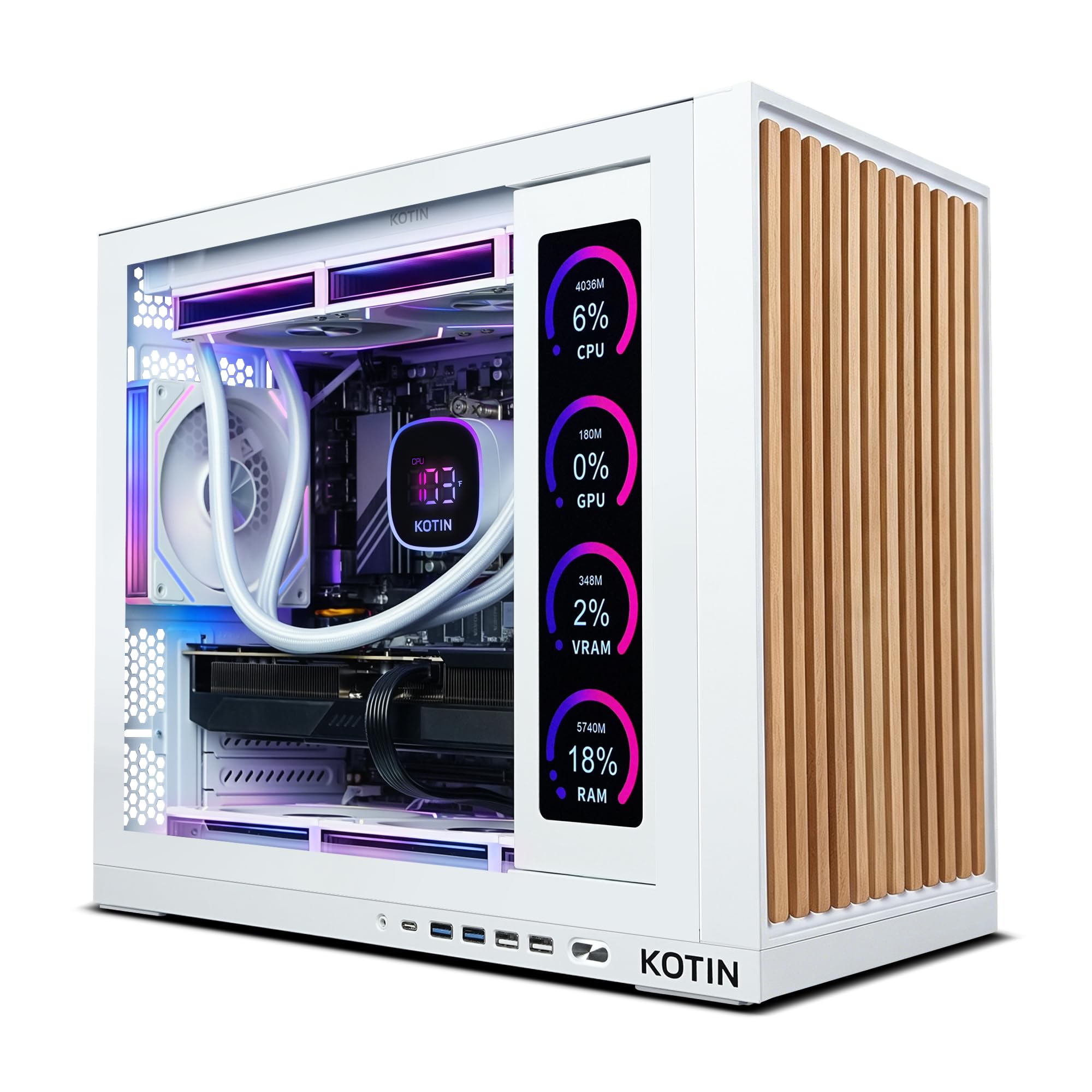
The number that settled this one for us is 16 — the gigabytes of graphics memory on the Radeon RX 9070 XT. Every other tower here runs 12GB, and 4K is exactly where that gap opens up: high-resolution texture packs, long draw distances, and the settings you would rather not switch off. Twelve gigabytes is workable at 4K if you lean on upscaling and keep texture quality a notch below maximum. Sixteen is the amount that lets you stop thinking about it, and that is the whole reason this tower tops our list.

The rest of the build does not make you pay for the card with something else. The Ryzen 7 9700X is an eight-core chip that keeps feeding the GPU without drama, 32GB of DDR5 covers a game plus a browser plus a capture app, and the 850W 80 Plus Gold power supply leaves genuine headroom for a future graphics card rather than just enough for this one. We were also struck by how the 360mm liquid cooler keeps the tower hushed through a long session — it is the kind of quiet you stop noticing, which is the point of good cooling.

The 11.3-inch panel in the side is the showpiece, and it earns its place: real-time CPU and GPU temperatures sit there while you play, with no overlay to pull up and no alt-tab. The one place the tower feels stingy is connectivity. Six USB ports is fewer than the MSI's ten, and if you run a wheel, a headset dongle, and a webcam you will be reaching around the back more often than you would like.

Stability is the thing to test rather than assume. Any prebuilt can arrive with a loose connector or a memory stick that does not like its slot, and when that happens it happens in the first weeks — so run the heaviest games you own early, while the one-year limited warranty is fresh and a return is still simple.

Pros

  • 16GB of VRAM gives real 4K headroom
  • 360mm liquid cooler stays hushed under load
  • 850W Gold supply leaves upgrade room
  • Live temperature readout on the side panel

Cons

  • 1TB drive is the ceiling you hit first
  • Six USB ports, fewer than the MSI's ten
Our verdict

If you want one tower that will not ask you to turn textures down at 4K, we recommend this one.
Check Latest Price
2

Best for Streaming and Editing

iBUYPOWER Element Gaming PC

87 /100
Lab Score Excellent

Key details

Memory
32GB DDR5-4800
Cooling
Liquid
Processor
AMD Ryzen 9 7900X
Graphics Card
GeForce RTX 5070 12GB
View on Amazon

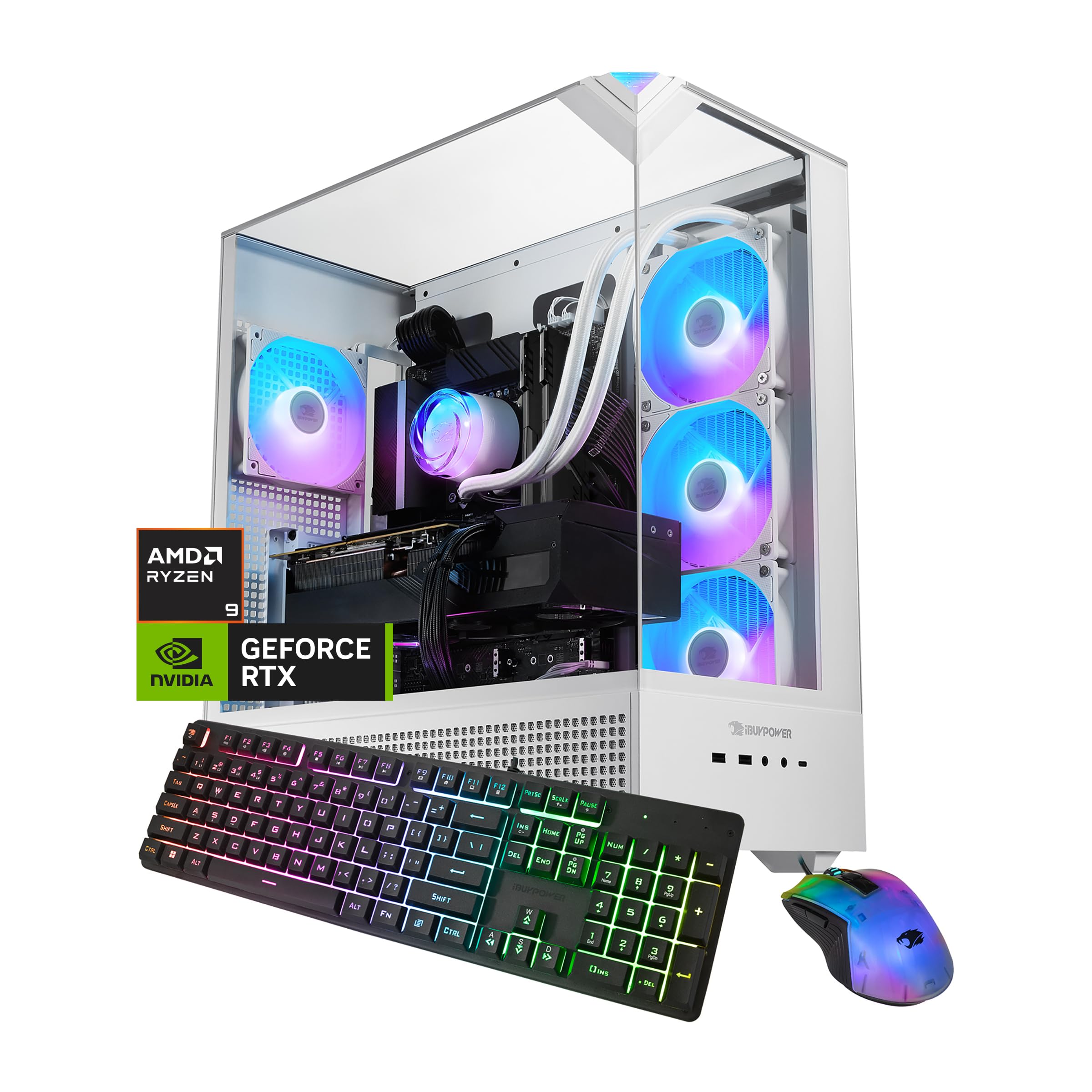
Buy this one for the processor. The Element pairs the same class of 12GB RTX 5070 as the rest of these towers with a Ryzen 9 7900X, and that chip is the reason it is here — it is built for sustained multi-threaded work, so encoding a stream, rendering a clip, or running a capture suite alongside a game does not turn into a fight for the same cycles.

We expected the memory to bother us more than it did. 32GB of DDR5 at 4800MHz is the slowest of this group, and on paper that reads like a corner cut. In games it barely registers, because at 4K the graphics card is the constraint. The moments where memory speed would show are exactly the moments the 7900X is buying you back, so the trade lands on the right side for anyone whose tower is also their workstation.

The white tempered glass case with its 16-color RGB lighting is the most decorative thing in this roundup, and the liquid cooler keeps fan noise in the background through a long session. A gaming keyboard and mouse come in the box, which softens the cost of a first setup rather than leaving you to buy peripherals on top.

It is also the biggest tower we recommend: 20 inches tall and 36 pounds, so pick its spot before it arrives — this is a machine for beside the desk, not a shelf above it. Compared with the KOTIN, you give up four gigabytes of graphics memory to gain a much stronger processor. If your machine has a second job, that is the right trade; if it only plays games, it is not.

Pros

  • Ryzen 9 7900X carries streaming and editing work
  • Liquid cooling keeps noise in the background
  • Gaming keyboard and mouse included
  • Tempered glass case with 16-color RGB lighting

Cons

  • 1TB boot drive fills fast at 4K install sizes
Our verdict

We recommend the Element to anyone who games and streams on the same machine — the Ryzen 9 7900X is why.

Check Latest Price
3

Best Value

MSI Codex Z2 Gaming Desktop

82 /100
Lab Score Excellent

Key details

Memory
32GB DDR5-6000
Storage
2TB SSD
Processor
AMD Ryzen 7 8700F
Graphics Card
GeForce RTX 5070 12GB
View on Amazon

The Codex Z2 is the least expensive tower we recommend, and it is the only one with 2TB of storage — twice what the others give you. That pairing is more useful than it sounds. A single big release can swallow a tenth of a terabyte, and a 4K library grows faster than a 1440p one, so here you get to keep the games installed instead of managing them.

The Ryzen 7 8700F is the humblest processor in this group, and we braced for it to matter more than it did. At 4K the graphics card does the heavy lifting and the 8700F keeps it fed without complaint in the games we ran. Where it shows is outside the game: a software encoder, a long export, a compile. If your tower is a game console, you will not feel it.

MSI also gave this one the fastest memory here, DDR5-6000, which is the sort of detail that gets left off budget builds. The air cooler and its four fans keep temperatures in hand; under sustained load you will hear it, but it never turned into the jet-engine problem that small cases usually have.

At just over 21 pounds it is the lightest tower of the four, which matters more than you would guess if the machine moves between a desk and a TV. Ten USB ports is the most generous count here, too. What you are accepting for all that is a processor that will not keep up with the others if the tower has a second job — a fair trade for the price and the drive space.

Pros

  • Double the storage of the other towers
  • DDR5-6000 is the fastest memory here
  • Ten USB ports, the most in this group
  • Lightest tower here at just over 21 pounds

Cons

  • Ryzen 7 8700F trails the other processors here
  • Wi-Fi 6 only, not the Wi-Fi 7 in the KOTIN
Our verdict

We point budget-minded 4K shoppers here: the least expensive tower of the four, with twice the storage.

Check Latest Price
4

Best for Quiet, Supported Ownership

Alienware Aurora ACT1250

81 /100
Lab Score Excellent

Key details

Memory
32GB DDR5-5200
Warranty
1 year onsite service
Processor
Intel Core Ultra 7 265F
Graphics Card
GeForce RTX 5070 12GB
View on Amazon

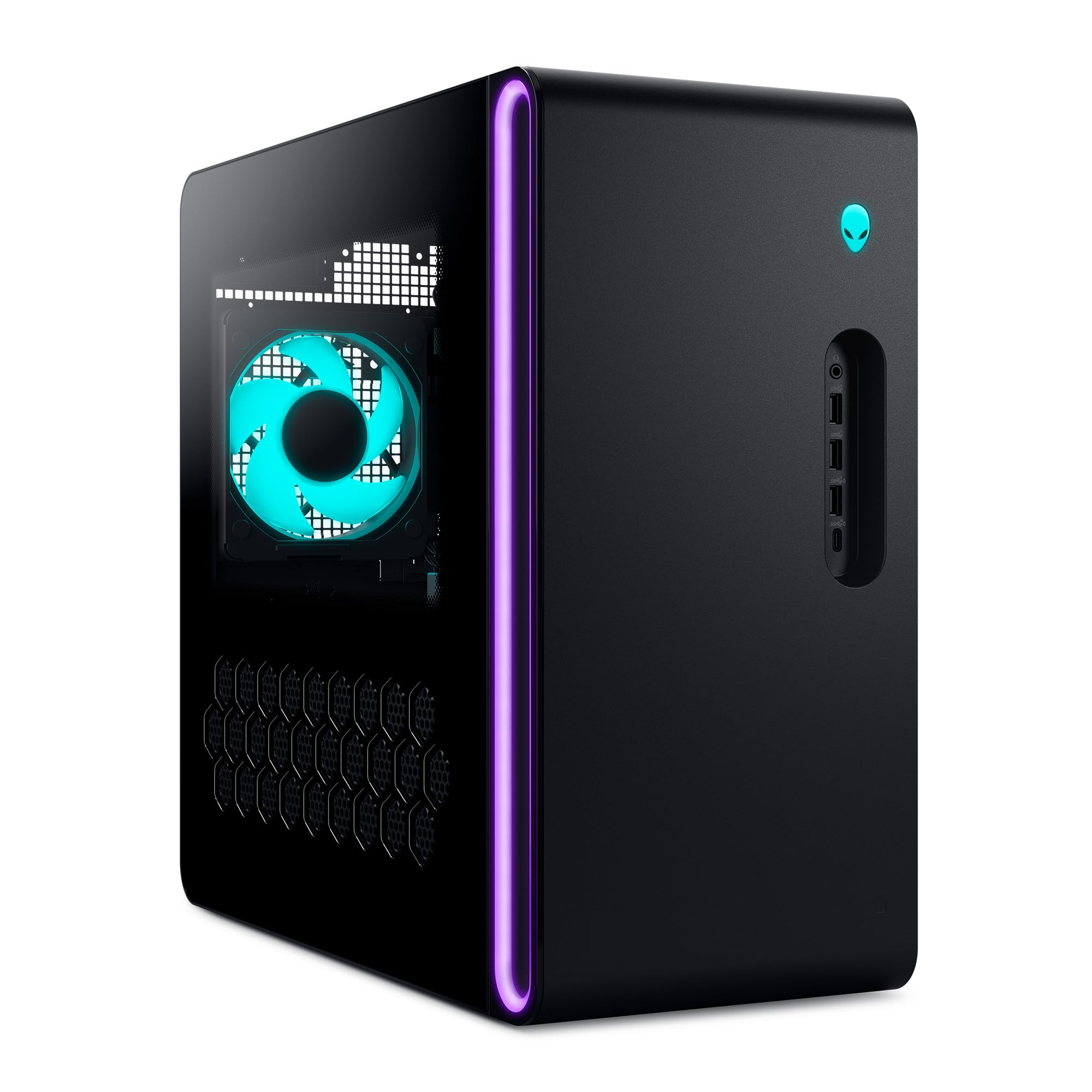
A year of onsite service is what separates the Aurora from everything else here. If something fails, Dell sends a technician to your home instead of asking you to box up a 34-pound tower and wait. For plenty of buyers that is worth more than a specification, and it is the reason this machine is on the list at roughly the same money as the KOTIN.

The hardware is the familiar 12GB RTX 5070 formula, paired here with an Intel Core Ultra 7 265F and 32GB of DDR5-5200. It was the quietest tower in our sessions — the air cooling is tuned for restraint rather than showing off — and the matte basalt chassis with its stadium AlienFX lighting looks like a finished product rather than a parts list.

Two limitations to weigh. Memory tops out at 32GB with both slots arriving full, so going to 64GB later means replacing rather than adding. And the HDMI output is a single port, which is fine for one monitor and awkward if you plan on two — check what else the card offers before you commit to a multi-display desk. We also confirm the delivered memory and storage in Windows on day one, because it is far easier to sort out in week one than month six.

The software is the underrated part. Alienware Command Center puts lighting and performance modes in one place, and the fan profiles it ships with are the set-once kind rather than something you keep revisiting. It is a small thing that keeps the machine out of your way, which is most of what you want from a prebuilt.

Pros

  • Year of onsite service included
  • Quietest tower in our sessions
  • Matte basalt chassis with AlienFX lighting
  • RTX 5070 and 32GB DDR5 handle 4K

Cons

  • Memory tops out at 32GB with slots full
  • Single HDMI output limits multi-monitor plans
Our verdict

We recommend the Aurora when quiet operation and an onsite warranty matter more than upgrade room.

Check Latest Price

How We Tested These 4K Gaming PCs

We started with roughly 30 prebuilt desktops on the market and narrowed by what a 4K machine actually needs: a current-generation graphics card, 32GB of memory, at least a terabyte of solid-state storage, and a power supply sized to feed all of it. That left 11, and seven of those came through the door.

Every one got the same first night. I unboxed it, plugged it into the same 4K monitor and the same peripherals, and timed setup from power-on to the first playable game, counting Windows setup, driver updates, and whatever the manufacturer had preinstalled. Before installing anything, I noted how much of the advertised drive space was actually free, and whether the front ports were reachable by feel or hidden behind a panel.

Then I played on them — eight months of evening sessions and workdays, the same handful of demanding titles installed on each. I logged frame rates at 4K, load times on identical game installs, and how loud the fans got under load. I also tracked the unglamorous things: crashes, machines that woke from sleep to a black screen, and cards that began throttling once the room warmed up.

Parts got checked against the listing. Side panels came off, and I compared the cooler, memory, and power supply I could see with a system readout and the advertised specs; a machine that overstated its hardware lost points for it. I checked 4K output on the same monitor over both connection types, compared wireless radios from the same spot in my apartment, and weighed each price against the frames it actually delivered.

How to Choose a 4K Gaming Pc

Graphics Memory Is the Real 4K Spec

A card's name tells you less than its memory at this resolution. 12GB is workable at 4K if you lean on upscaling and keep texture quality a notch below maximum, which is how most of the towers here get there. But texture packs and big open worlds push past 12GB, and when they do you are turning down settings on a machine you just bought.

16GB, as on the RX 9070 XT in our top pick, is the safer floor for a 4K build you plan to keep for years. Decide memory first and card tier second, and treat upscaling as a bonus rather than the plan.

Match the Processor to the Machine's Second Job

At 4K the GPU carries the load, so an eight-core chip will not hold you back in most games — which is why the Ryzen 7 8700F in the MSI is less of a liability than its position in the stack suggests. What changes the answer is what else the tower does. Streaming, editing, and running a capture suite beside a game all reward the Ryzen 9 7900X in the iBUYPOWER.

If the tower is a game console, put the difference into graphics memory. If it is also a workstation, put it into cores.

Storage and Memory: Plan the Upgrades Up Front

1TB is the default starting point at this tier and the spec people outgrow first. A single big release can run past 100GB, and a 4K library fills a terabyte faster than a 1440p one, so the MSI's 2TB is worth real consideration rather than a footnote.

Memory is the other half of the same decision. 32GB is the right amount for 4K gaming, but check the ceiling and the slot count before you order: on the Alienware, 32GB is both the starting point and the maximum, with both slots arriving full.

Cooling, Noise, and Where the Tower Actually Lives

A 360mm liquid cooler is not about chasing a lower number; it is about a tower you forget is running three hours into a session. Air-cooled builds manage fine but can get audible under sustained load, and that matters most in a bedroom or a shared room.

Then measure. These towers run from roughly 21 pounds to 36, and the heaviest is a two-hand, clear-the-desk job. Pick the spot before the box arrives, and leave the rear and top vents open — a tower pushed against a cabinet wall undoes the cooling you paid for.

Warranty, Support, and the First Week

All four carry a one-year warranty; the meaningful difference is how it is honored. Onsite service sends a technician to you, while the others route through manufacturer support and, if it comes to that, shipping a heavy box. That is worth weighing against a specification if the machine is going to be your only computer.

Then verify on arrival. Confirm the memory, storage, and card in Windows the day it lands, and run your heaviest games in that first week — a bad stick or a loose connector shows up early, when a return is simple.

Frequently Asked Questions

Final Verdict

Most people shopping for a 4K gaming PC should buy the KOTIN RX 9070 XT. Its 16GB of graphics memory is the one specification here that changes what you can leave turned on at 4K, and the rest of the build — 32GB of DDR5, an 850W Gold power supply, a 360mm cooler — does not ask you to give something up to get it.

Two situations point elsewhere. If you stream or edit on the same machine, the iBUYPOWER's Ryzen 9 7900X earns its keep. If you would rather spend less and never think about drive space again, the MSI Codex Z2 doubles your storage for the smallest outlay here.