Best Resin 3D Printers for Miniatures of 2026

Resin printers have a reputation, and some of it is earned: the gloves, the smell, the half-cured blob welded to the film at 2 a.m. But most of my failures trace back to two things — a build plate that wasn't level and a screen that couldn't hold detail at 28mm scale — and both have improved enormously. When they're right, you can see the stitching on the cloak instead of a soft, melty face.

I paint tabletop armies, so I've printed more goblins than I can justify. Over the past eight months my team and I have put nine resin printers through their paces, printing the same presupported figures on each one. The spec everyone fixates on is XY resolution, and it matters less than the marketing implies — an uneven light source or a plate that grabs the film will ruin a print that a lower-resolution screen would have handled fine. What separated these machines was setup that didn't fight back, leveling that held, and how much noise carried into the next room during an overnight run.

1

Best Overall

ELEGOO Mars 5 Ultra

84 /100
Lab Score Excellent

Key details

Leveling
Automatic
Build Volume
6.04 x 3.06 x 6.49 in
XY Resolution
18 µm
Top Print Speed
Up to 150 mm/h
View on Amazon

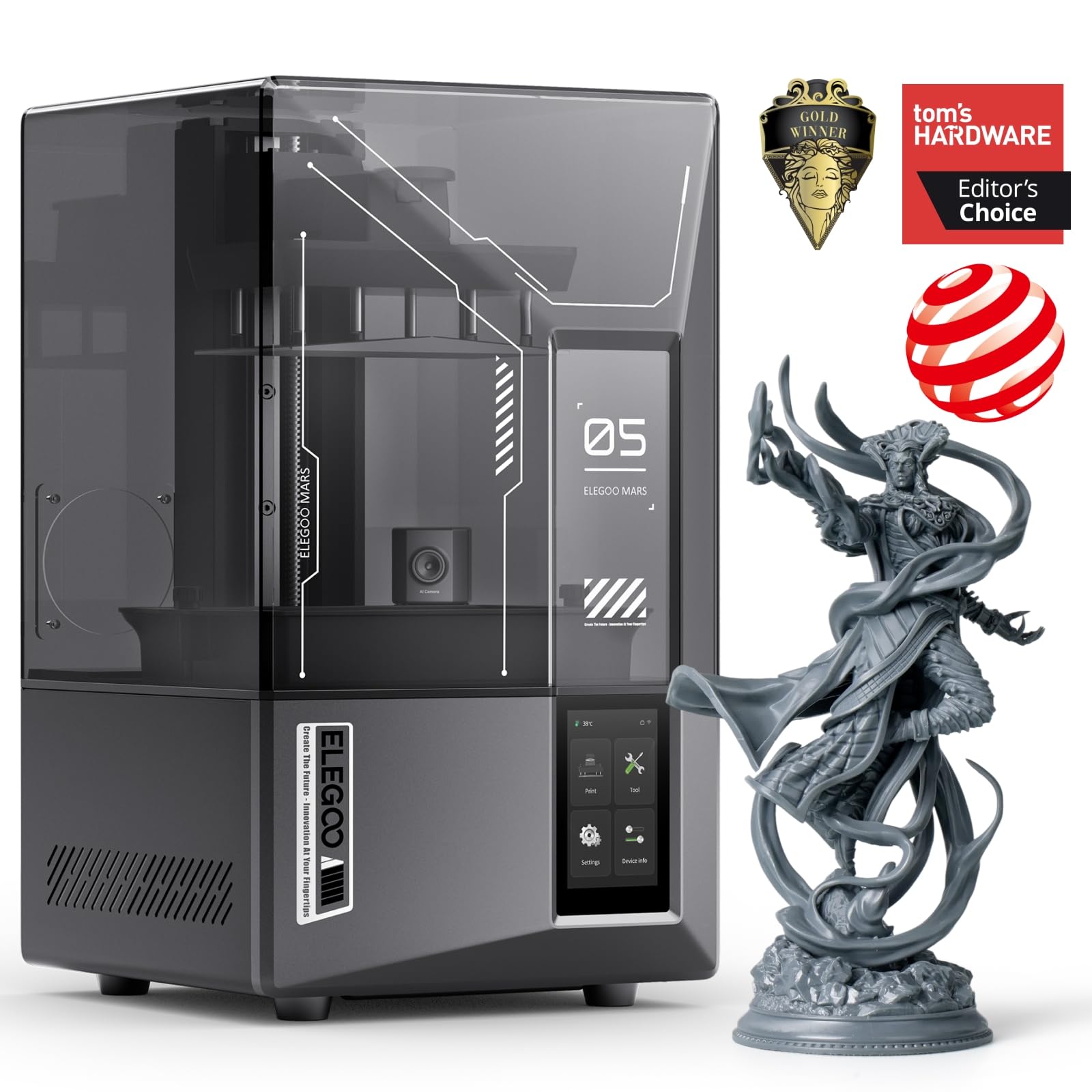
Eighteen microns is the number that decides this one. That is the width of a single pixel on the Mars 5 Ultra's 9K panel, and at miniature scale it is the difference between a face that reads as a face and one that reads as a smear. Only the Photon Mono 4 resolves finer in this group, and it gives up automation, speed, and plate area to get there.

Automation is where the money goes, and we think it goes to the right place. Leveling is one click, a mechanical sensor checks the vat for cured debris that would otherwise wreck the LCD, and the AI camera watches for an empty first layer or a model that has warped off its supports. A failed plate of figures costs an evening of support-building along with the resin, so anything that flags a bad start before the plate is committed earns its keep.

The tilt-release vat is the other half of the pitch. ELEGOO rates this machine at up to 150 mm/h, roughly twice the 70 mm/h the Photon Mono 4 lists, and that is the difference between printing a squad overnight and printing it across a weekend. The 6.04 x 3.06 x 6.49 in volume takes a full unit of 28-32 mm infantry with supports plus a character or two. If your wishlist runs to a dragon or a tank in one piece, that is the Saturn's job rather than this one's.

Pros

  • 18 µm pixels hold face and weapon detail
  • One-click leveling plus debris and failure sensing
  • Up to 150 mm/h with tilt release
  • Plate fits a full infantry squad

Cons

  • Slicer and Wi-Fi setup stalls first-timers
  • LCD panels can fail within the first weeks
Our verdict

The resin printer we point most miniature painters to: 18-micron detail, one-click leveling, and a camera that catches a bad plate before it costs you an evening.

Check Latest Price
2

Best Budget

ANYCUBIC Photon Mono 4

86 /100
Lab Score Excellent

Key details

LCD
7 in 10K mono
Leveling
4-point manual
Build Volume
6.04 x 3.42 x 6.49 in
XY Resolution
17 µm
View on Amazon

The Photon Mono 4 is the least expensive printer here, and it does not ask you to give up resolution for that. Its 7-inch panel runs 9024 x 5120 for a 17 µm pixel, the finest pitch in this group, and it prints visibly crisper detail than machines that cost a good deal more. We send budget-first buyers here before anywhere else on the page.

What you give up shows up in the workflow rather than in the print. Leveling is the manual four-point kind — loosen, set the plate, tighten — though the plate holds its adjustment, so it is a chore you do once rather than every print. Speed is rated at 70 mm/h, fine for a couple of characters and slow for a whole unit. The laser-engraved plate grips its prints firmly, which is exactly what you want until you are prying a thin sword off it with a scraper.

The 6.04 x 3.42 x 6.49 in volume is the smallest in this guide, and the 87 mm width is the figure that matters: a 32 mm figure on a base with its supports takes more of that than people expect, so plan on a handful per plate rather than a rank of ten. At 7.7 pounds the machine lifts with one hand and takes up less shelf than anything else we recommend. For a painter learning the craft a few figures at a time, none of that reads as a real loss.

Pros

  • 17 µm pixels, the finest pitch here
  • Least expensive printer in this guide
  • Light 7.7-pound body with a small footprint

Cons

  • Smallest build plate of the group
Our verdict

If the budget decides, buy this one: the finest pixels here at the lowest price, as long as a small plate and manual leveling do not bother you.

Check Latest Price
3

Best for Large Prints

ELEGOO Saturn 4 Ultra 16K

84 /100
Lab Score Excellent

Key details

LCD
10 in 16K mono
Leveling
Automatic
Build Volume
8.33 x 4.66 x 8.66 in
Resin Heating
Tank held at 30 °C
View on Amazon

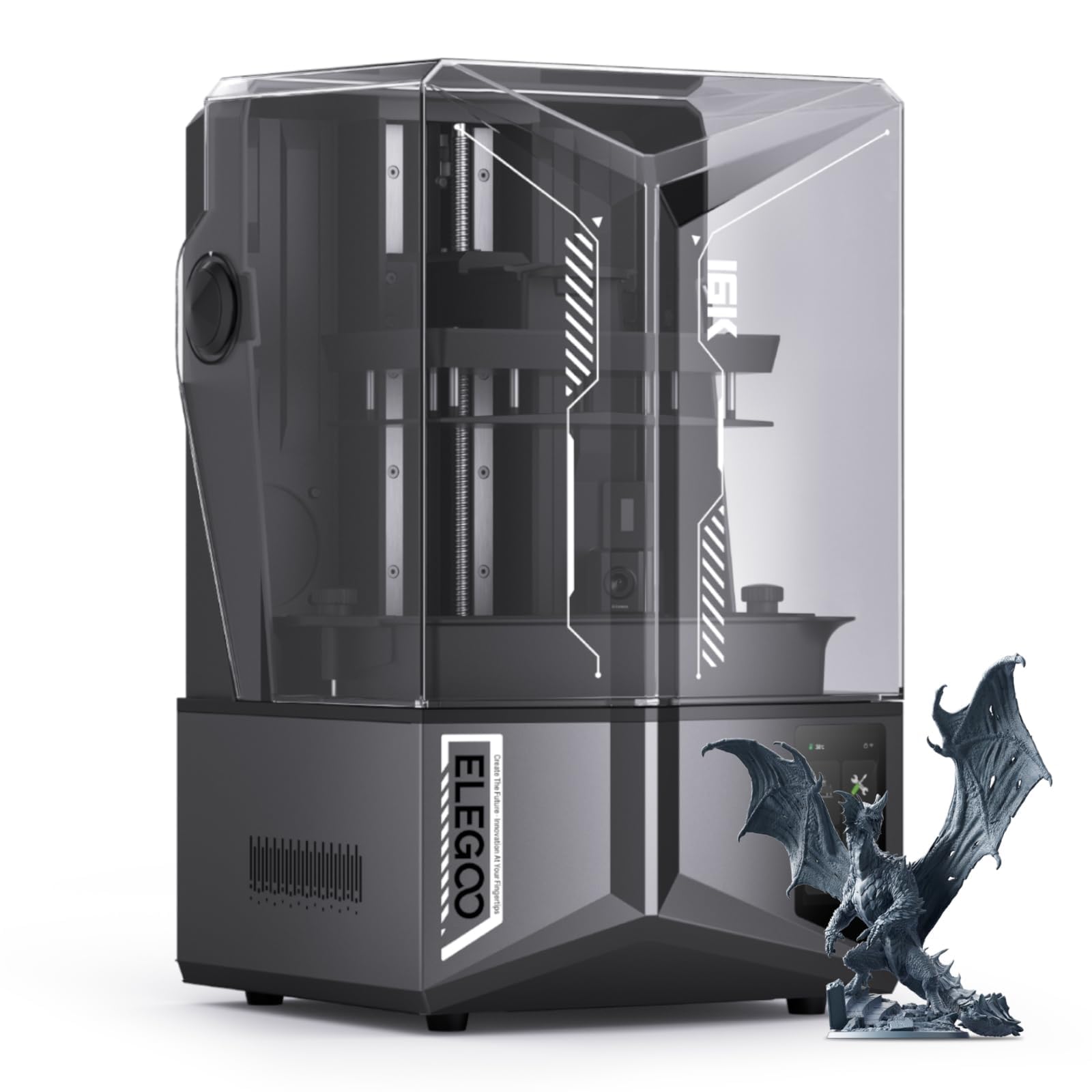
A cold room changes how a resin printer behaves. The resin thickens, layers take longer to settle, and prints that worked in July peel in January. The Saturn 4 Ultra 16K holds its tank at 30 °C, and for anyone printing in a garage, a basement, or an unheated spare room, that alone is worth the price of admission.

The rest is a big machine done properly. A 10-inch 16K panel over an 8.33 x 4.66 x 8.66 in build volume means a whole unit of infantry, a monster, or a batch of terrain on one plate. Auto-leveling removes the setup ritual, the camera with its own light lets you check in from the next room, tilt release does the peeling so tall prints do not fight the film, and it runs quietly enough to sit in the house.

One design detail is worth knowing before you fill the vat: a leak on this machine means taking it apart to reach the LCD sitting under the tank. A screen protector and a strain-and-filter routine cost very little and spare you a miserable afternoon. At 35.5 pounds it is a fixture rather than something you put away, and if you print single characters instead of armies, you are paying for volume you will never fill.

Pros

  • 10-inch 16K panel over a large build volume
  • Heated vat holds resin at 30 °C
  • Auto-leveling with a monitoring camera
  • Quiet enough for a spare room

Cons

  • 35.5 pounds with a large footprint
Our verdict

Buy this one if you print armies, monsters, or terrain and the machine lives somewhere cold — the heated vat and 16K plate justify the size.

Check Latest Price
4

Best for Open Slicer Workflows

Phrozen Sonic Mini 8K S

83 /100
Lab Score Excellent

Key details

LCD
7.1 in 8K mono
Build Volume
6.5 x 2.8 x 6.7 in
XY Resolution
22 µm
Slicer Support
Lychee, Chitubox, Tango
View on Amazon

The narrowest plate here belongs to the Sonic Mini 8K S: 6.5 x 2.8 x 6.7 in, and the 2.8-inch width is the figure to picture. That is a couple of 32 mm figures on their bases with supports, not a rank of ten. The machine itself is 11.4 inches square and 22 pounds, so it earns its spot on a desk that has to do other work between prints.

Twenty-two microns is finer than the big Phrozen's 28 and coarser than the 17 and 18 µm machines, which puts it in the comfortable middle for tabletop work: crisp on armor trim, cloaks, and weapons, a touch softer on the very finest faces. What we value most is the open door. Lychee, Chitubox, and Tango all drive it, so the support workflow you already know carries over unchanged, and the precise Z-axis calibration keeps layers even from top to bottom.

Nothing about it is flashy, and that is the appeal: steady, predictable output from a machine that fits where a bigger one will not. Value and image quality are the strongest parts of how it has held up for the people printing on it, and the pace is unhurried rather than slow. If you build your supports in Lychee and want a printer that takes your files without an argument, this is the one on this list for you.

Pros

  • 22 µm detail from a compact body
  • Runs on Lychee, Chitubox, and Tango
  • 22 pounds on an 11.4-inch footprint

Cons

  • Narrow 2.8-inch plate limits batch size
Our verdict

The pick for a small bench and an open-slicer habit: 22-micron detail, a 22-pound body, and no argument with Lychee or Chitubox.

Check Latest Price
5

Big Models, Creatures

Phrozen Sonic Mighty 8K

85 /100
Lab Score Excellent

Key details

LCD
10 in 8K mono
Z-axis
Dual linear rails
Build Volume
8.6 x 4.8 x 9.3 in
XY Resolution
28 µm
View on Amazon

Think of the Sonic Mighty 8K as the Sonic Mini 8K S with the plate stretched: 8.6 x 4.8 x 9.3 in against 6.5 x 2.8 x 6.7, with a 10-inch panel behind it. The pixel count stays at 8K while the panel grows, which is exactly why the pitch loosens from 22 to 28 µm.

The volume is the whole point. A 9.3-inch Z height and a plate that wide take a dragon, a tank, a cavalry unit, or a run of dungeon walls in one go, and the reinforced dual linear rails keep tall prints from swaying as the plate climbs. Firmware and thermal management are tuned to hold exposure steady across a long job, which matters when a single piece runs most of a day.

The trade is detail. At 28 µm this is the coarsest printer in the guide, and next to the Mars 5 Ultra or the Mini 8K S you will see it on a 32 mm face or a jeweled hilt. Buy it because your output is monsters, vehicles, and display pieces, where surface area beats a couple of microns. It is the most specialized machine here, and it is honest about what it is for.

Pros

  • Large 8.6 x 4.8 x 9.3 in build volume
  • Dual linear rails steady tall prints
  • Consistent exposure across long jobs

Cons

  • 28 µm pitch is the coarsest here
  • Big 13.3-inch-square footprint
Our verdict

For painters whose output is dragons, vehicles, and terrain: the biggest Phrozen plate here, at the cost of the sharpest pixel pitch.

Check Latest Price
6

Thick Specialty Resins

ANYCUBIC Photon P1

80 /100
Lab Score Excellent

Key details

LCD
14K mono
Leveling
Automatic, factory-calibrated
Build Volume
8.78 x 4.96 x 9.05 in
Resin Viscosity
Up to 8,000 cps
View on Amazon

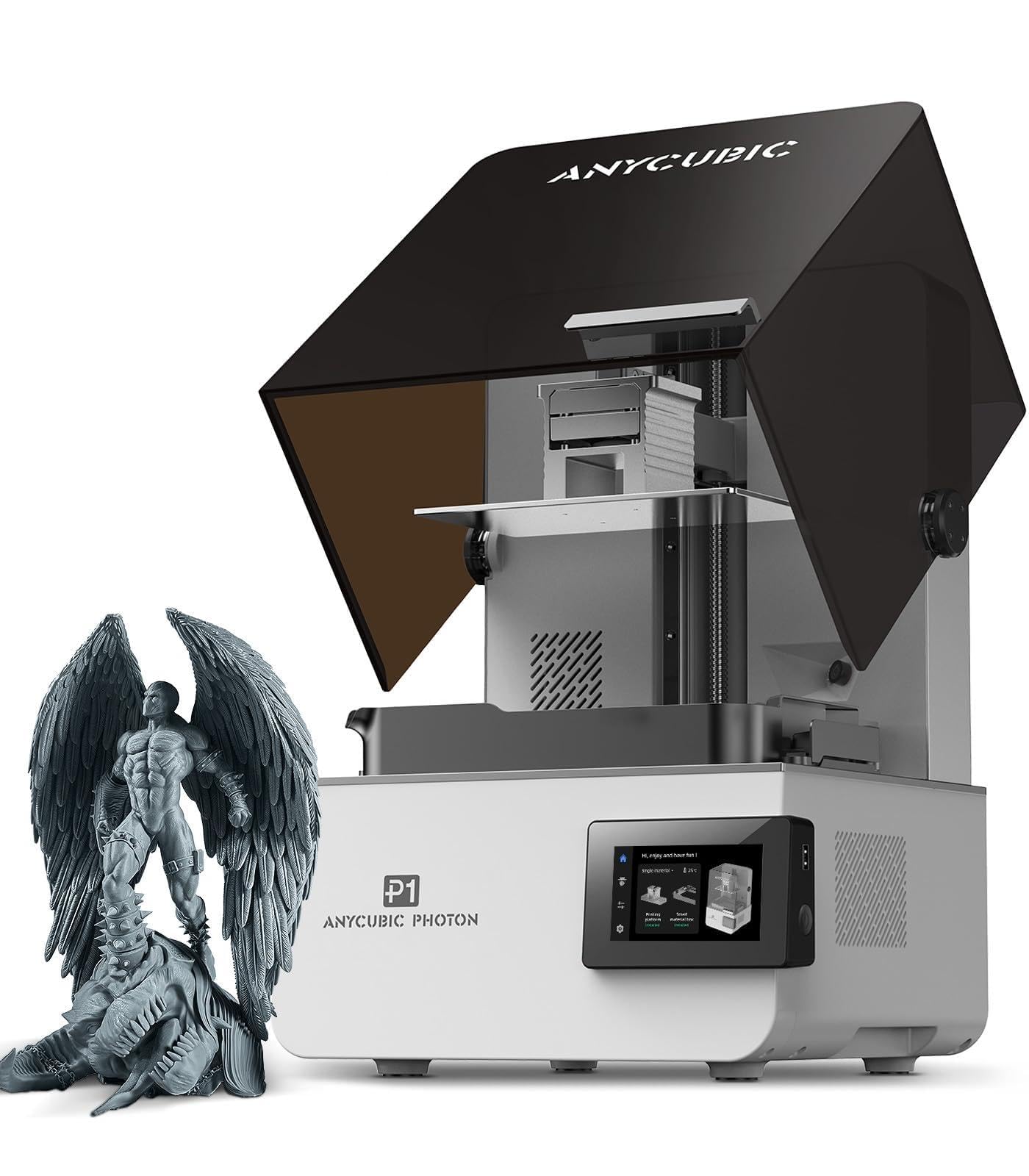
Anycubic rates the Photon P1 for resins up to 8,000 cps, roughly forty times the viscosity of the standard miniature resin you actually pour into it. That is headroom most painters will never touch, and we think it is the least interesting thing about the machine. The interesting parts are the 8.78 x 4.96 x 9.05 in build volume, the largest in this guide, and a ball-screw Z axis on precision guide rails that keeps tall prints from wandering.

The automation is thorough. Smart Leveling 3.0 arrives factory-calibrated and re-checks itself before each print, an AI inspection pass verifies the plate is seated and the bottom layers separated, and the machine flags low resin before a plate starves. Wave Release pushes air under the film as the plate lifts, which Anycubic says cuts release force by 60%; the practical effect is fewer heavy models torn off their supports.

Before you buy, know where your files go. Printing runs over Wi-Fi through Anycubic's own slicer, and Lychee and Chitubox do not drive it. If you build supports in Lychee the way most miniature painters do, that is a workflow change rather than a footnote. For a workshop turning out large display models and thick specialty resins, the volume and the Z-axis hardware make up for it. For everyone else, the Mars 5 Ultra is easier to live with.

Pros

  • Largest build volume in this guide
  • Ball-screw Z axis with guide rails
  • Factory-calibrated leveling that self-checks each print
  • Handles resins up to 8,000 cps

Cons

  • 24.4-inch depth and 29.7 pounds
Our verdict

Worth it for a workshop printing large models or thick specialty resins, provided you are willing to build supports in Anycubic's own slicer.

Check Latest Price

How We Tested Resin Printers for Miniatures

To build the shortlist, we looked at every current resin printer with a monochrome LCD, a build plate big enough for a ten-model squad, and some form of built-in or assisted leveling, then dropped anything whose replacement screens or vat films were hard to source. That left nine machines, and we ran each of them for eight months on the same workbench, in the same room, with the same three resins.

Setup was timed from the moment the box opened to the first successful print, including filling the vat and leveling the plate — and then we slid each printer a few feet across the bench and checked whether it held that leveling without help. Every machine printed the identical presupported figure, chosen for a thin sword, a deep cloak fold, and a face small enough to vanish, first at default exposure and again after our own calibration. We compared the results under a bright lamp and a loupe, looking for lost detail, layer lines, and pits where supports had been pulled away.

Reliability got tested the boring way: full plates of ten miniatures, night after night, with every failure logged and attributed to supports, exposure, or the machine itself. We measured noise with a meter three feet away mid-print, then walked into the next room and shut the door to hear what it sounded like during a call. Finally we priced replacement screens and films, timed how long it took to drain and wipe a vat, and noted which plates still needed a manual tweak after the first week.

How to Choose a Resin 3D Printer for Miniatures

Compare Pixel Pitch, Not Megapixels

A resin printer builds each layer by lighting up pixels, so the width of one pixel sets the smallest feature it can hold. That is why the micron figure matters more than the K count: a 16K panel spread across 10 inches resolves less per millimeter than a 9K panel on 7 inches. For 28-32 mm figures, 17 to 22 µm covers eyes, teeth, and armor trim; 28 µm is a deliberate trade for people printing bigger things.

Look up the XY resolution before anything else on the page, and treat a missing figure as a reason to keep looking.

Size the Build Volume to Your Biggest Model

Buy for the largest thing you want in one piece, not the average. A 32 mm figure on a base with supports eats more plate than its footprint suggests, so a 6-inch plate gives you a squad, while an 8-inch plate gives you a unit, a monster, or a set of dungeon walls.

Going big has costs that the spec line hides: more resin in the vat, a heavier machine, longer cleanup, and a footprint that wants its own table. The 6.5-inch Sonics and the 10-inch Saturu solve different problems, and neither is wrong.

Automation Buys Fewer Wrecked Plates

Auto-leveling, resin-debris sensors, and cameras do not sharpen a print. They attack the two classic ways a plate fails: a plate that was never truly level, and a fleck of cured resin left in the vat. On a miniature plate a failure costs resin, print time, and the hour you spent building supports.

For a first resin printer we put automation ahead of another two thousand pixels, which is how the auto-leveling Mars 5 Ultra edges out a finer-pitched budget machine as our default.

Check That Your Slicer Drives It

Supports for miniatures are built in software, and Lychee and Chitubox are the two most painters settle on. The slicer needs a machine profile before it can send a file, and most printers here accept either program — the Phrozen Mini 8K S even lists Tango alongside them.

The Anycubic Photon P1 is the exception in this group: it prints through Anycubic's own slicer over Wi-Fi, so a Lychee-based workflow has to change. Confirm the profile list before you buy; it is a two-minute check that decides years of habit.

Plan the Bench, the Air, and the Temperature

Resin printing is a wet, smelly process: gloves, a tub of IPA, a cure light, and ventilation. Put the machine where fumes will not drift into a bedroom and where a window opens.

Temperature matters as much as airflow. Cold resin thickens, layers take longer to settle, and prints peel — which is why a heated vat earns its money if the printer lives in a garage. Measure the spot before the machine arrives and leave room for a wash-and-cure station beside it.

Frequently Asked Questions

Final Verdict

For most miniature painters, the ELEGOO Mars 5 Ultra is the machine we hand over first: 18-micron detail, one-click leveling, a debris sensor and camera that catch the failures which waste an evening, and a plate that holds a full squad. Nothing else here balances detail and follow-through as well.

Two requirements change the answer. A tight budget puts the ANYCUBIC Photon Mono 4 in the cart instead — finer pixels, a smaller plate, no automation. And a garage in winter or a shelf of monsters makes the ELEGOO Saturn 4 Ultra 16K the better buy; its heated vat and 10-inch plate do things the Mars simply cannot.