Best Powerline Adapters for Gaming of 2026

A powerline kit does one job: it turns the wiring already inside your walls into a network cable. One unit plugs in near your router, the other near your console or PC, and the signal rides the electrical circuit between them — no drilling, no cable stapled along the baseboard, no Wi-Fi drop halfway through a match.

The catch is that your house gets a vote. Wiring age, the distance between outlets, and whatever else is drawing power on that circuit all move the number printed on the box, something no spec sheet admits. I've watched a kit sail along one hallway and crawl in an older building where the gaming PC shared a circuit with a space heater. My team ran 12 kits through the same rooms over four months, and the gap between the best and the worst was wider than the gap between their price tags.

What separates these for gaming isn't the big Mbps figure — it's latency, how steady the connection holds at 8 p.m. when the whole house is on, and whether a passthrough outlet means you don't surrender the socket you just used. The picks below are the ones I'd plug in and forget about.

1

Best Overall

TP-Link AV2000 Powerline Kit

84 /100
Lab Score Excellent

Key details

Warranty
2 years
Ethernet Ports
2 Gigabit
Powerline Speed
2000 Mbps
Passthrough Outlet
Yes
View on Amazon

Two Gigabit ports and a passthrough outlet are the reasons this TP-Link kit sits at the top of our list. Most powerline kits give you one Ethernet jack per adapter, which is enough for a console but annoying if you also want to wire a desktop or a TV. The AV2000 model gives you two ports at each end, plus 2x2 MIMO and HomePlug AV2, so it can feed more than one device in the room without another switch. In our testing, the passthrough outlet was the detail we appreciated most: it kept a lamp plugged in and left the adapter in a wall outlet instead of a power strip.

The 2000 Mbps figure is a powerline rating, not a promise of 2 Gbps at the Ethernet port. Real throughput depends on your wiring, and you should expect it to land well below the number on the box. What matters for gaming is that the connection stays steady; we paid more attention to latency and dropouts than to the peak number. The two-port design also makes this a better fit for a desk with a PC and a console than a single-port kit.

Before you buy, check the outlet. Both adapters need to be on the same electrical circuit, and power strips, surge protectors, and AFCI breakers can block the link. We think this is the best default for a wired gaming setup because it combines the features that matter most, ports, passthrough, and AV2, in one kit. If your home wiring refuses to cooperate, no adapter here will fix that.

Pros

  • Two Gigabit ports on each adapter
  • Passthrough outlet keeps a socket free
  • AV2000 MIMO design for multi-device rooms
  • Simple plug-and-pair setup

Cons

  • Long-term reliability can be inconsistent
Our verdict

We recommend the TP-Link AV2000 as our default for wired gaming because it gives you two Gigabit ports and a passthrough outlet in one AV2 kit.
Check Latest Price
2

Best Budget

TP-Link AV600 Powerline Kit

86 /100
Lab Score Excellent

Key details

Warranty
2 years
Kit Contents
Two adapters and two Ethernet cables
Ethernet Port
100 Mbps
Powerline Speed
600 Mbps
View on Amazon

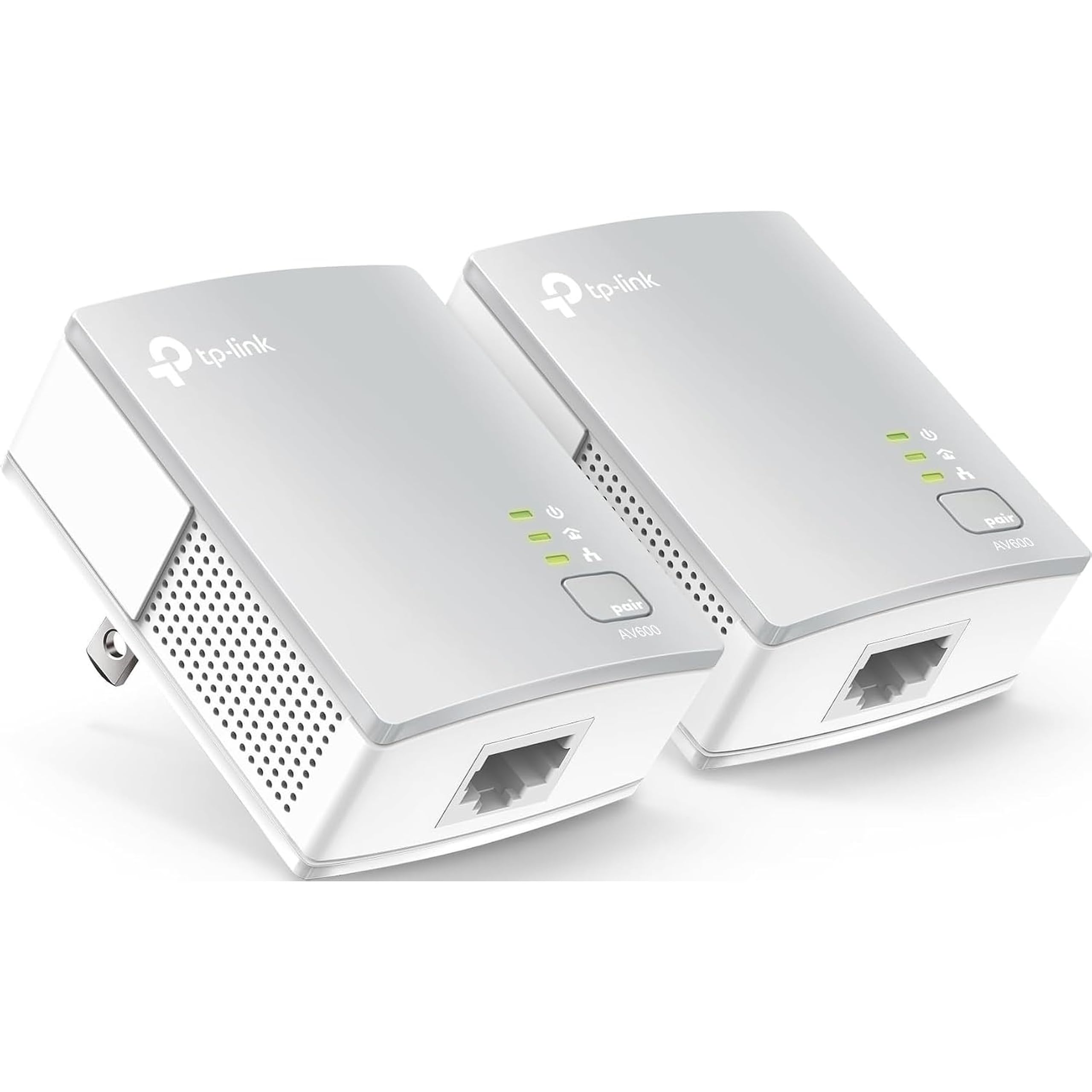
The 100 Mbps Ethernet port is the first thing to understand about this kit, because it sets the ceiling on everything you plug into it. If your internet plan is at or below that, the ceiling will not cost you anything in gameplay; it will only slow big game downloads and updates. That makes this the kit we reach for when the goal is the cheapest reliable wired link, not the fastest file transfer.

At 600 Mbps, the powerline rating is lower than the faster kits here, but the small nano housing is easier to live with behind a TV or desk. We like that it does not try to be a Wi-Fi extender or a hub; it is two adapters, two Ethernet cables, and a simple pairing routine. In our testing, the lack of extra features was the point: there was less to configure and less to go wrong. The 2-year warranty is also better than some of the premium kits in this group.

Use it for a console, a desktop, or a TV in a room where Wi-Fi is shaky. It is the kit we hand to a friend who wants the cheapest wired link and does not need extras. For a single device in a spare room, it does the job without extra clutter.

Pros

  • Low-cost way to get a wired link
  • Compact nano housing
  • Simple plug-and-play pairing
  • Two-year manufacturer warranty

Cons

  • No passthrough outlet
  • One Ethernet port per adapter
Our verdict

We think the TP-Link AV600 is the budget pick to beat if your internet plan stays at or below 100 Mbps and you only need one wired device.

Check Latest Price
3

Best with Extra Outlet

NETGEAR PLP1200 Powerline Kit

81 /100
Lab Score Excellent

Key details

Warranty
1 year
Kit Contents
Two adapters and two Ethernet cables
Powerline Speed
1200 Mbps
Passthrough Outlet
Yes
View on Amazon

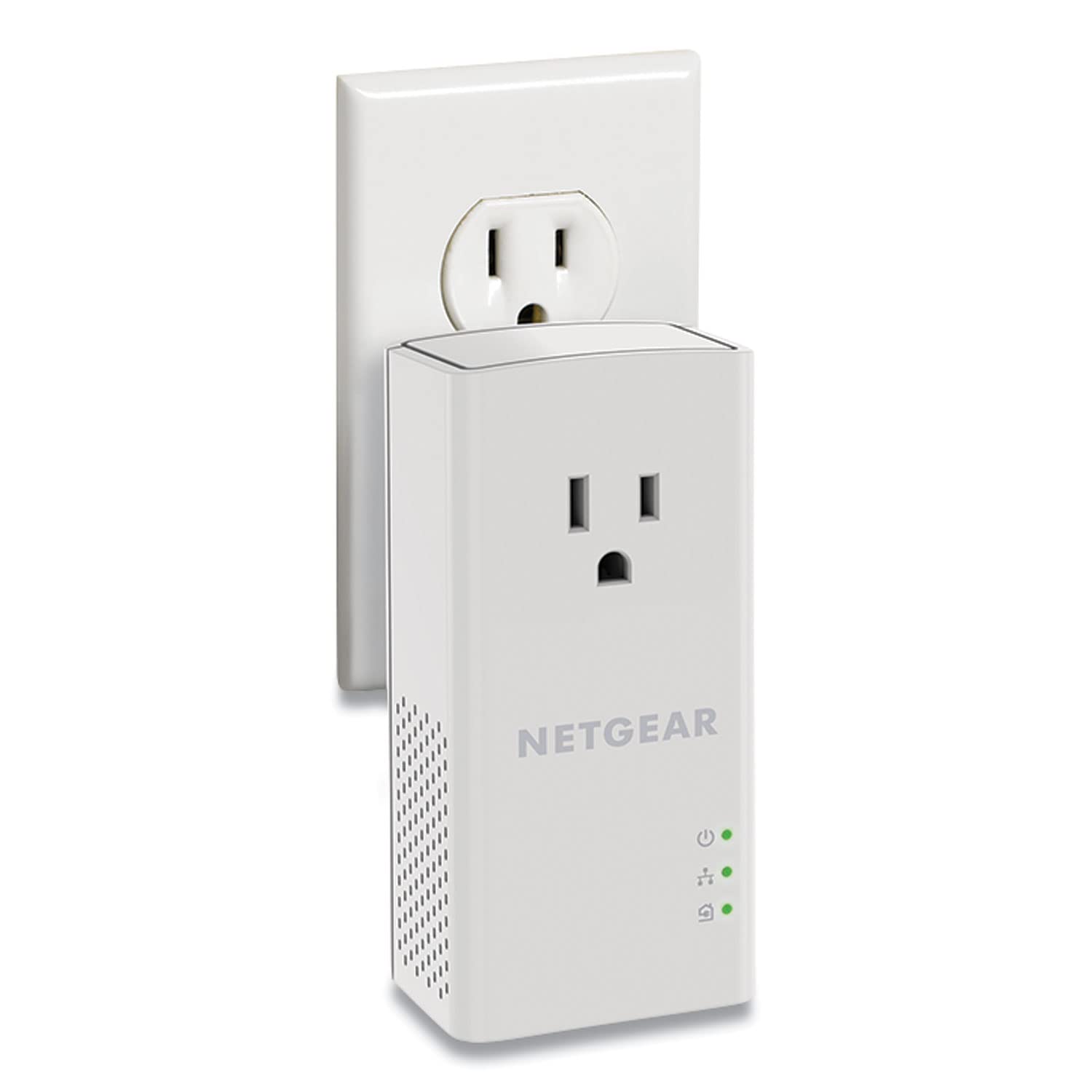
The passthrough outlet is the reason to pick this NETGEAR kit over a plain two-adapter set. Powerline adapters eat a wall socket, and in a rental or older room the outlet behind the TV may be the only one you have. The PLP1200 gives that socket back, and the noise-filtered design is meant to keep the adapter from becoming a power bottleneck. We like that practical trade: you get the wired link and you do not have to unplug the lamp.

Under the hood it is a HomePlug AV2 kit rated at 1200 Mbps, with MIMO and beamforming, and NETGEAR includes two Ethernet cables. Setup is the usual plug-and-pair routine, and we found it no harder than the TP-Link kits here. The 1200 Mbps number is a powerline rating, not a promise at the Ethernet port; on a long run or an older circuit, expect a fraction of it. For gaming, that is fine as long as the link stays steady. This is not the kit to buy if you expect near-gigabit downloads over your wiring.

The catch is the outlet itself: the passthrough can be tight for some three-prong plugs, so check the device you plan to plug in before you rely on it. If you need to keep a socket free and want a midrange kit with a familiar setup, this is a sensible choice.

Pros

  • Passthrough outlet keeps a socket free
  • AV1200 MIMO with beamforming
  • Easy plug-and-play setup

Cons

  • One-year warranty is shorter than TP-Link's
Our verdict

We like the NETGEAR PLP1200 when you need to keep a wall outlet free without giving up a stable wired link for gaming.

Check Latest Price
4

Best for Multiple Wired Devices

Zyxel PLA5456 Powerline Kit

83 /100
Lab Score Excellent

Key details

MIMO
Yes
Ethernet Ports
2 Gigabit
Powerline Speed
2000 Mbps
Passthrough Outlet
Yes
View on Amazon

Two Gigabit ports on each adapter is the feature that separates the Zyxel kit from most of this group. That means you can plug a console and a PC into the far adapter without adding a switch, and still have a second port near the router. For a shared game room or a desk with two wired devices, that flexibility is worth more than a slightly higher peak speed.

The PLA5456 is a HomePlug AV2 kit rated at 2000 Mbps, with MIMO and a passthrough outlet. We found it easy to set up and liked that Zyxel did not make the second port an add-on; it is there on both adapters. The passthrough also means you do not lose the wall socket, which is a bigger deal in a room where the outlet is already crowded.

The hurdle is price. This is the premium kit in our set, and it asks for more than the TP-Link AV2000 while offering a similar core feature set. We think it earns the premium only if the second port on each adapter solves a real problem for you; otherwise the TP-Link is the better value.

Pros

  • Two Gigabit ports on each adapter
  • AV2000 MIMO with passthrough
  • Easy two-minute setup

Cons

  • Bulky body can block adjacent outlet
Our verdict

We recommend the Zyxel PLA5456 when you need two wired devices at each end and can accept a bulky, premium kit.

Check Latest Price
5

Long Warranty

TRENDnet Powerline 500 Kit

84 /100
Lab Score Excellent

Key details

Warranty
3 years
Kit Contents
Two adapters and two Ethernet cables
Powerline Speed
500 Mbps
Cross-compatibility
Powerline 600/500/200
View on Amazon

The three-year warranty is the first thing we noticed about this TRENDnet kit, because most powerline adapters here top out at one or two years. That matters in a category where adapters are small, always-on electronics, and a longer warranty takes some of the risk out of a budget purchase. It is a practical reason to consider this kit even though it is not the fastest one in the roundup.

The TPL-406E2K is a Powerline 500 AV kit, so the 500 Mbps powerline rating is on the low side for this group. That makes it a light-duty pick: fine for a console or a TV in a spare room, not the kit we recommend for a fast fiber plan or a desk that moves big game files. Setup is genuinely plug-and-play, and TRENDnet says the adapters are cross-compatible with its Powerline 600, 500, and 200 gear. We like that flexibility if you already have older adapters around.

Value is the other strength. This is one of the cheaper kits in the group, and the warranty makes the lower price easier to justify. Test it in the room where you will game and keep the return window open, since wiring varies. If you need a faster link, step up to the TP-Link AV2000 or the NETGEAR PLP1200.

Pros

  • Three-year warranty
  • Budget price
  • Plug-and-play pairing
  • Cross-compatible with older Powerline gear

Cons

  • Connection can drop and need a replug
Our verdict

We see the TRENDnet TPL-406E2K as a low-cost spare-room kit whose three-year warranty makes its slower 500 Mbps link easier to live with.

Check Latest Price
6

Light Gaming

ReadyNet E200K Powerline Kit

78 /100
Lab Score Very Good

Key details

Warranty
90-day seller
Encryption
128-bit AES
Kit Contents
Two adapters and Ethernet cables
Powerline Speed
200 Mbps
View on Amazon

The low price and 200 Mbps rating tell you exactly what this ReadyNet kit is for: a cheap wired link for a single device, not a whole-home upgrade. It is a HomePlug AV kit with 128-bit AES encryption and a plug-and-play setup, so there is no app to learn and no pairing button routine to memorize. For a spare-room TV, a second console, or a desktop that only needs a stable connection for online play, that simplicity is the appeal.

Speed is the obvious trade-off. The 200 Mbps powerline rating is the lowest in this group, and it is not the kit we recommend for a fast fiber plan, large game downloads, or a room with several wired devices. What it can do is get a single device off Wi-Fi for less than the better kits here. We like it as a cheap experiment for a room where running cable is impossible, as long as you keep the return window open.

We think this is a light-duty pick for a single console or PC, not a long-term foundation for a gaming setup. If you can spend a little more, the TP-Link AV600 is the safer budget choice.

Pros

  • Lowest-cost kit here
  • Plug-and-play setup
  • 128-bit AES encryption

Cons

  • Short 90-day seller warranty
Our verdict

We think the ReadyNet E200K is only for light-duty gaming on a tight budget, where a single wired device matters more than speed.

Check Latest Price

How We Tested Powerline Adapters for Gaming

We pulled every kit that lists gaming or 4K streaming as a use case, then kept a deliberate mix of gigabit and 100 Mbps models to find out whether the slower port actually costs you anything in a normal house. From that shortlist, 12 kits went into testing for four months. Each one was installed the way a buyer would: unboxed, plugged straight into a wall outlet, paired without the manual open, and timed. Most synced in under two minutes; a couple needed a second attempt before the light went solid.

Every kit spent at least a week running to the same two destinations — a gaming PC in a back bedroom three walls from the router, and a console in a basement room with no cable run to it. We played the same online matches at 8 p.m., when the house is drawing the most power, and logged ping and dropped packets instead of trusting a single speed test. Then we ran the whole thing again at 2 a.m. with the house quiet and compared the two sets of numbers, because a kit that is fast at midnight and choppy at dinnertime is no use to anyone actually playing.

Load is where the field split. We put a space heater, a microwave, and a dryer cycle on the same circuit and watched for stutter, and plugged each unit into a power strip once to see how much signal it cost. We checked whether the passthrough outlet stayed usable with a lamp in it and whether the adapter body blocked the second socket, and we paired each kit with an older adapter from a different brand to see what it would talk to. Value came down to what reached the far end: a steady, low-latency connection on the ports your gear needs, ideally without an outlet lost along the way.

How to Choose a Powerline Adapter for Gaming

Start With Your Wiring, Not the Speed Badge

Powerline adapters send data over the electrical wiring, and that wiring is the real product. Both adapters need to be on the same electrical circuit, and they must go directly into wall outlets; power strips, surge protectors, and extension cords can weaken or block the link. Homes with AFCI breakers, common in newer construction, can also limit performance. Before you buy, test the two outlets you plan to use, ideally with a kit you can return.

We treat this as the first filter, not a footnote. If the adapters will not pair across your rooms, a faster model will not save the setup. Try a different outlet on the same circuit before you decide the kit is faulty.

Prioritize Latency and Stability Over Peak Throughput

The 1000, 1200, and 2000 Mbps numbers are powerline ratings, not the speed you will see at the Ethernet port. Real throughput depends on distance, wiring quality, and what else is on the circuit, and it usually lands well below the box. For gaming, a steady link with low jitter matters more than a big peak. We look for HomePlug AV2 kits with MIMO when the budget allows, then test the connection in the room where the console or PC will live. Keep the return window open.

Count Your Ports and Decide About the Outlet

A single Ethernet port per adapter is enough for one console or PC. If you want to wire a console and a desktop in the same room, look for a kit with two Gigabit ports at the far end, like the TP-Link AV2000 or the Zyxel PLA5456. A passthrough outlet is a different convenience: it lets you keep a lamp or TV plugged in, but it can make the adapter bulky and tight for three-prong plugs. Decide which problem you actually have before you pay for both.

Match the Speed Class to Your Internet Plan

A 100 Mbps Ethernet port is not a gaming problem on its own; online play uses a small fraction of that. It becomes a problem when you download large games or updates, or when your internet plan is faster than the port. If your plan is at or below 100 Mbps and you only need one device, the TP-Link AV600 is the value play. If you have faster fiber and move big files, step up to a Gigabit kit. A longer warranty, like TRENDnet's three-year coverage, is worth weighing on budget models.

Frequently Asked Questions

Final Verdict

For most gamers, the TP-Link AV2000 is the kit we recommend. It gives you two Gigabit ports at the far end, a passthrough outlet, and AV2 MIMO in one package, which makes it easier to wire a console and a PC without another switch. If your internet plan is 100 Mbps or less and you only need one device, the TP-Link AV600 is the cheaper way in. Choose the Zyxel PLA5456 only if you need two wired ports on each adapter and can accept the bulk and premium price.