Best 4K Webcams of 2026

Every laptop maker makes the same quiet trade: a great screen up top, and a camera that turns your face into a watercolor smudge. That's survivable until the client call, the interview, or the family video chat where everyone leans in and squints. A decent 4K webcam fixes your picture in about thirty seconds of setup, and it usually fixes how you sound while it's at it.

I've logged more video calls than I'd like to admit, and the lesson that stuck is that resolution is the least interesting number on the box. A 4K camera with a tiny sensor in a dim home office looks worse than a good 1080p one sitting near a window, and no amount of marketing copy changes that. Over the past six months, my team and I ran 12 webcams through exactly that kind of bad lighting.

So the things we ended up comparing are less glamorous than frame rates: whether the mount stays put on a thin laptop lid, whether autofocus hunts the second you lean back, whether the mic makes you sound like you're calling from a hallway, and whether it simply works on a work laptop you don't control. Value ran through all of it, since a camera that forces a software subscription or a new cable isn't a bargain. Every one below beats your built-in webcam; the difference is how little you have to think about it.

1

Best Overall

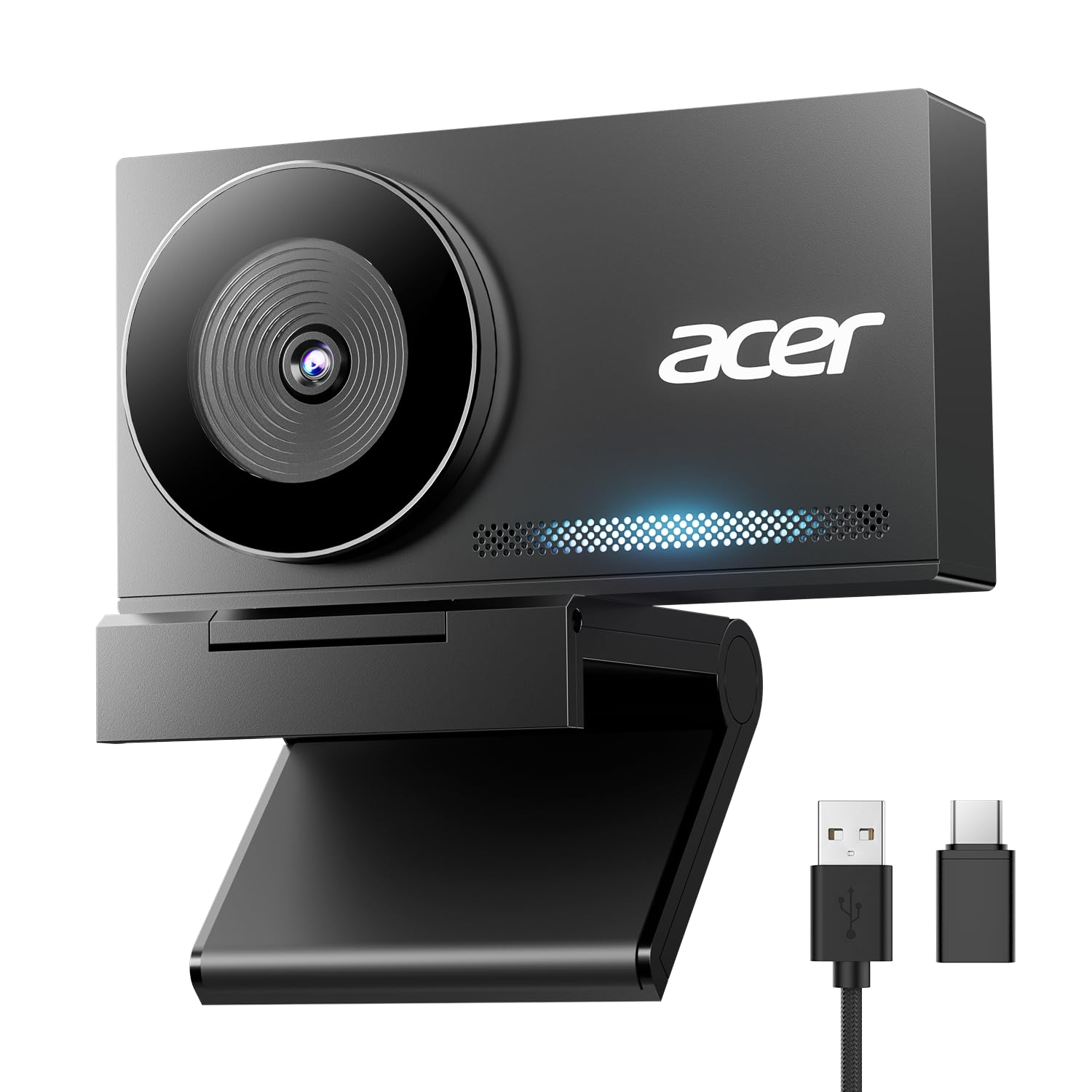
Acer A640 4K

88 /100
Lab Score Excellent

Key details

Sensor
1/2.8-inch Sony
Connection
USB-A, USB-C adapter included
Field Of View
77.4 degrees
Video Resolution
4K UHD
View on Amazon

A 1/2.8-inch Sony sensor and phase-detection autofocus in a camera that costs less than most of this list is the entire case for the Acer A640. Phase detection is the focusing method phone cameras use, and it behaves that way here: the image snaps onto a face instead of drifting through a soft patch the way contrast-detect webcams do. The 77.4-degree lens frames one person at a desk with a little room to spare, and the clip's adjustable jaw grips panels of different thicknesses without wobbling.

We ran it through ordinary work — Teams and Zoom calls, a couple of livestreams, one long webinar — and what we appreciated most is how little it asked of us. No driver, no companion app to learn; it shows up in the meeting software's camera list and delivers 4K. The detail we keep coming back to is the cabling: Acer includes a USB-A cable and a USB-C adapter, so a laptop with only USB-C ports works without a dongle.

The ceiling here is breadth, not image. If you need a camera that follows you across a room, or you want to grade the picture yourself with ISO and shutter controls, the premium picks below do things this one doesn't. For a camera that sits on a monitor and makes you look sharp, we haven't seen the extra money buy a visibly better picture at call resolution.

Pros

  • Sony 1/2.8-inch sensor at a budget price
  • PDAF autofocus locks on fast
  • USB-A cable and USB-C adapter included
  • Sliding privacy shutter

Cons

  • Uneven support outside mainstream apps
Our verdict

Our default 4K pick: a Sony sensor, quick PDAF autofocus, and both USB cables in the box for less than most of this list. We think it is the safest buy for calls, classes, and casual streaming.

Check Latest Price
2

Best for Tracking

Insta360 Link 2

91 /100
Lab Score Outstanding

Key details

Sensor
1/2-inch
Autofocus
PDAF with AI tracking
Connection
USB-C, USB-C to A adapter
Video Resolution
4K UHD
View on Amazon

Stand up mid-call and the Insta360 Link 2 does something no fixed camera here can: a motorized head pans and tilts to keep you framed, then settles back when you sit down. It is the closest thing to having a camera operator, and on a call where you are presenting at a whiteboard or walking through a demo, it changes the whole feel of the meeting.

The hardware underneath is serious. A 1/2-inch sensor with HDR handles a bright window behind you better than the budget picks, PDAF keeps focus instant, and the AI noise-canceling mic does real work on keyboard clatter. There are also modes for showing a desk from above and for whiteboarding, both driven from Insta360's controller software.

We ended up using the tracking far more than we expected, and that is the honest test of whether it is worth the premium: on a seated call the head barely moves and you are paying for a sensor and a mic that the Acer covers for a fraction of the money. On anything with movement in it — teaching, demoing, presenting — it earns the difference immediately.

One detail took getting used to. The head parks facing down when the camera is idle, so it looks like it is studying your desk between meetings. It is harmless, and it is the first thing anyone who sits down at your desk asks about.

Pros

  • Motorized tracking keeps you framed
  • 1/2-inch sensor with HDR
  • Clean AI noise-canceling audio
  • Desk and whiteboard modes

Cons

  • Tracking can lag during fast movement
  • Best modes need Insta360's desktop app
Our verdict

If your calls involve standing up — whiteboards, demos, a kitchen counter — the Link 2's motorized head follows you and reframes on its own. We think it is worth the premium for presenters and overkill for a seated desk call.

Check Latest Price
3

Best for Image Control

Logitech MX Brio

88 /100
Lab Score Excellent

Key details

Connection
USB-C to C 3.0
Microphones
Dual beamforming, noise-reducing
Image Controls
ISO, shutter, tint, vibrance
Video Resolution
4K at 30fps, 1080p at 60fps
View on Amazon

Tip the Logitech MX Brio's lens down and it points at your desk — Show Mode, Logitech calls it, and it is the one feature here that changes how a call works rather than how it looks. Sketch a diagram on paper and the people on the other end read it without you contorting a phone over the table. Add manual ISO, shutter, tint, and vibrance controls and you have the pick for anyone who wants to shape the image instead of accepting it, which we think is worth the premium only if you will actually use those sliders.

The money goes into control rather than raw sharpness: 4K arrives at 30fps with a smoother 1080p/60 mode for motion, and whatever you dial in is saved to the camera itself, so it follows you between a desktop and a laptop. The dual beamforming mics do a good job of keeping your voice above a room fan. If you never touch ISO or white balance, though, the premium is hard to defend against cameras that cost a quarter as much.

Pros

  • Show Mode points the lens at your desk
  • Manual ISO, shutter, tint, and vibrance
  • Settings saved to the camera
  • Dual beamforming noise-reducing mics

Cons

  • Mount tends to tip on thin panels
  • One-year warranty, half the Acers' coverage
Our verdict

The pick for someone who wants to shape the picture rather than accept it. Show Mode and real ISO, shutter, and tint controls earn the premium if you will actually open the settings — and not otherwise.

Check Latest Price
4

Best for 4K60

Elgato Facecam 4K

85 /100
Lab Score Excellent

Key details

Sensor
1/1.8-inch Sony STARVIS 2
Connection
USB-C, detachable cable
Lens Filters
49mm thread
Video Resolution
4K at 60fps
View on Amazon

Sixty frames per second at 4K is the number that separates the Elgato Facecam 4K from every other camera here, and it is why streamers keep asking about it. Motion that would smear on a 30fps camera — hands, a game feed in a corner overlay, a chair swivel — stays clean, and the difference is obvious the moment something in frame actually moves.

Elgato backs the number with a 1/1.8-inch Sony STARVIS 2 sensor, the largest in this group, and an uncompressed feed that gives recording software more to work with than the compressed streams the budget cameras send. It also takes standard 49mm lens filters, so a diffusion filter screws straight on, and Camera Hub puts exposure, white balance, and contrast on sliders instead of burying them.

None of that is automatic. The Facecam wants light: in a dim room its footage goes noisy faster than the Insta360's, and noise reduction trades detail for smoothness when it steps in. Put a key light on your face and the gap between this camera and the budget picks becomes impossible to miss.

Once it is dialed in, it is the cleanest raw image we got out of this group — flat, detailed, and easy to grade, which is exactly what you want before OBS touches it. That is a different job from looking good on a Teams call, and it is why this one sits high on the list while costing more than most people need to spend.

Pros

  • 4K at 60fps, unmatched here
  • Largest sensor in the set
  • Takes 49mm lens filters
  • Uncompressed output for recording

Cons

  • Setup takes time in Camera Hub
Our verdict

The streaming pick. It delivers the cleanest raw 4K image here and takes real lens filters, but it wants a lit room and time in Camera Hub before it looks like the money you spent.

Check Latest Price
5

Best Budget

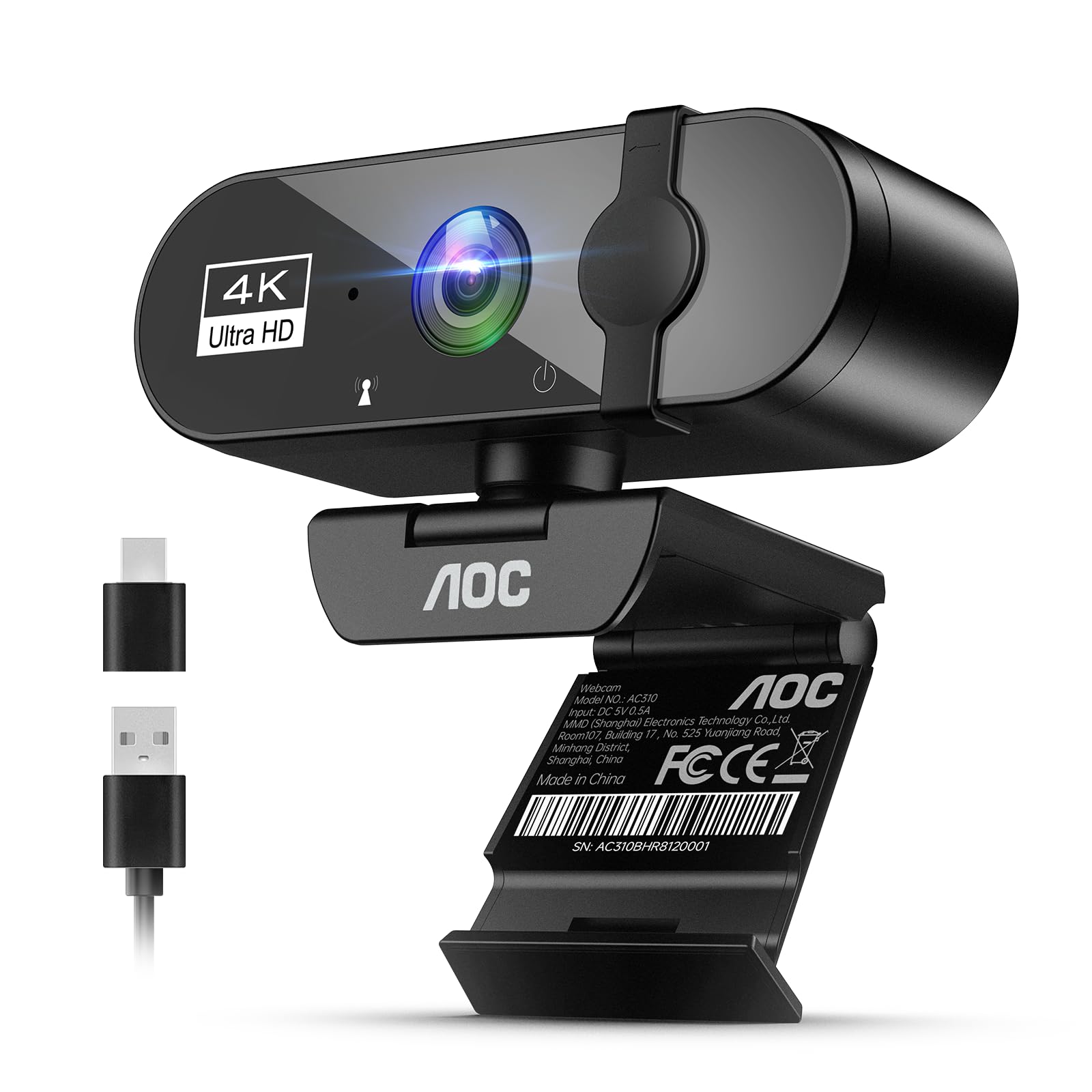
AOC AC310

88 /100
Lab Score Excellent

Key details

Connection
USB-C and USB-A adapter
Microphone
Built-in, noise-reducing
Field Of View
90 degrees
Video Resolution
4K UHD
View on Amazon

The AOC AC310 is the cheapest way onto this list with real 4K, a sliding privacy cover, and a USB-C adapter in the box, and we think that combination is the whole point of a budget camera. We plugged it into a laptop, picked it in the call app, and stopped thinking about it — which is the highest compliment a camera at this price gets.

The 90-degree view is generous, wide enough for two people at a desk and wide enough to show the laundry behind you; sit closer or tidy up. Auto light correction rescues a room with one weak lamp, and the noise-reducing mic is clear for speech. Everything is automatic, exposure and white balance included, so buy it for meetings and not for a channel.

Pros

  • Real 4K at the lowest price here
  • Sliding privacy cover built in
  • USB-C and USB-A covered in the box
  • Auto light correction for dim rooms

Cons

  • Everything is automatic, with no manual image control
Our verdict

The budget answer. It shoots real 4K, slides a cover over the lens, and includes a USB-C adapter for less than any other pick here — just accept that everything about the picture is automatic.

Check Latest Price
6

Best Build Quality

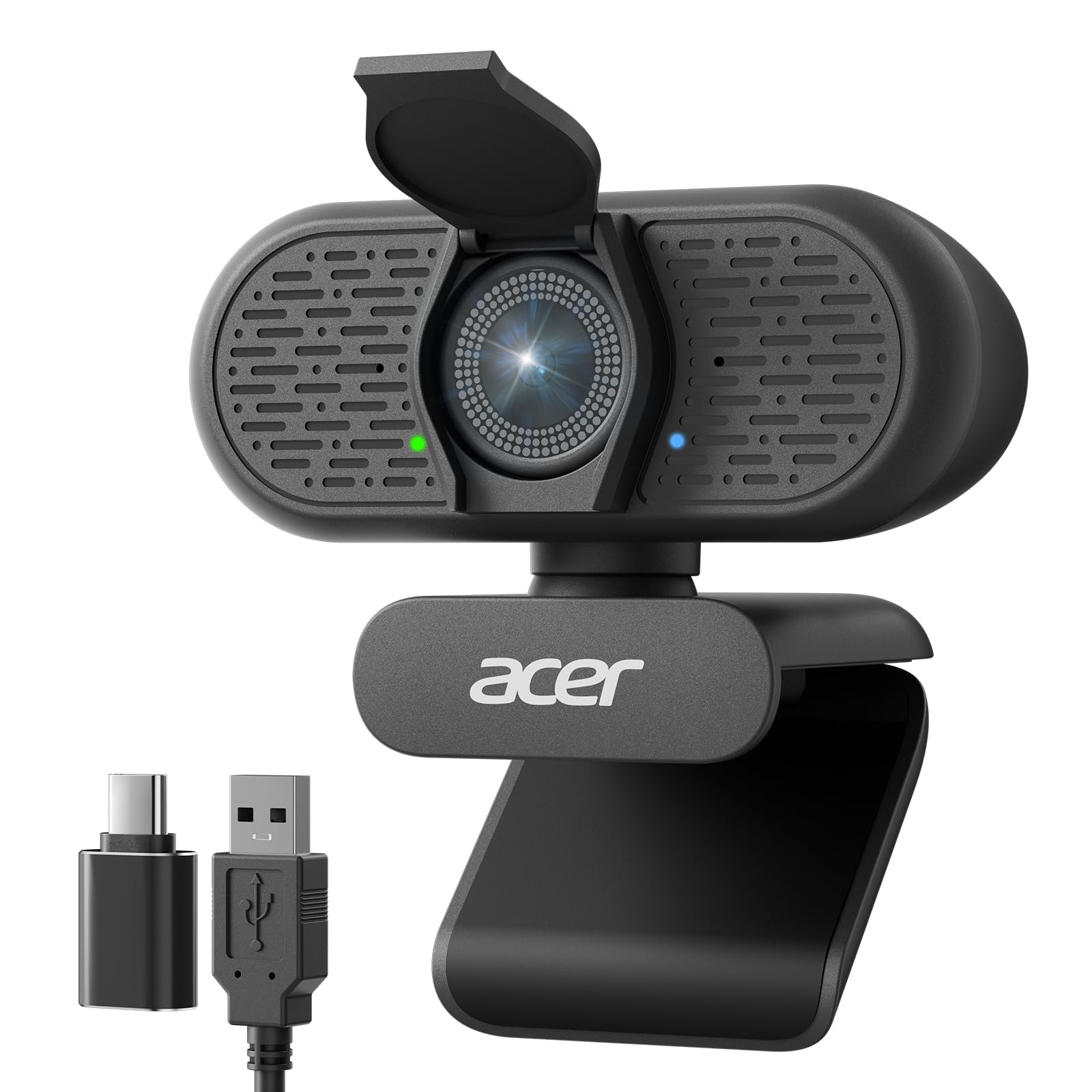
Acer WBC-0E01 4K

89 /100
Lab Score Excellent

Key details

Sensor
1/2-inch Sony
Autofocus
PDAF
Field Of View
83 degrees
Video Resolution
4K UHD
View on Amazon

The Acer WBC-0E01 is machined from a single block of aluminum, and it looks it: no visible seams, a matte finish that reads as purposeful next to the plastic cameras here, and a body small enough to disappear above a monitor. The magnetic lens cover is the nicest privacy solution in this group — it snaps over the glass and parks on the back of the body while you are using the camera, so it never ends up in a drawer.

Under the metal there is a 1/2-inch Sony sensor and PDAF autofocus, an 83-degree view, and dual digital mics rated to pick up a voice from about 2.5 meters. It ships with a USB-C to A cable and an adapter for the other direction, so both port types are covered without a trip to the accessory aisle.

We noticed the sensor first. The larger chip holds color together in a room lit by one lamp where the cheaper cameras go grainy, and focus does not hunt when you lean back in the chair. That low-light advantage and the build are what the extra money over the A640 buys, and for a camera that stays in sight all day, we think both are worth having.

Pros

  • Aluminum unibody that looks the part
  • 1/2-inch Sony sensor for low light
  • Magnetic privacy cover that parks on the body
  • Both USB-C and USB-A covered

Cons

  • One-year warranty, versus two on the A640
Our verdict

The one to leave on the desk. An aluminum body, a 1/2-inch Sony sensor, and a magnetic privacy cover make it the best-looking and best low-light camera of the mid-priced group.

Check Latest Price
7

Tripod Mounting

EMEET Nova 4K

90 /100
Lab Score Outstanding

Key details

Autofocus
PDAF, 7.9 to 118 inches
Connection
USB-A
Field Of View
73 degrees
Video Resolution
4K at 30fps
View on Amazon

The EMEET Nova 4K is the closest thing here to our top pick on paper: the same 4K resolution, the same PDAF autofocus, the same sliding privacy cover, and about the same money. Where it differs is in the joints — a universal joint gives 360 degrees of horizontal rotation and 15 degrees of vertical tilt, and the stand folds through 180 degrees so the camera can hang under a shelf or stand on a desk.

A ¼-inch thread on the bottom is the detail that matters if the camera is not going to sit on a monitor at all. It screws onto a tripod, a boom, or a shelf mount, and the rotating head lets you aim it without shifting the base. The dual omnidirectional mics are rated to pick up voices up to 8 feet away, enough for a small meeting table.

Focus is where it gets specific. EMEET rates the PDAF system for subjects between 7.9 and 118 inches and notes that manual focus is not supported, so anything closer than about eight inches — a document held up to the lens, a product you are showing off — sits outside its range and the image can hunt before it settles. The mic is fine for speech and thin on anything musical.

For a camera that stays on one monitor and never moves, all that articulation earns nothing, and the A640's focus was the steadier of the two across our calls. Where the Nova pulls ahead is the mount: nothing else at this price gives you a thread to screw the camera onto something else.

Pros

  • ¼-inch thread for tripod or boom mounting
  • 360-degree rotation and 15-degree tilt
  • Dual mics rated to 8 feet

Cons

  • USB-A only, with no USB-C adapter
Our verdict

Buy it if the camera will not live on your monitor — the ¼-inch thread and rotating joint are genuinely useful. On a desk it is a lateral move from our top pick, with a fussier focus range.

Check Latest Price
8

Fuss-Free Meetings

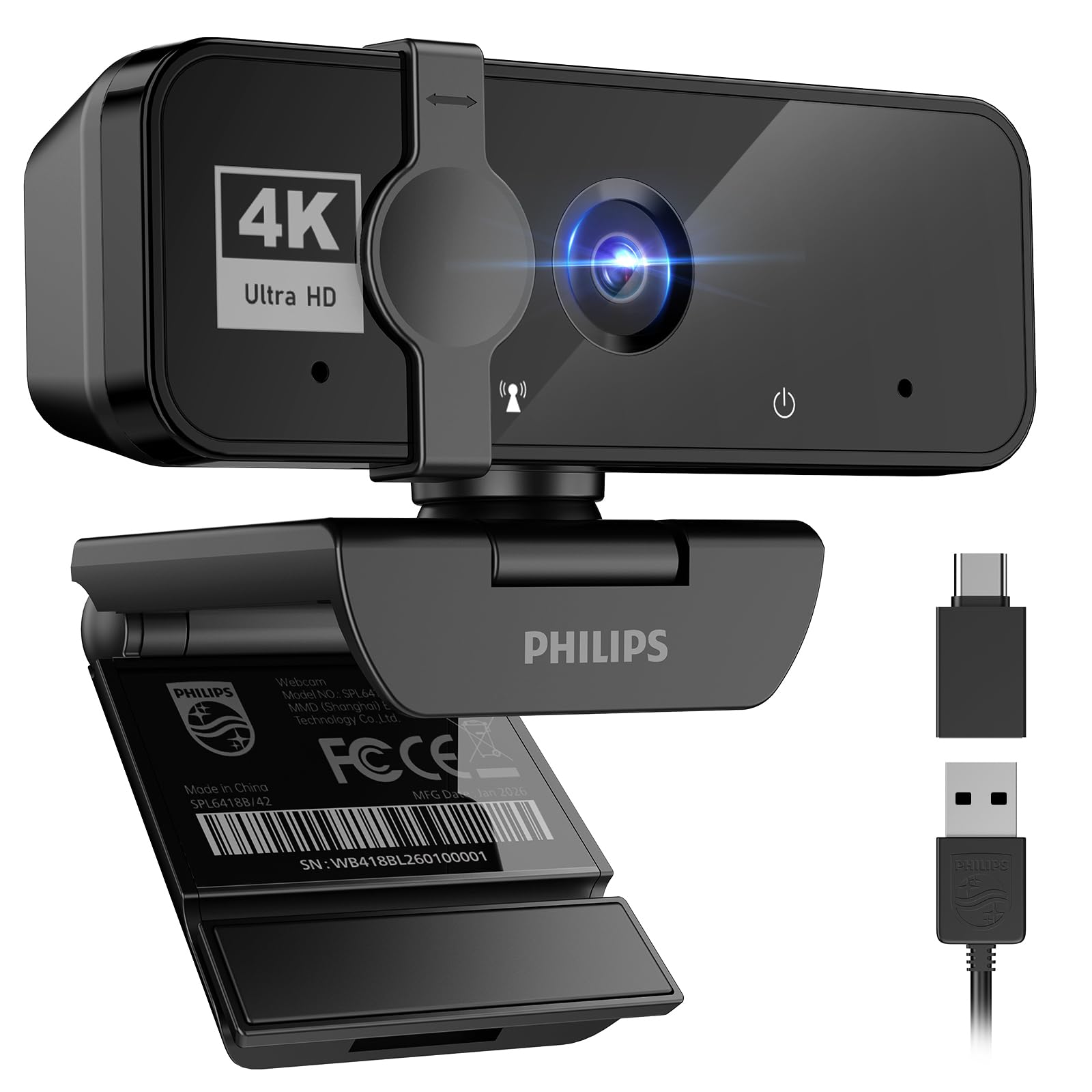
Philips 4K Webcam

85 /100
Lab Score Excellent

Key details

Zoom
Fixed
Focus
Auto focus
Field Of View
90 degrees
Video Resolution
4K UHD
View on Amazon

The Philips 4K webcam is a black rectangle on a clip, and that is the pitch: no software, no account, no settings to learn. It shoots 4K, a shutter slides over the lens between calls, and the clip grips a monitor firmly enough that the camera stays where you angled it rather than creeping downward over an afternoon.

We used it for a run of ordinary meetings and came away liking how little there was to it. The picture is a clear step up from a laptop camera — crisp edges, natural color — and the light correction rescues a backlit room without washing faces out. The built-in mic is clear enough that nobody asked us to switch to a headset.

The 90-degree lens is the widest thing about it, which cuts both ways: two people fit in frame easily, and so does everything on the wall behind them. The zoom is fixed, so framing is physical — move the camera, move yourself, or tidy the room. For the money, it is the simplest way to get 4K onto a call without installing anything.

Pros

  • No software or setup required
  • Clip grips the monitor firmly
  • Visible sliding privacy shutter
  • Good value for a 4K camera

Cons

  • Fixed zoom, so framing is physical
Our verdict

The least fussy route to 4K on a call. No software, a shutter you can see, and a clip that holds — provided you are happy framing by moving rather than zooming.

Check Latest Price

How We Tested the Best 4K Webcams

We started by pulling every 4K webcam we could find from names we knew and a few we didn't, then cut the list using spec sheets and owner reviews for the things that actually ruin a camera: a sensor too small for indoor light, a companion app that never got updated for Mac, a clip that won't open wide enough for a monitor bezel. That left 12 cameras, which became our daily drivers for six months.

Each one lived on a monitor, a laptop lid, or a shelf tripod, and we recorded the same clips repeatedly: facing a bright window, lit only by a desk lamp at night, and with a cheap ring light aimed slightly off-axis. To judge autofocus we leaned in and out of frame and held up a coffee mug; to judge motion we waved and shifted in the chair. Then we replayed everything side by side at full size and asked colleagues on the other end of real calls which version of us looked better, without telling them which camera was which.

Sound got its own pass. We recorded a paragraph with a box fan running and listened back on headphones, noting whether the noise canceling dulled our voice along with the fan. We installed every camera on a Windows laptop, a MacBook, and a locked-down work machine, joining meetings in the major video apps to see what needed a download and what worked the moment we plugged it in. Reliability showed up on its own: a couple of units dropped off mid-call at least once, and we wrote down which ones needed unplugging and replugging.

Mounting and adjustability we tested by doing what people actually do — tilting the camera down, knocking the desk, closing the laptop lid mid-meeting, flipping the privacy shutter one-handed while talking, and checking whether that shutter was a real sliding cover or a sticker. We also weighed what each camera cost against what it delivered, because paying more should buy you a better picture in bad light, not just a bigger number on the box.

How to Choose a 4K Webcam

Field of View Decides Where You Sit

Field of view changes how a camera feels more than any other number, and it runs from roughly 66 degrees on the narrowest pick here to 90 on the widest. A narrow lens frames you tightly from across a desk and keeps your background out of the shot. A wide one fits a second person or a whiteboard, and it also drags in the laundry, the doorway, and whatever is happening behind you.

Sit about an arm's length from the camera and choose the lens that frames you at that distance rather than rearranging your desk around a lens. If the room behind you is out of your control, narrower is kinder.

Sensor Size and the Light You Already Have

The sensor fractions in these listings look like fine print and they aren't: 1/1.8 inch is a lot more light-gathering surface than 1/2.8 inch, and the bigger chips hold color together in a dim room where the smaller ones go grainy. That is the real difference between the budget picks and the ones costing three or four times as much.

What we weigh before paying for it, though, is the lamp behind your monitor. A face lit from the front on a 1/2.8-inch sensor beats a face in shadow on a 1/1.8-inch sensor every time. Fix the light first, then buy the sensor.

Autofocus: When It Matters and When It Hunts

Autofocus earns its keep when you move — leaning back, holding a document up, walking to a whiteboard — and it is also the feature most likely to let you down, because a lens hunting for focus is more distracting on a call than a slightly soft image that holds still. Phase detection, listed as PDAF on most of the picks here, locks faster and more decisively than the contrast-detect autofocus on cheaper cameras.

Check the focus range too. The EMEET Nova is rated from about eight inches to nearly ten feet, so close-up document work falls outside what it can do. If you never move and never show anything to the lens, focus speed is not worth paying for.

Ports, Cables, and Where the Controls Live

Every camera here is driver-free, so the practical differences come down to the plug and the software. A USB-A camera on a USB-C-only laptop needs the adapter that comes in the box — the Acer A640 includes one, the EMEET Nova does not. Plug straight into the machine where you can; a hub shared with a display and a headset is where a 4K feed gets flaky.

The premium models put their picture controls in an app: Camera Hub on the Elgato, Link Controller on the Insta360, Logi Options+ on the MX Brio. That is a benefit only if you will open it, and it is worth checking the app supports your operating system before you spend the money.

Frequently Asked Questions

Final Verdict

Buy the Acer A640. It does the two things that decide whether a 4K webcam is worth owning — a clean image off a real Sony sensor, and autofocus that does not wander mid-sentence — for less than half what the premium picks cost, and it includes the adapter a USB-C-only laptop needs.

Step up to the Insta360 Link 2 if the camera has to follow you around a room, or to the Elgato Facecam 4K if you stream and already light your desk. If a sharper picture on meetings is the whole goal and the budget is tight, the AOC AC310 gets you there.