Best 27-Inch 4K Gaming Monitors of 2026

For years, 27-inch 4K was the compromise nobody loved: crisper text than 1440p, but pinned at 60Hz while everyone else was gaming at 144. That gap has finally closed, and the spec sheets have become genuinely hard to read — 160Hz panels sitting next to dual-mode screens that drop to 1080p to hit 360Hz, with a couple of OLEDs above everything on black level and price.

Your monitor has to survive both halves of your day, which is why I care less about a heroic peak refresh rate than about whether the thing looks right at 9 a.m. in a bright room and at 11 p.m. in a dark one. We've had eight 27-inch 4K monitors on our desks over the past six months — budget-fast IPS models, 240Hz OLEDs, and everything in between.

One spec first-time buyers tend to overrate is the HDR badge. DisplayHDR 400 is a brightness threshold, not a contrast one, and it won't transform anything. What actually separates these eight is how honest the color is out of the box, how they hold up under glare, and whether the stand and chassis feel like they'd survive a move. The picks below are sorted by who each one is really for.

1

Best Overall

ASUS ROG XG27UCG

85 /100
Lab Score Excellent

Key details

Panel
Fast IPS
Resolution
3840 x 2160
Connectivity
HDMI, DisplayPort, USB-C
Refresh Rate
160 Hz (4K) / 320 Hz (1080p)
View on Amazon

The XG27UCG is the monitor we recommend first because it covers the two ways people actually play at this size: 4K at 160Hz for story-driven games and desktop work, and a 1080p mode that climbs to 320Hz for competitive shooters. We like the USB-C input for a laptop, which lets this double as a single-cable desk display, and the matte Fast IPS panel keeps a bright, clean image in a normal room.

The 4K mode is the one we leave on for everyday use. At 27 inches the pixel density makes text and fine detail look crisp, and 160Hz is enough to feel smooth without the cost of a 240Hz OLED. The 320Hz mode is a deliberate switch down to 1080p for fast shooters, not a mode you'll want for desktop work. Color coverage is 95% DCI-P3, and DisplayHDR 400 adds a little punch without pretending to be a true HDR display.

What earns it the top spot is the balance: 4K sharpness, a genuine high-refresh mode, USB-C, and a three-year warranty with advanced replacement. The LG below goes a little higher in refresh, and the OLED picks go much further on contrast, but neither matches this mix of features and price. The stand adjusts for height, tilt, swivel, and pivot, so you can get it comfortable without buying an arm.

The 100 x 100 VESA pattern gives you the option to skip the stand and mount it on an arm, which is useful if your desk is shallow. For most people building a 27-inch 4K gaming setup, this is the one that makes the fewest compromises.

Pros

  • Dual-mode 4K 160Hz and 1080p 320Hz
  • USB-C, DisplayPort, and HDMI inputs
  • Three-year warranty with advanced replacement
  • 95% DCI-P3 color coverage

Cons

  • 1080p 320Hz mode looks soft at 27 inches
  • Some units can cut out intermittently
Our verdict

We recommend the ASUS ROG XG27UCG for PC and console players who want 4K at 160Hz, a 1080p 320Hz mode for competitive shooters, and USB-C for a laptop, all without OLED pricing.
Check Latest Price
2

Best High-Refresh 4K

LG 27G810A-B

84 /100
Lab Score Excellent

Key details

Panel
IPS
Resolution
3840 x 2160
Connectivity
2x HDMI 2.1, DisplayPort, USB hub
Refresh Rate
180 Hz (4K) / 360 Hz (1080p)
View on Amazon

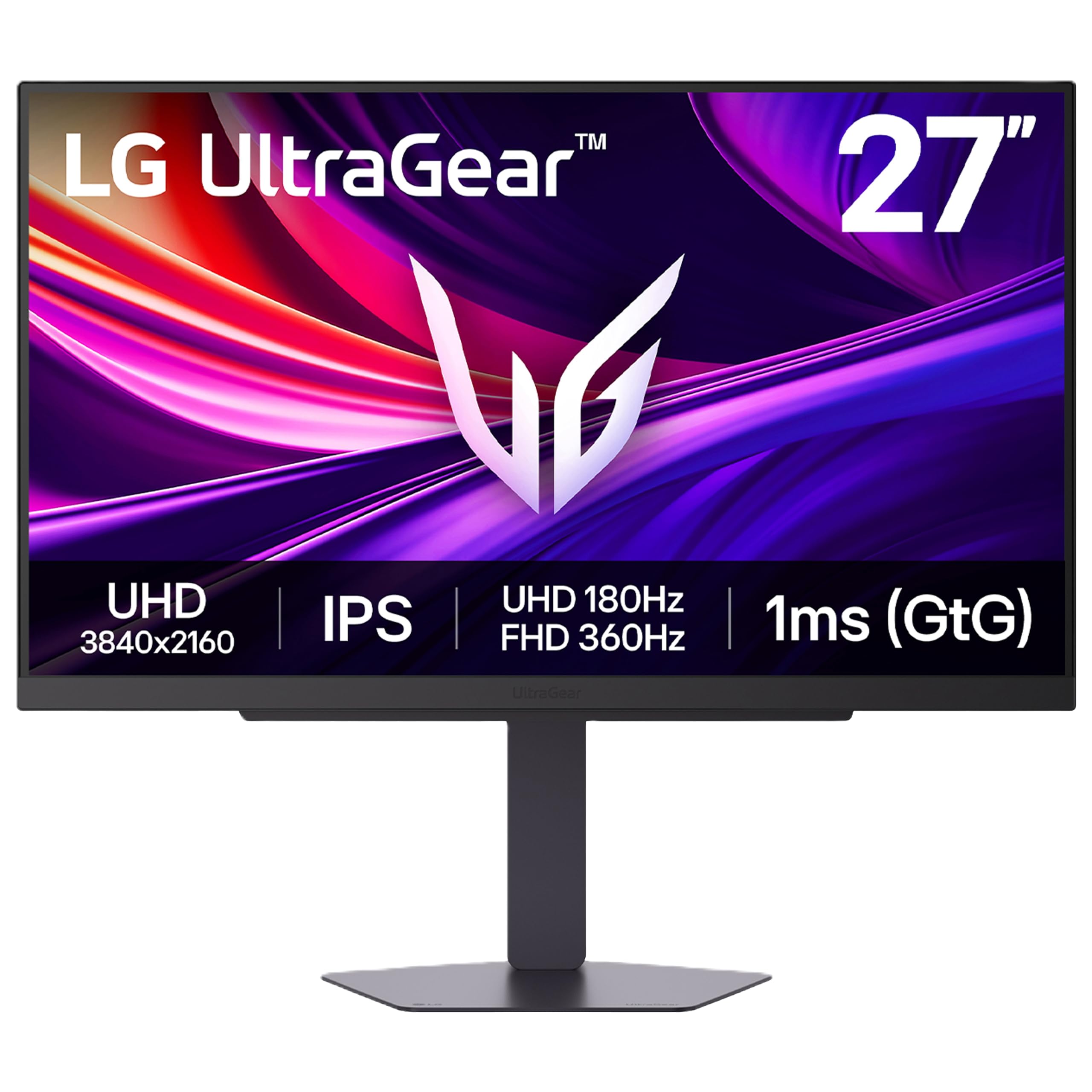
The 27G810A is the step-up for players who want more refresh than the 160Hz crowd. Its dual-mode panel runs 4K at 180Hz or 1080p at 360Hz, so you can keep the sharper resolution for most games and switch down when you need the last bit of motion clarity. Two HDMI 2.1 ports make it easy to leave a PS5 and an Xbox connected, and the stand covers height, tilt, swivel, and pivot.

We recommend it when 4K 180Hz is the priority and you do not need USB-C. The extra 20Hz over the ASUS is not a night-and-day difference, but the 360Hz mode is a useful fallback for fast shooters, and the USB hub keeps a keyboard and mouse tidy. The picture has the crisp, bright look we expect from an IPS panel, and the anti-glare finish holds up in a bright room.

The trade-offs are the softer 1080p picture in 360Hz mode and color that is good but not OLED-rich. The monitor also asks more than the top pick, so the extra refresh is the reason to choose it. If you live in competitive shooters and still want 4K for everything else, the higher ceiling is worth it.

Pros

  • 4K 180Hz or 1080p 360Hz
  • Two HDMI 2.1 ports
  • Height, tilt, swivel, and pivot stand
  • USB hub for peripherals

Cons

  • One-year warranty
Our verdict

We recommend the LG 27G810A-B for competitive PC players who want a 4K 180Hz panel with a 1080p 360Hz mode and two HDMI 2.1 ports, provided they can live with a one-year warranty.

Check Latest Price
3

Best Budget

KTC H27P22S

88 /100
Lab Score Excellent

Key details

Panel
Fast IPS
Resolution
3840 x 2160
Connectivity
2x HDMI 2.1, 2x DisplayPort 1.4
Refresh Rate
160 Hz
View on Amazon

The KTC H27P22S is the budget pick we recommend first if you want a straightforward 4K 160Hz gaming monitor. It pairs a 27-inch Fast IPS panel with FreeSync and G-Sync compatibility, and it gives you two HDMI 2.1 and two DisplayPort 1.4 inputs, which is more connectivity than we expect at this end of the set.

The stand adjusts for height, tilt, swivel, and pivot, which is not guaranteed on a budget monitor, and the 132% sRGB coverage gives games a lively look. HDR400 is here, but treat it as a small brightness boost rather than a reason to buy. The bigger question is long-term support, which is why we treat this as a budget pick rather than a do-everything one.

We recommend it for a tight budget or a second setup where 4K sharpness matters more than OLED contrast. It does not have the USB-C convenience of the top pick or the dual-mode trick of the Amzfast, but it keeps the core 4K 160Hz experience and adds a height-adjustable stand. The 160Hz refresh is the sweet spot here: high enough to feel fast, low enough that a midrange graphics card can drive it.

Pros

  • 4K 160Hz Fast IPS panel
  • Two HDMI 2.1 and two DisplayPort 1.4
  • Height-adjustable, pivot, and swivel stand
  • 132% sRGB color coverage

Cons

  • One-year warranty
Our verdict

We recommend the KTC H27P22S as the budget 4K gaming pick, with 160Hz, two DisplayPort inputs, and a height-adjustable stand.

Check Latest Price
4

Best Budget Dual-Mode

Amzfast AMZG27F6U

89 /100
Lab Score Excellent

Key details

Panel
Fast IPS
Resolution
3840 x 2160
Connectivity
2x HDMI 2.1, 2x DisplayPort 1.4
Refresh Rate
160 Hz (4K) / 320 Hz (FHD)
View on Amazon

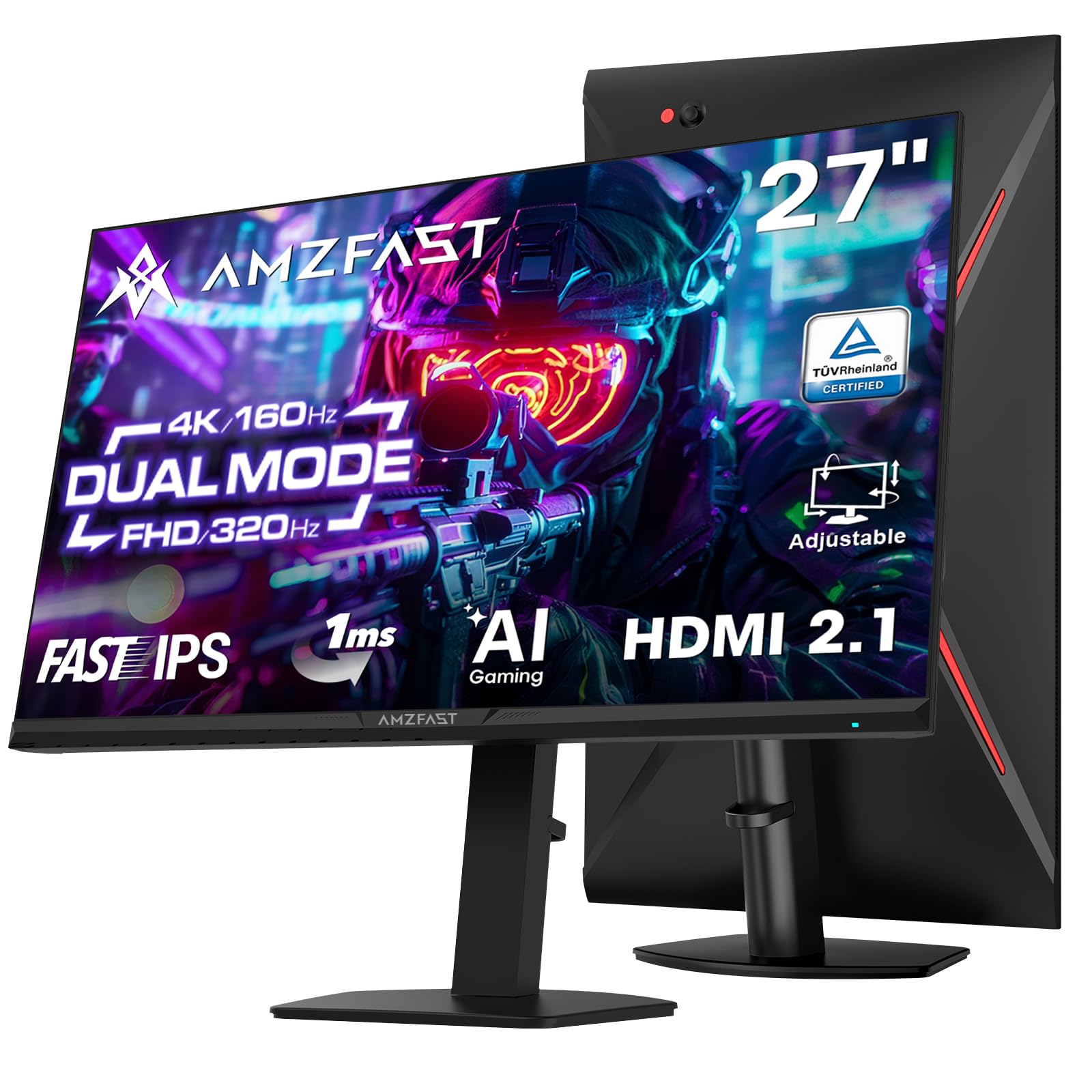
The Amzfast AMZG27F6U is the budget route to the same dual-mode idea as our top pick. It runs 4K at 160Hz or 1080p at 320Hz, and it includes two HDMI 2.1 and two DisplayPort 1.4 inputs, so a PC and a current console can both stay connected. The Fast IPS panel and 1ms response are the right foundation for a gaming monitor.

At 27 inches, the 4K mode gives you the sharp text and fine detail that make a high-resolution desktop worthwhile, while the 1080p mode is there for fast shooters where motion matters more than pixel count. The stand adjusts for height, and the 126% sRGB coverage gives games a saturated look. HDR400 is present, but it is not a true HDR experience.

We like this one for a budget dual-mode setup because it covers the essentials without the ASUS premium. It is a value pick rather than the default, and that feels right for a brand without the same track record here. If you want 4K 160Hz plus a 320Hz fallback with a full port set, this is a strong bet.

The box includes both a DisplayPort cable and an HDMI 2.1 cable, which saves a purchase for console players and is not universal at this price. That detail makes the Amzfast easier to set up on day one than some of the bare-bones budget options.

Pros

  • 4K 160Hz and 1080p 320Hz
  • Two HDMI 2.1 and two DisplayPort 1.4
  • Height-adjustable stand
  • DisplayPort and HDMI 2.1 cables included

Cons

  • One-year warranty
Our verdict

We recommend the Amzfast AMZG27F6U for budget-minded players who want 4K 160Hz and a 1080p 320Hz mode without paying for a premium brand.

Check Latest Price
5

Best OLED

ASUS ROG XG27UCDMG

87 /100
Lab Score Excellent

Key details

Panel
QD-OLED
Warranty
3 years with burn-in coverage
Resolution
3840 x 2160
Refresh Rate
240 Hz
View on Amazon

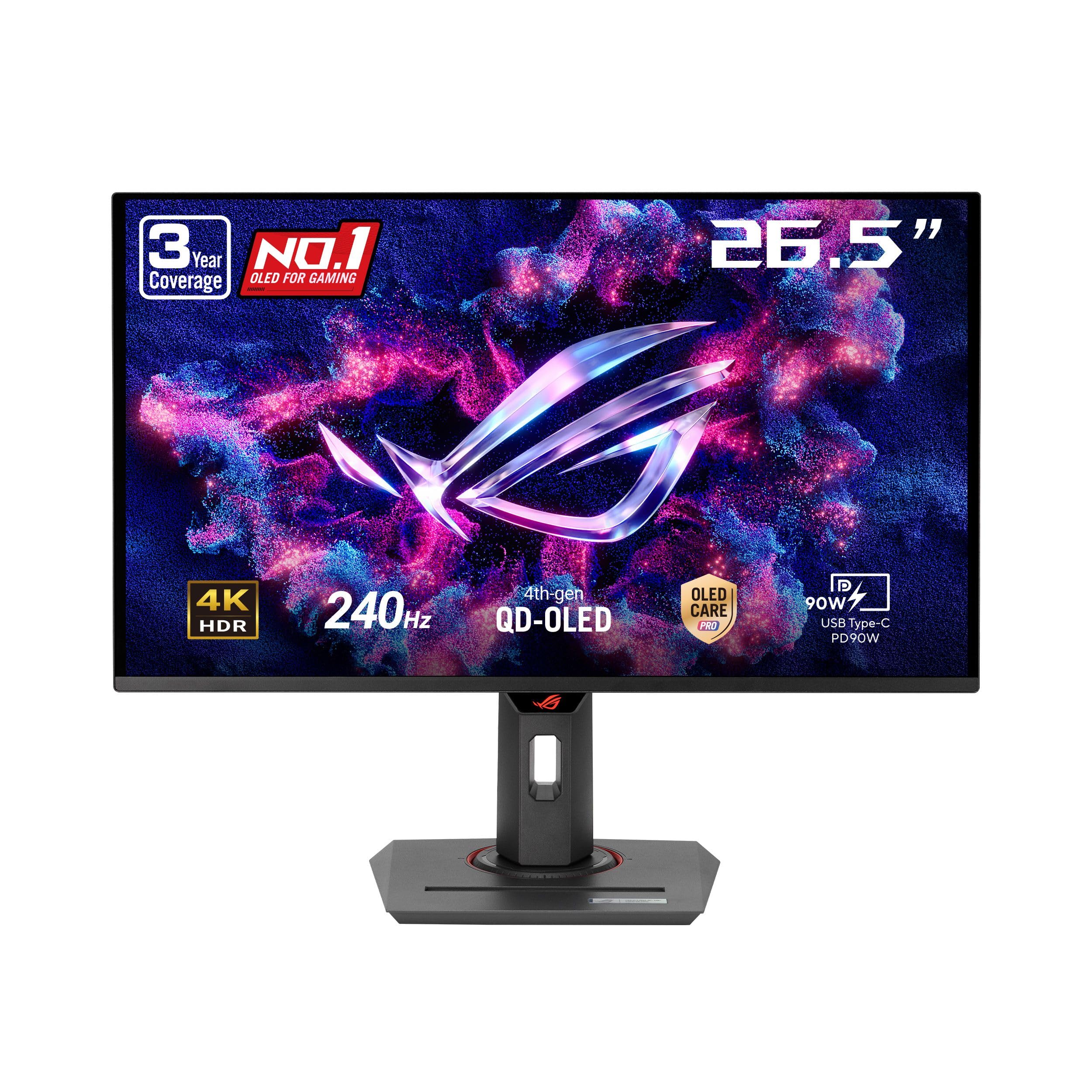
The XG27UCDMG is the monitor we choose when picture quality is the whole point. Its 26.5-inch QD-OLED panel runs 4K at 240Hz with a 0.03ms response, and the contrast is on another level from the IPS picks: blacks go truly black, highlights pop, and motion stays clean. The 99% DCI-P3 coverage and true 10-bit color make games look rich without looking oversaturated.

We recommend it for a premium setup where OLED contrast and 240Hz motion are worth the jump. The three-year warranty includes burn-in coverage, which is the reassurance most people need before spending OLED money, and the OLED Care Pro features add a proximity sensor that dims the screen when you walk away.

The jump from the ASUS IPS pick is mostly about contrast and motion, not sharpness: both are 4K, and at this size the difference in detail is small. If you play in a bright room and leave static windows open all day, an IPS panel is still the lower-stress choice. The 26.5-inch panel also keeps pixel density high enough that text looks clean, not fuzzy, which helps when the same desk has to handle work.

Pros

  • 4K 240Hz QD-OLED panel
  • Three-year warranty with burn-in coverage
  • 99% DCI-P3 and true 10-bit color
  • OLED Care Pro with proximity sensor

Cons

  • Premium price
  • Proximity sensor can be finicky
Our verdict

We recommend the ASUS ROG XG27UCDMG for a premium 4K gaming setup where QD-OLED contrast, 240Hz motion, and burn-in coverage matter more than saving money.

Check Latest Price
6

Best OLED Value

Samsung Odyssey G8 G81SF

78 /100
Lab Score Very Good

Key details

HDR
DisplayHDR True Black 400
Panel
QD-OLED
Resolution
3840 x 2160
Refresh Rate
240 Hz
View on Amazon

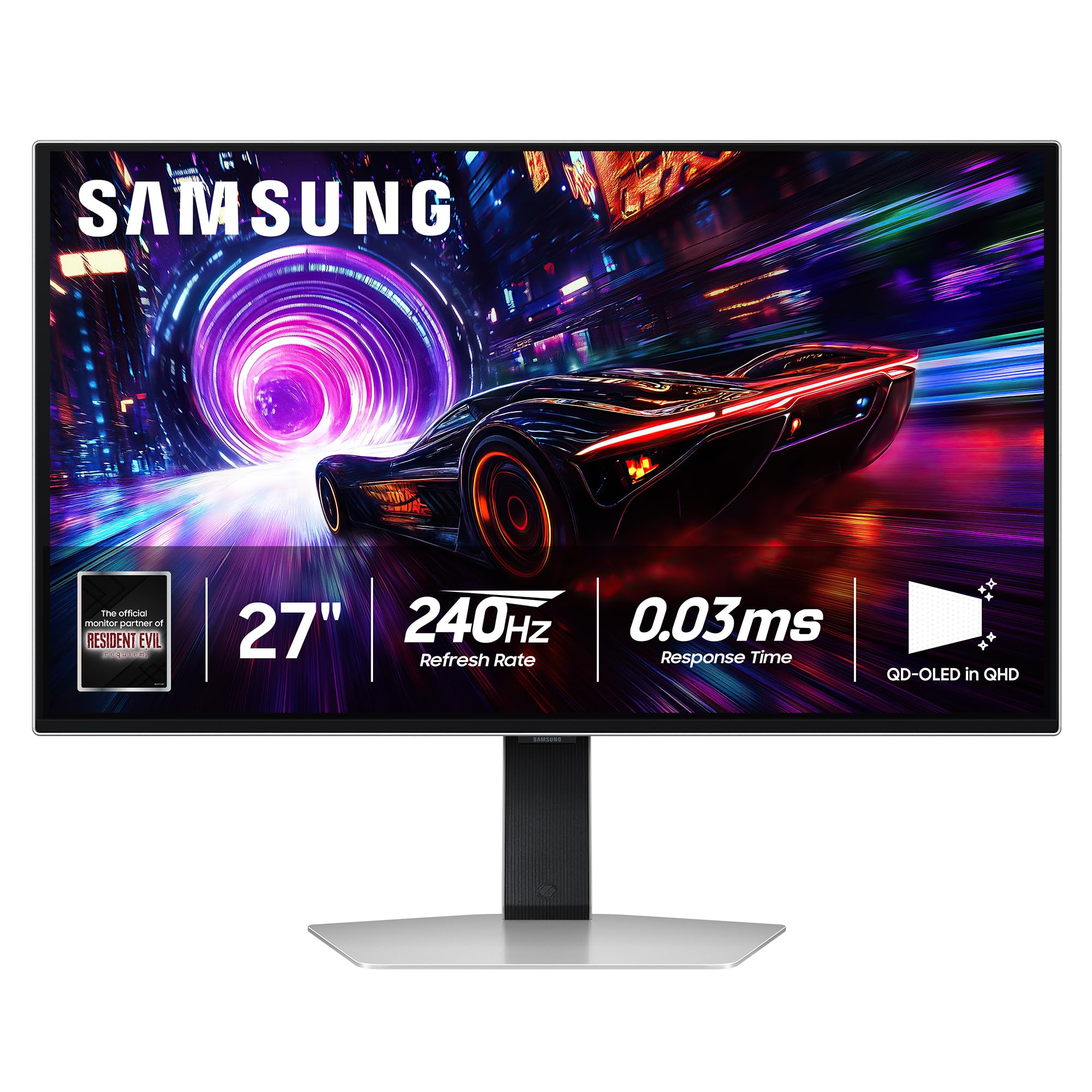
The Odyssey G8 G81SF is the cheaper way into a 27-inch 4K 240Hz OLED. It uses a QD-OLED panel with 0.03ms response, DisplayHDR True Black 400, and a glare-free finish, so dark scenes have the deep blacks and clean motion that the IPS monitors here cannot match. The 240Hz refresh is the other half of the appeal: 4K at 240Hz is a genuinely different experience from 4K at 160Hz.

The picture is the reason to choose it. Colors are rich, text looks crisp thanks to the high pixel density, and the anti-glare coating does a better job than a typical glossy OLED in a room with windows. The ergonomic stand adjusts for height and pivot, and the 27-inch size keeps the whole thing manageable on a normal desk.

The Samsung keeps the core 240Hz QD-OLED experience for less, and the True Black HDR gives dark games real depth. It is the value OLED rather than the premium one, and the glare-free screen is a real advantage if your desk faces a window.

Our call: this is the OLED to buy if the budget stops below the ASUS. It delivers the look and speed that make OLED worth considering, and the 27-inch footprint leaves room for a second screen without turning the desk into a cockpit.

Pros

  • 4K 240Hz QD-OLED panel
  • DisplayHDR True Black 400
  • Glare-free finish
  • Ergonomic height and pivot stand

Cons

  • Some units can fail early
Our verdict

We recommend the Samsung Odyssey G8 G81SF for gamers who want a 4K 240Hz OLED and can accept a less proven reliability record to save money.

Check Latest Price
7

Work and Console

Dell S2725QS

87 /100
Lab Score Excellent

Key details

Color
99% sRGB
Panel
IPS
Resolution
3840 x 2160
Refresh Rate
120 Hz
View on Amazon

The Dell S2725QS is the odd one out here, and deliberately so. It tops out at 120Hz, which makes it a poor fit for someone chasing 160Hz or 240Hz in fast shooters. But it is a 27-inch 4K IPS monitor with FreeSync Premium, a 1500:1 contrast ratio, 99% sRGB coverage, and an anti-glare screen.

For work by day and console games by night, that mix makes sense. The 120Hz ceiling is enough for a smoother desktop and for 4K 120Hz console play, and the height-adjustable stand with swivel and pivot is easy to live with. The built-in speakers are a useful bonus for a clean desk, though they won't replace a headset for immersion.

We recommend it for a mixed-use desk where color accuracy and ergonomics matter more than competitive frame rates. It is not the monitor for someone who plays Valorant or Apex at a high level and wants the highest refresh; the 160Hz and 240Hz picks here serve that buyer better. If your gaming is mostly controller-driven and your work is spreadsheets and photo editing, this is the more sensible spend.

Pros

  • 4K 120Hz with FreeSync Premium
  • 99% sRGB and 1500:1 contrast
  • Height, swivel, and pivot adjustment
  • Built-in speakers

Cons

  • Some units can fail within months
Our verdict

We recommend the Dell S2725QS for a mixed work-and-console desk where 4K color and ergonomics matter more than a 160Hz-plus competitive refresh.

Check Latest Price
8

Budget Console

Acer Nitro VG270K V4

82 /100
Lab Score Excellent

Key details

Panel
IPS
Resolution
3840 x 2160
Connectivity
2x HDMI 2.1, DisplayPort
Refresh Rate
160 Hz (4K) / 320 Hz (DFR)
View on Amazon

The Acer Nitro VG270K V4 is the budget console pick. It has two HDMI 2.1 ports, a 4K 160Hz IPS panel with a 320Hz DFR mode, and built-in speakers, which is a useful combination if you want to connect a PS5 or Xbox without adding a soundbar right away. The 0.5ms response and FreeSync Premium cover the gaming basics.

The 4K mode is sharp and bright enough for everyday play, and the 320Hz mode is there for fast multiplayer when you drop resolution. The near bezel-less design keeps the footprint tidy, and the three-year parts-and-labor warranty is longer than most budget monitors offer.

The included stand has a small footprint, and the VESA mount gives you the option of an arm if you prefer a cleaner desk. The built-in speakers are there for casual play and for keeping the desk free of extra boxes. The menu and port layout are simple enough that setup does not become a project.

We recommend it for a first 4K console setup or a secondary gaming desk where the budget is tight and HDMI 2.1 matters. The three-year warranty is the safety net that separates it from the cheapest 4K monitors, and the 160Hz panel is quick enough for everything but the most competitive shooters. The near bezel-less frame also lets two sit cleanly side by side if you are building a multi-screen desk.

Pros

  • 4K 160Hz with 320Hz DFR mode
  • Two HDMI 2.1 ports
  • Three-year parts-and-labor warranty
  • Near bezel-less design

Cons

  • Tilt-only stand
  • Speakers sound thin
Our verdict

We recommend the Acer Nitro VG270K V4 for budget console players who want 4K 160Hz, two HDMI 2.1 ports, and a three-year warranty.

Check Latest Price

How We Tested 27-Inch 4K Gaming Monitors

We started by pulling spec sheets for every 27-inch 4K panel we could find at the major retailers, then filtered by panel type, refresh rate, port selection (HDMI 2.1, DisplayPort, USB-C), stand adjustability, and whether the price lined up with what was actually inside. Eight made the cut. Each one was unboxed and assembled by a single person with a stopwatch running, then moved onto a desk for six months of real workdays and real evenings.

Picture quality was measured, not eyeballed: a colorimeter on white and black fields at several brightness levels, a nine-point uniformity sweep, and a pass through reference photos to see whether skin tones stayed neutral or drifted green. We sat every monitor in front of a west-facing window to judge how the anti-glare coating handled low afternoon sun, then killed the lights to look at black levels, backlight bleed, and — on the OLEDs — whether static taskbars left any trace.

For performance, we played the same fast shooters and racing games on each screen, watching for smearing behind moving objects and stepping through every overdrive setting to find the one that didn't ghost. Dual-mode panels got flipped between 4K and 1080p mid-session to see how long the handoff took and whether window positions survived it. Responsiveness came down to feel across duplicate displays, plus how quickly each screen woke from sleep and locked onto a new input.

Build quality and reliability got the slow treatment: how much the panel shook when I bumped the desk, whether the stand held its height after a dozen adjustments, whether ports loosened after weekly cable swaps, and whether anything drifted by month four — an ambient light sensor misreading the room, an auto-dimming routine kicking in mid-document. Every unit ran full workdays with us; nothing was judged in a short burst.

How to Choose a 27-Inch 4K Gaming Monitor

Refresh Rate and Dual-Mode Panels

At 27 inches, 4K gives you roughly 163 pixels per inch, so text and fine detail look crisp. But 4K is also harder to drive, and the difference between 120Hz and 160Hz is less visible than the jump from 60Hz to 120Hz. If you play fast shooters, look for 160Hz or higher, or a dual-mode panel that drops to 1080p at 320Hz or 360Hz. The lower-resolution mode looks soft on the desktop, so treat it as a competitive-game switch, not an everyday setting. Check that your graphics card and cable can actually carry 4K at the rated refresh before you buy.

IPS or OLED, and What HDR400 Means

IPS is the safer default: it holds brightness well, keeps colors consistent across the screen, and avoids OLED burn-in anxiety. OLED, especially QD-OLED, gives you far deeper blacks and cleaner motion, but it costs more and asks you to manage static elements. If you play in a bright room or leave spreadsheets open for hours, IPS is the lower-stress choice. If you game in a darker room and want the best contrast, OLED earns the premium. HDR400 is common on both types, but it is a modest step up—don't pay extra for HDR400 alone.

Ports, Cables, and Console Support

For a PC, DisplayPort 1.4 is the most reliable route to 4K at 160Hz or higher; for a PS5 or Xbox Series X, you want HDMI 2.1 to get 4K at 120Hz. Two HDMI 2.1 ports are handy if you keep both consoles connected, and USB-C is useful if you switch between a desktop and a laptop. The cable in the box may not be the one you need: several monitors include DisplayPort but not an HDMI 2.1 cable. Buy a certified cable rated for the resolution and refresh you plan to use, and set the refresh rate in your graphics driver after installation.

The Stand, Desk Fit, and Warranty

A height-adjustable stand with tilt, swivel, and pivot is worth prioritizing if you sit at the desk for hours; a tilt-only stand often leaves the screen too low. Check the footprint, too—27-inch monitors are not huge, but a wide V-shaped base can crowd a small desk. If you plan to use an arm, confirm the VESA pattern and weight limit. Warranty length separates the budget picks: one year is common, while three years with advanced replacement or burn-in coverage is a real long-term advantage. Test for dead pixels and intermittent cutouts during the return window.

Frequently Asked Questions

Final Verdict

The ASUS ROG XG27UCG is the one we recommend first: it gives you 4K at 160Hz, a 1080p 320Hz mode for competitive play, USB-C, and a three-year warranty without the OLED premium. If you want more refresh and two HDMI 2.1 ports, the LG 27G810A-B is the step up. If contrast is the priority, the ASUS ROG XG27UCDMG is the no-compromise OLED; the Samsung Odyssey G8 is the value OLED if you accept a less proven record.